
Skip to content
Pro365 GO
Book a demo
Home
Pro365 GO
Pro365 AI
Pro365 Talk
Solutions
Dental Clinic Management
About
Book a demo

Dental clinic management, in practice.

Dental clinic management means running the clinic like a business: filling the schedule, bringing patients back, getting treatments approved, getting paid on time, organizing the team and tracking a few numbers every week. These seven guides show how to do each part, with short chapters, a checklist and what to check every week. They were written by HartSystem, the creator of ProDent, which has supported clinics in 5 countries since 1993.

By Andreas Hartmann, CEO of HartSystem · updated October 15, 2026

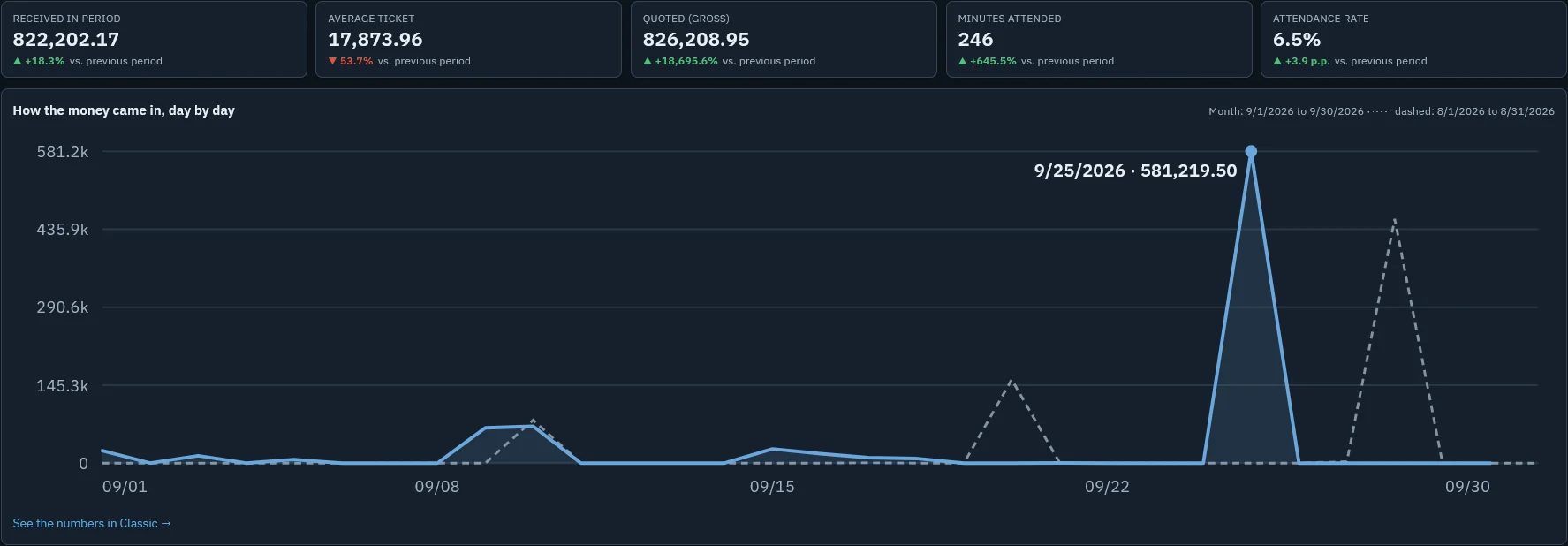
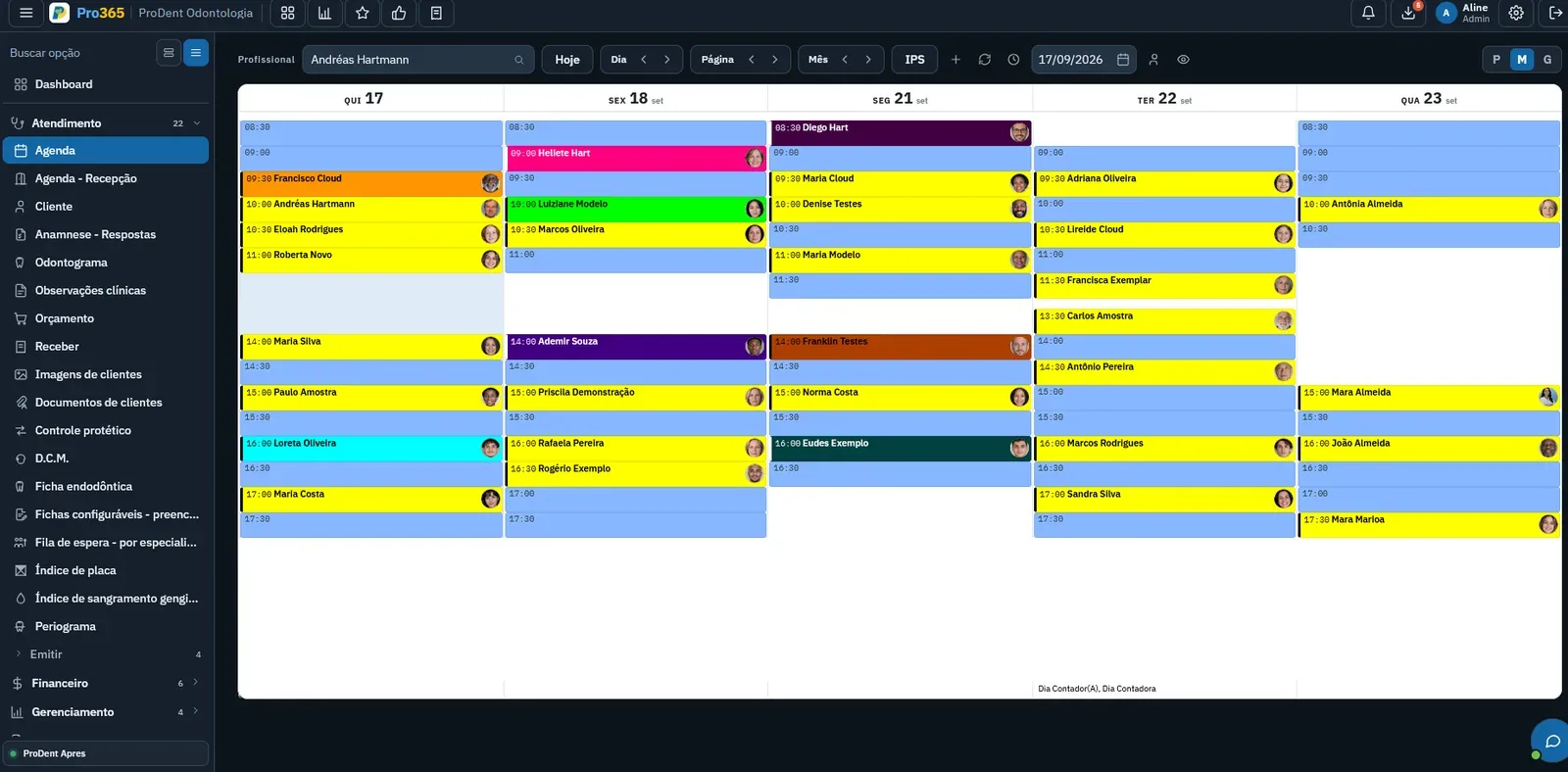
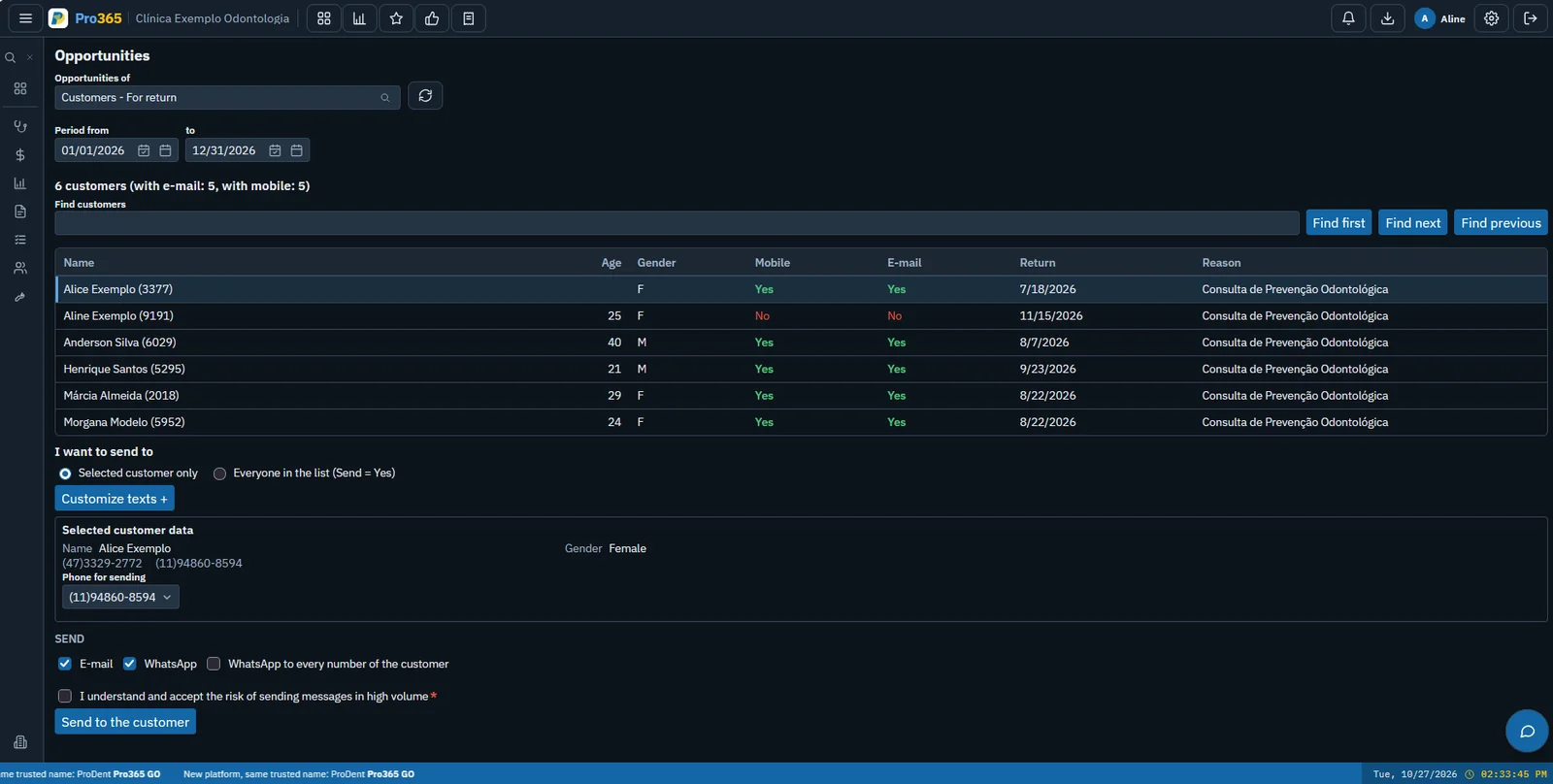
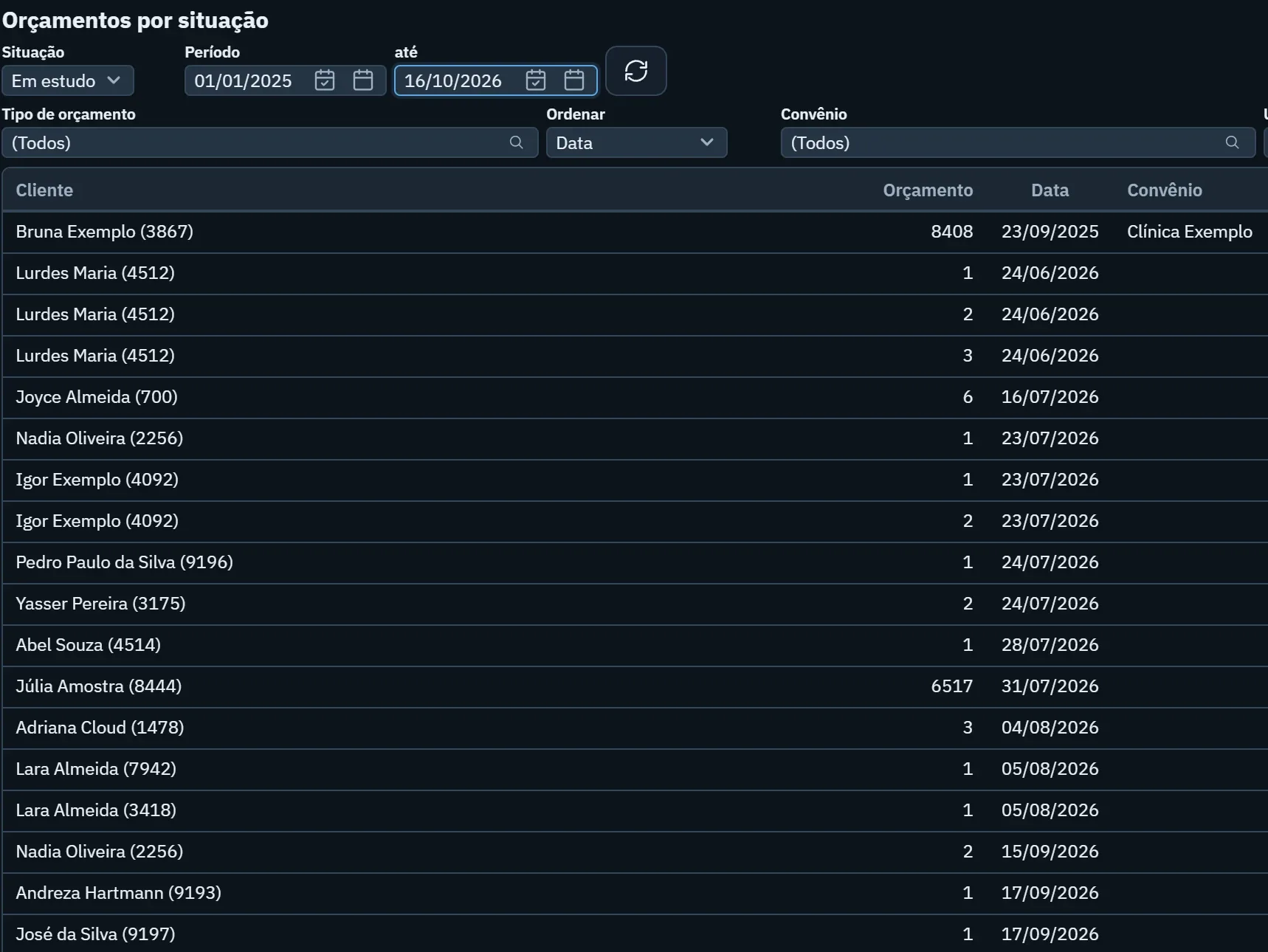
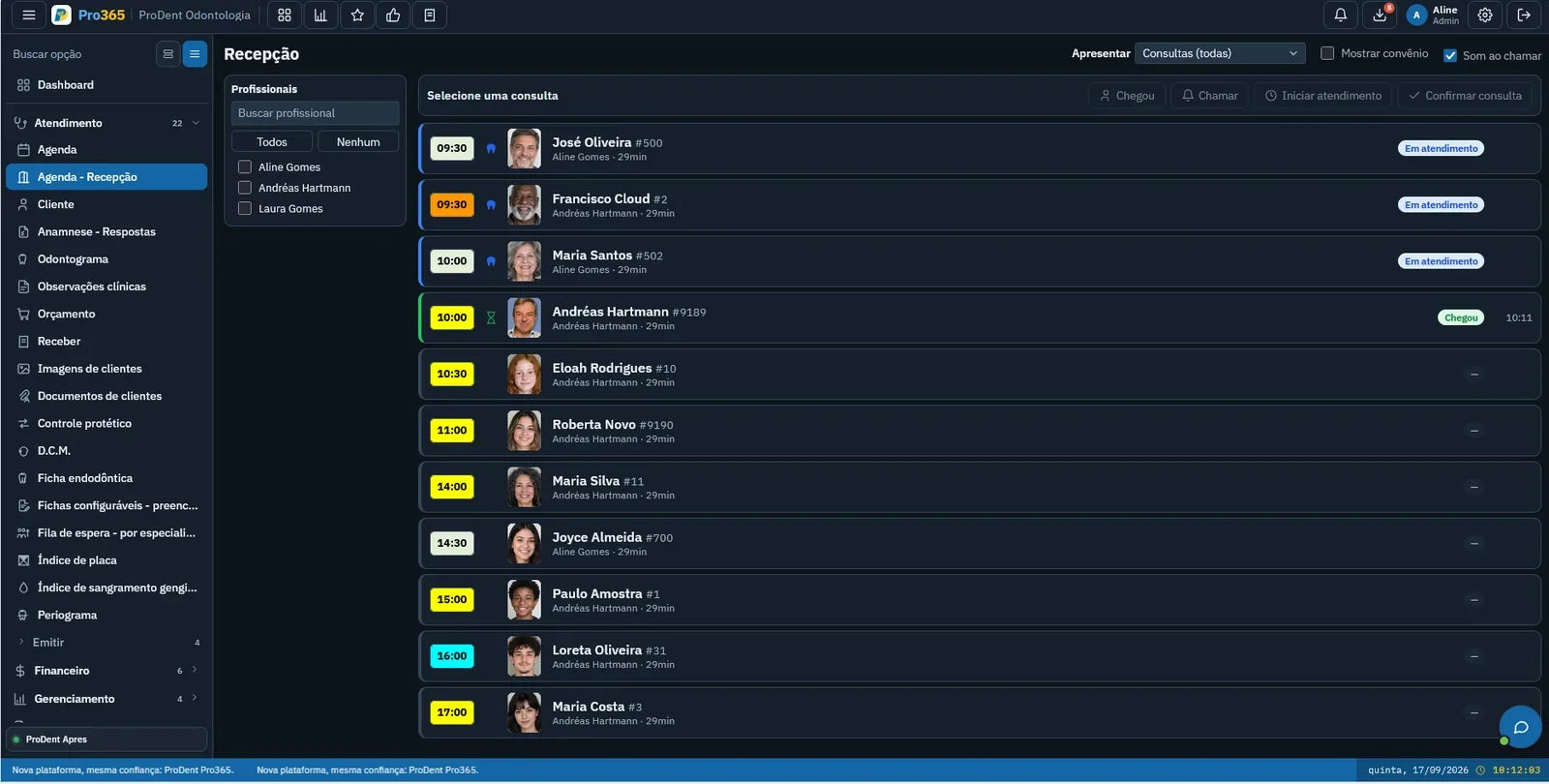
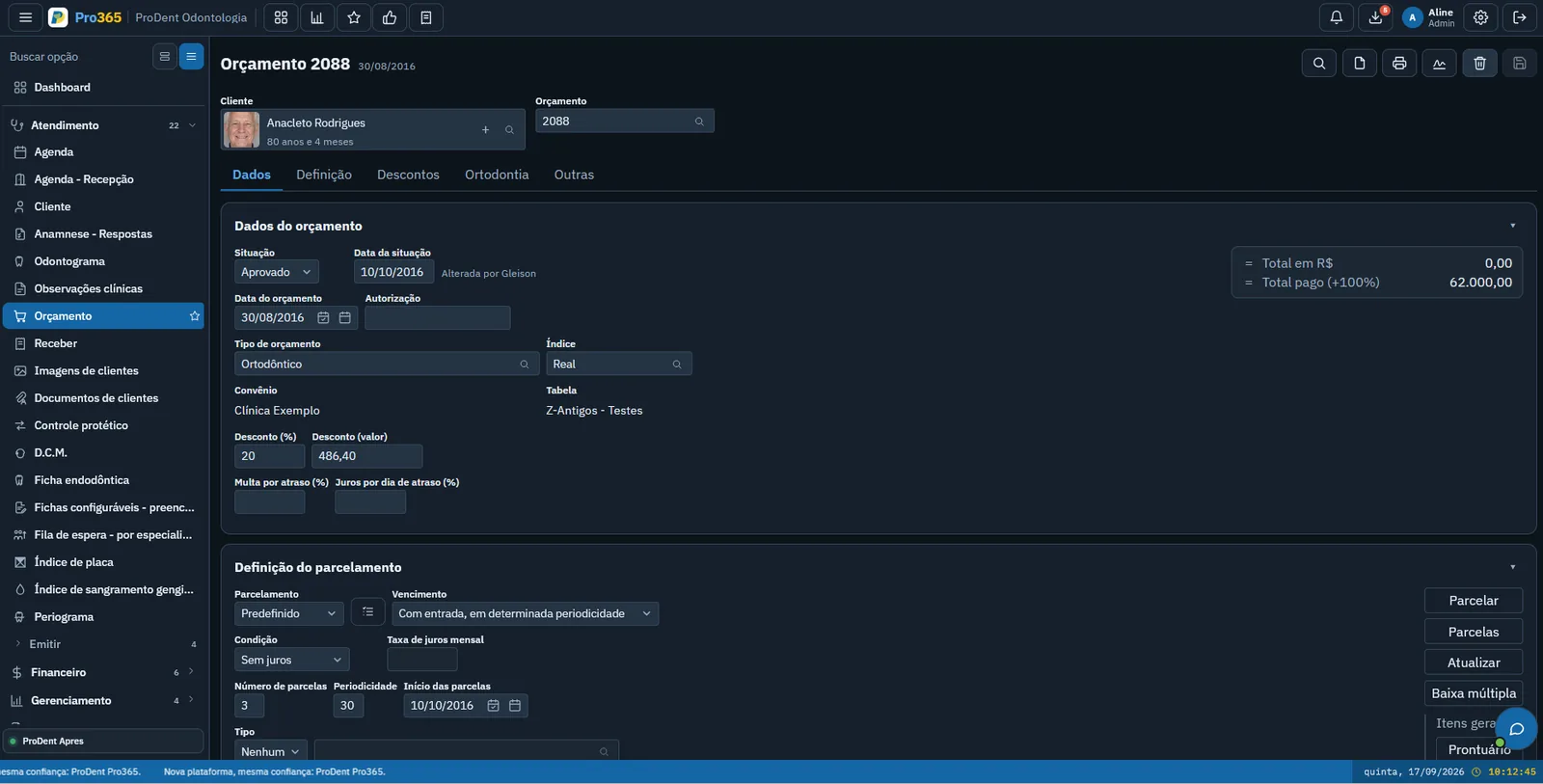
Pro365 GO dashboard with money received in the period and day by day Weekly schedule in Pro365 GO, with each day's appointments Pro365 GO opportunities screen, with the list of patients to contact Pending estimates in Pro365 GO, awaiting the patient's decision Pro365 GO front desk screen, showing who has arrived and who is being seen Monthly management KPIs in Pro365 GO Treatment estimate in Pro365 GO, with price list, discounts and installments
Guide 01 · 5 chapters · 9 min How to control cash flow, reduce late payments and know if the clinic is profitable? Check every weekReceived vs expectedPatients with overdue installments Read the guide
Where to start

Which of these sounds like your clinic?

Pick the one that sounds most like your day. Each leads to the two guides that help first.

“The schedule is full, but nothing is left at the end of the month.”

The problem is usually cash that is never reconciled, late installments and prices that don't cover the cost of treatment.

In Pro365 GO: finance marks payments as received straight from the bank, and the Pro365 AI Consultant tells you on WhatsApp how much came in this month.

“The clinic has grown and I can't see everything anymore.”

With more people on the team, everyone does things their own way. Clear roles and a few weekly numbers give you back control.

In Pro365 GO: dashboards show the clinic at a glance and the Pro365 AI Instructor trains the team on WhatsApp.

Essential KPIs

Six numbers to check every week.

No spreadsheet or math needed. What matters is checking on the same day each week, comparing with the week before and turning each gap into an action with an owner.

Read the KPI guide
  • Schedule occupancy

    How much available time turned into appointments, and which days and shifts have gaps.

  • No-shows and cancellations

    Who didn't come, who cancelled and how many of those slots have been rebooked.

  • Pending estimates

    Treatments presented that still await the patient's decision, and who will follow up.

  • Revenue received

    How much came in and by which payment method, compared with the previous period.

  • Overdue installments

    Who has overdue payments, so you can follow up early with a friendly reminder.

  • Patients overdue for a return visit

    Who completed treatment and hasn't come back for a check-up yet.

Pro365 GO, the new ProDent

The numbers from the guides, ready in the system.

The guides work with any tool. In Pro365 GO, these numbers appear on their own, with no spreadsheet to build.

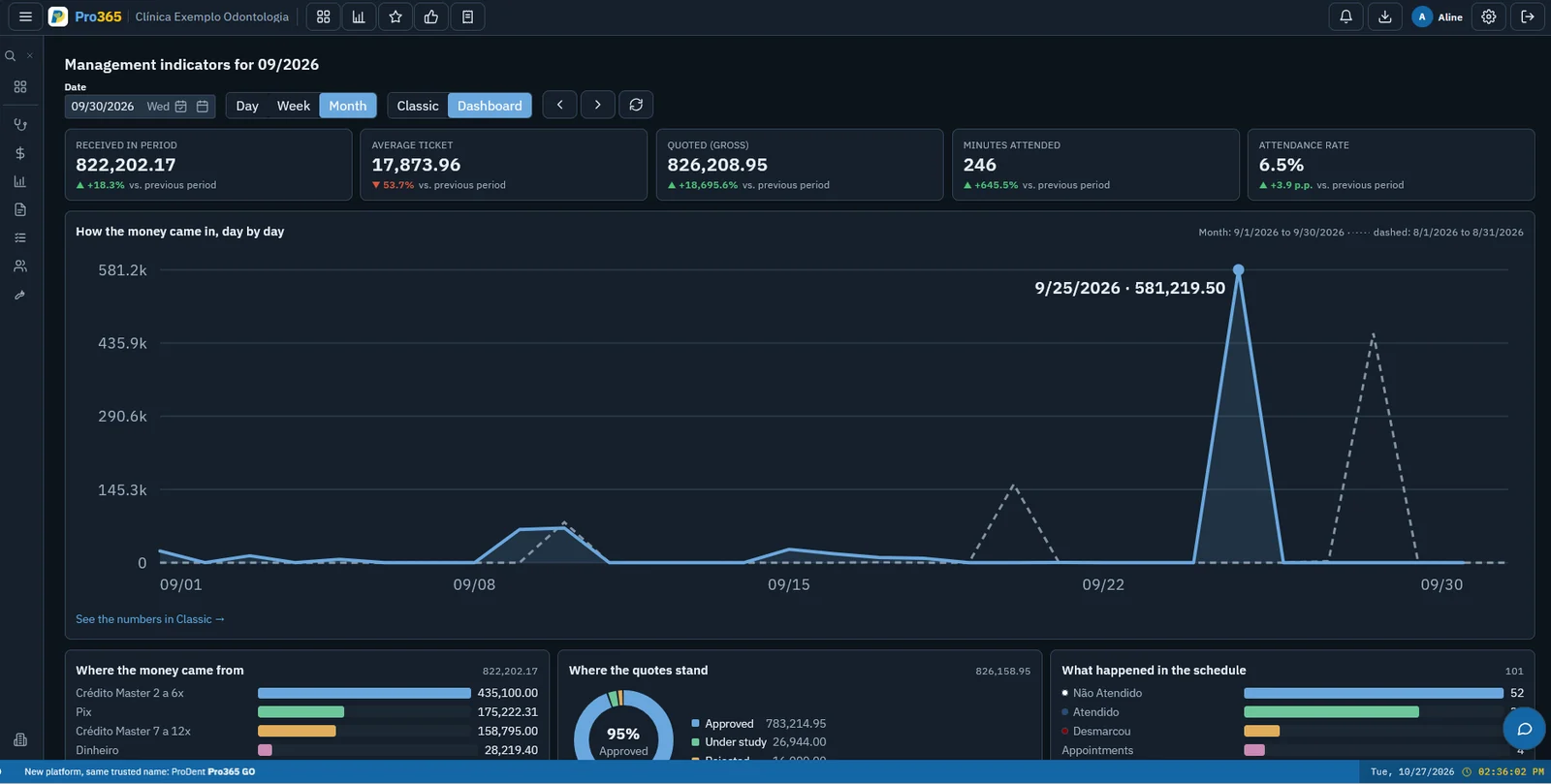
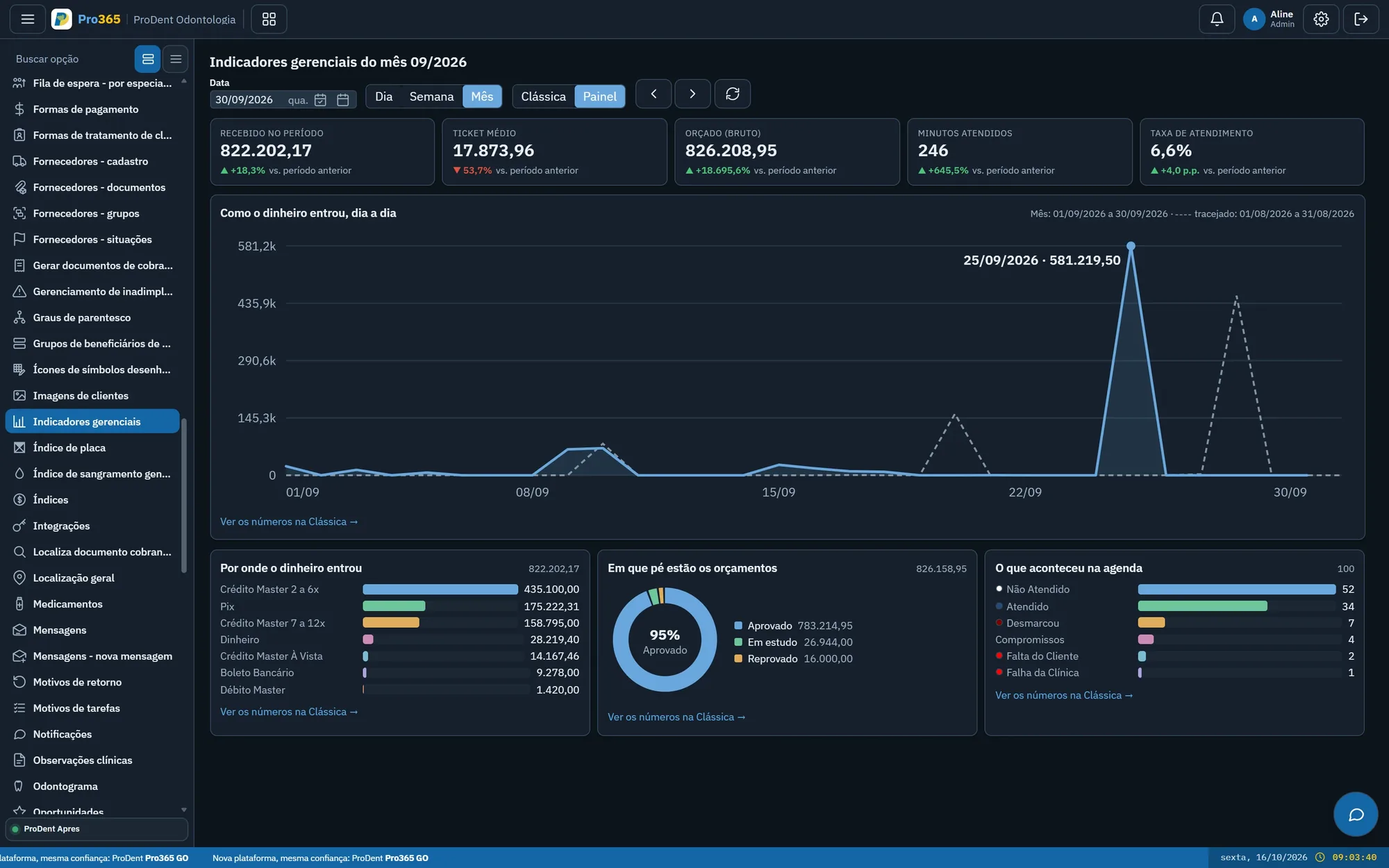
  • Management KPIsRevenue, estimates and the month's schedule on one dashboard, compared with the previous period.
  • WhatsApp confirmations and campaignsFewer no-shows and more patients coming back, without the front desk calling one by one.
  • Pro365 AIAsk on WhatsApp how many estimates are pending and get the answer right away.
Monthly management KPIs in Pro365 GO: received, average ticket, estimated, schedule and money in day by day
ProDent since 1993

Pro365 GO is the new ProDent

This tool grew out of more than three decades of ProDent working alongside dental clinics. Now it's 100% web, comes with Pro365 AI and keeps the same HartSystem support team. If you use ProDent, the team helps bring your data over and trains your staff.

Our story
  • since 1993building software only for dentistry
  • 100% webin the browser on computer, tablet and phone
  • Pro365 AIanswers about your clinic, no reports to build
Andreas Hartmann, CEO of HartSystem
Author

Andreas Hartmann

CEO of HartSystem, the company from Blumenau, Brazil, that created ProDent and has served dental clinics in Brazil, Portugal, the United States, Mozambique and Paraguay since 1993. The guides bring together what the team has learned supporting clinic management in more than 1,000 cities.

About Andreas
Ready to take the next step?Leave your details and the HartSystem team will get in touch.
Book a demo

Frequently asked questions

What is dental clinic management?

It's the part of the clinic that happens away from the chair: scheduling, patient relationships, estimates, finances, the team and the numbers that show whether it's all going well. A well-managed clinic gives better care because there's more time for the clinical work.

Which guide should I start with?

With the problem that weighs most today. If money runs short at month's end, start with finance. If there are empty slots, start with the schedule. If you're not sure, the KPI guide shows where the biggest gap is.

Do the guides work for a small practice?

Yes. Each chapter includes a simple action that a dentist working alone can apply. For larger clinics, the team guide helps split those tasks.

Do I need software to apply the guides?

No. You can start with paper or a spreadsheet. Dental practice management software like Pro365 GO, the new ProDent, saves you the work of gathering the numbers and alerts you when something is off.

How often are the guides updated?

Whenever clinic routines or regulations change. The last-updated date appears at the start of each guide.

Want to see these numbers for your clinic?

A HartSystem specialist shows you Pro365 GO with your clinic's routine: schedule, estimates, finances and KPIs.

Talk to a specialist

Get to know Pro365 GO

Leave your contact and a specialist will reach out.

Your data is protected under data protection law (LGPD/GDPR). No spam.
Book a demo
Questions? Ask us on WhatsApp