
Automatic WhatsApp campaigns for the patients your clinic forgot.
The campaign agents in Pro365 GO, HartSystem's dental software and the new ProDent, find the right patients (overdue for a recall, with estimates pending or declined, birthdays) and send the message by WhatsApp and email on their own. Your clinic picks a ready-made campaign, adjusts the text and send time, and follows who replied.
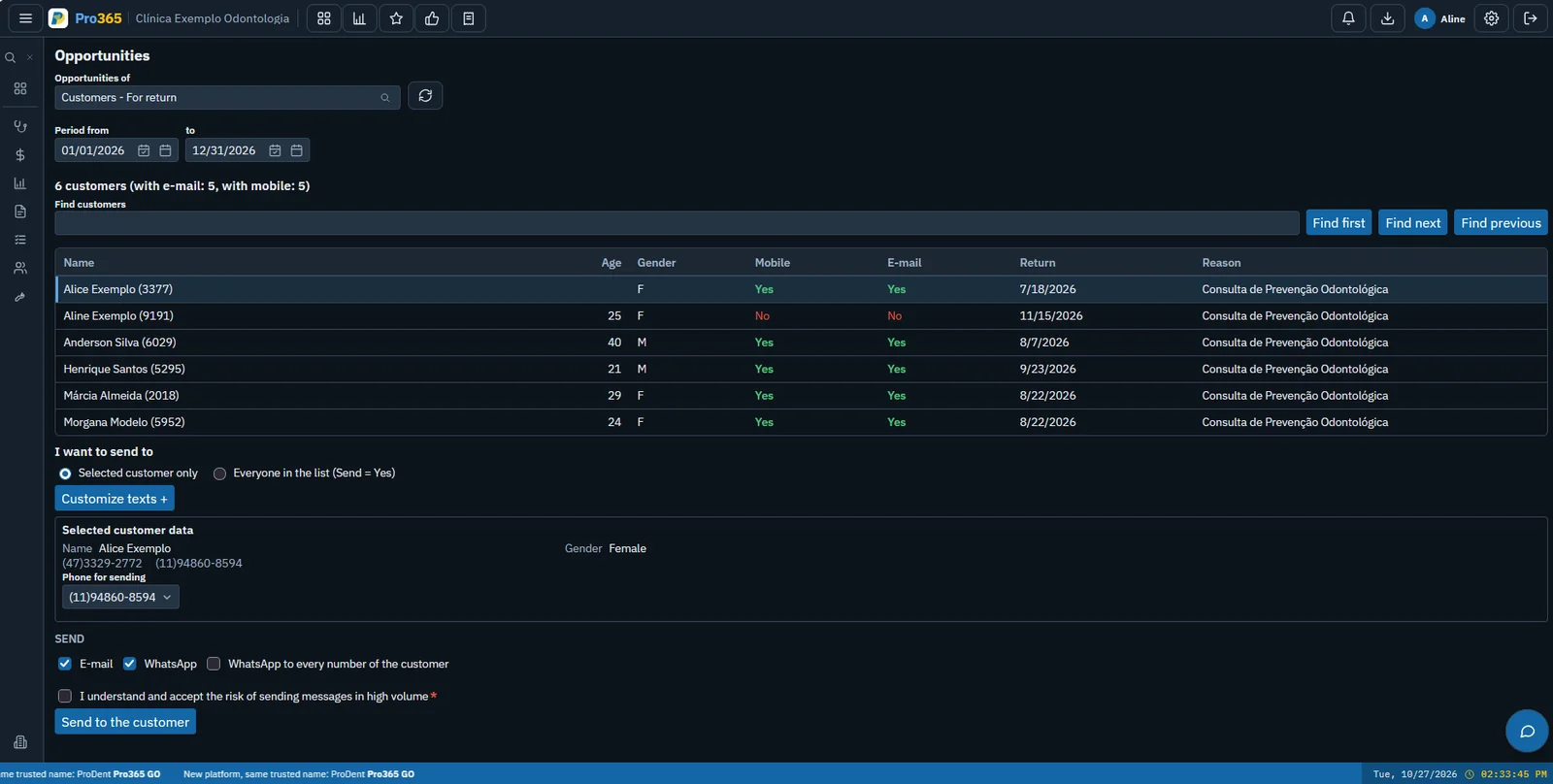
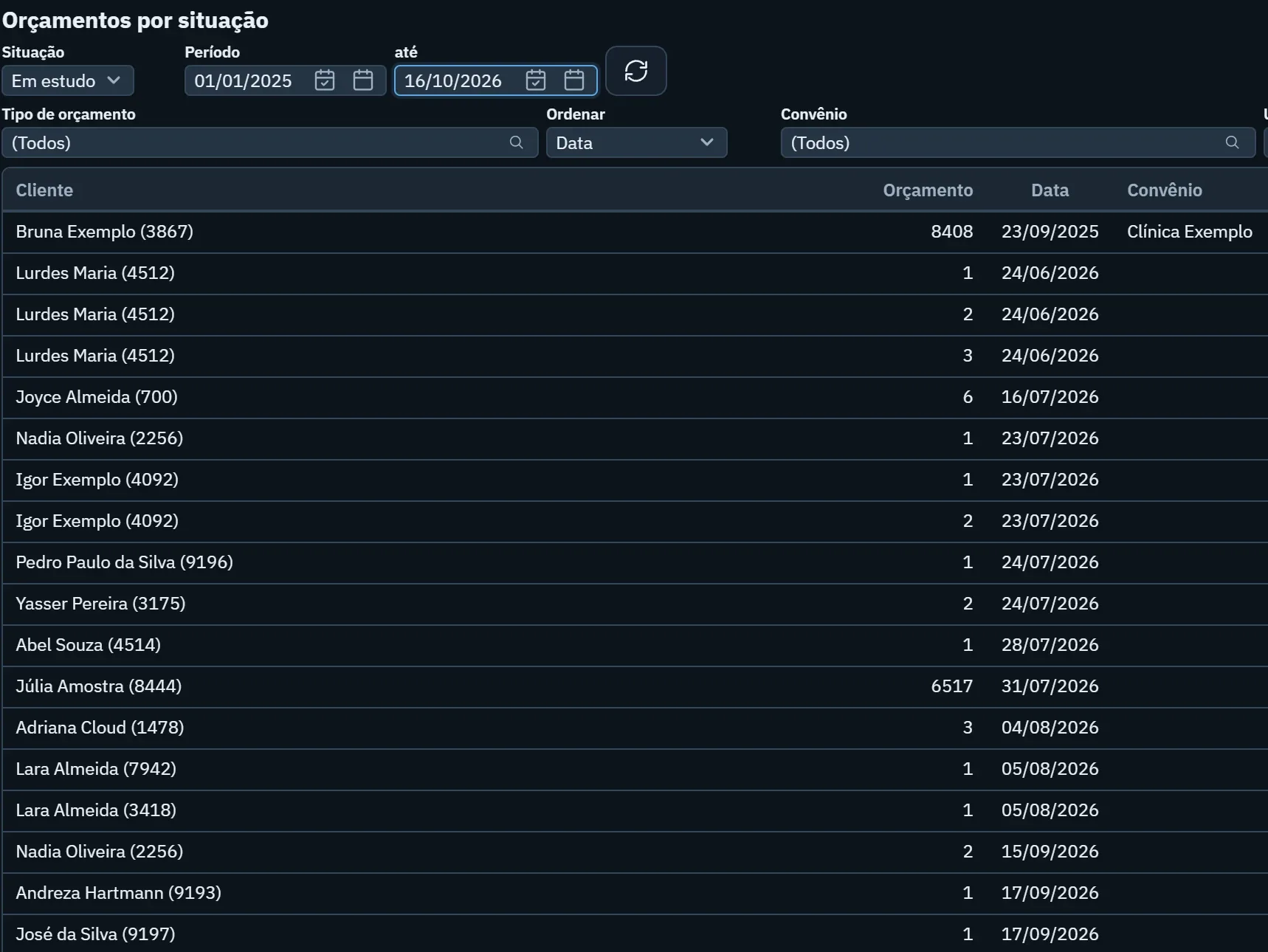
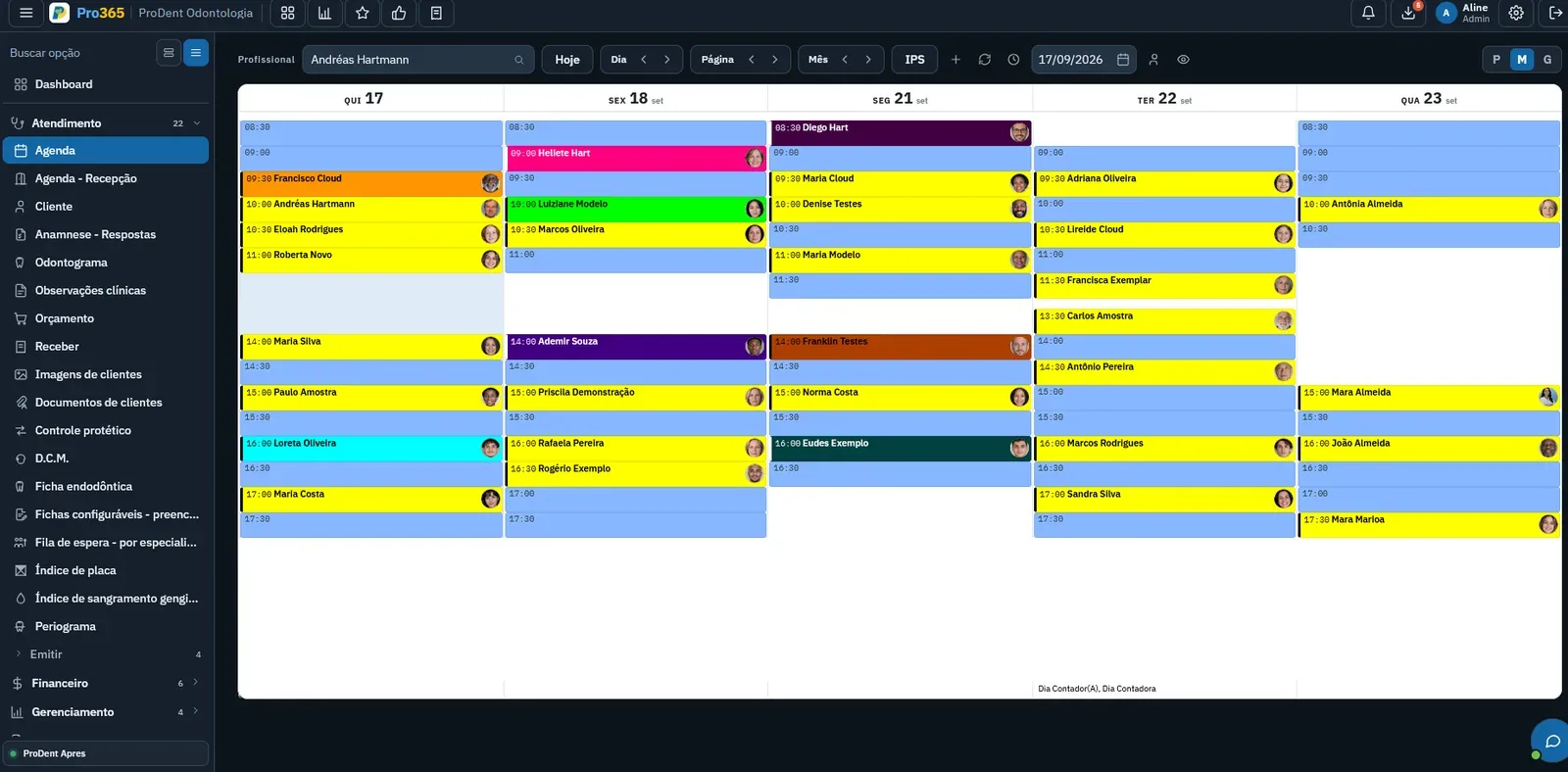
The agent works while your clinic sees patients. It finds who drifted away, writes, sends at the right time and shows who replied.
Hi Carlos! Any questions about your estimate? We're happy to talk.
Send 7 days after the estimate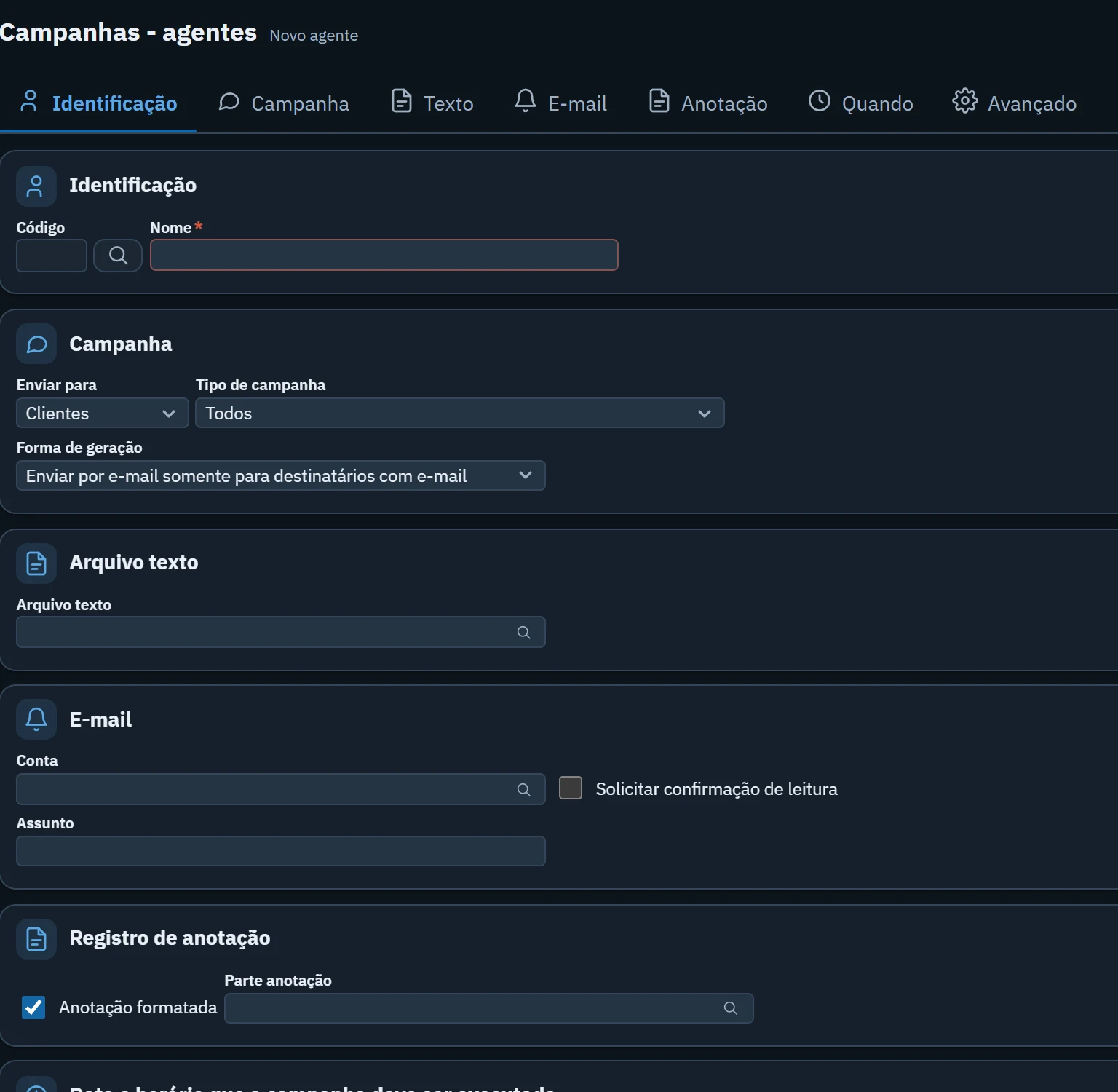
Yes please! Anything on Thursday?
The front desk can book nowStart with one that's ready to go
Each campaign already knows who to look for. Your clinic just adjusts the text and picks when it runs.
- 01Recall and maintenanceReminds patients who are due back.
- 02Pending estimatePicks up the conversation with those still deciding.
- 03Declined estimateOpens the door again, no pressure.
- 04Approved, not startedInvites them to book the first session.
- 05Inactive patientsReaches those who haven't come in a long time.
- 06BirthdayBirthday wishes on the day, with the patient's name.
Three steps and the agent does the rest
- 1Pick the campaign
Choose who it goes to and the campaign type. Pro365 GO builds the list from your patients.
- 2Adjust the message and timing
Use the ready text or write your own, with the patient's name. Set the day and time the campaign runs.
- 3Follow the replies
Replies reach the front desk, and each send can be noted on the patient's record.
From the record to the patient's WhatsApp
Watch a campaign being created in Pro365 GO and the message arriving on the patient's phone.
- 01WhatsApp and email
The two channels patients use most.
- 02Lists from Pro365 GO
Schedule, recalls and estimates become the audience.
- 03Sent on schedule
The campaign runs on its own at the chosen day and time.
- 04Note on the record
It's recorded who received what.
A pending estimate doesn't get forgotten
Every estimate in Pro365 GO has a status and a date. Your clinic sets the message and how many days later it goes out to those pending or declined, and the agent sends it on its own.
- Audience by estimate status
- Message and timing set by your clinic
- Replies straight to the front desk
Pro365 GO is the new ProDent
This tool grew out of more than three decades of ProDent working alongside dental clinics. Now it's 100% web, comes with Pro365 AI and keeps the same HartSystem support team. If you use ProDent, the team helps bring your data over and trains your staff.
Our story- since 1993building software only for dentistry
- 100% webin the browser on computer, tablet and phone
- Pro365 AIanswers about your clinic, no reports to build
Frequently asked questions
Can the agents send by SMS?
It's possible, but rarely used. The main channels are WhatsApp and email, which is where patients reply.
Can I write my own message?
Yes. Each campaign comes with ready text that your clinic can adjust or replace. The patient's name is filled in automatically.
Does someone have to press send?
No. Once set up, the campaign runs on its own on the day and time your clinic chose.
Can a patient ask not to receive messages?
Yes. Patients who opt out are left out of future campaigns, and your clinic can see it on their record.
Do the campaigns comply with data protection laws?
Patient data stays in your clinic's Pro365 GO, and messages go to people who have a relationship with your clinic. Your clinic is responsible for having contact consent and following dental ethics rules.
How many messages can I send?
It depends on WhatsApp's own rules. In the demo, the team shows what fits your clinic's routine.
Bring back the patients who already trust you.
A specialist shows you the campaign agents with your clinic's lists and routine.
Talk to a specialist