
Dental clinic metrics without a spreadsheet.
Pro365 GO, the dental software that is the new ProDent, shows your clinic's numbers on a dashboard that updates itself: schedule, no-shows, estimates, payments and overdue recalls. And with Pro365 AI you ask on WhatsApp and get the answer right away.
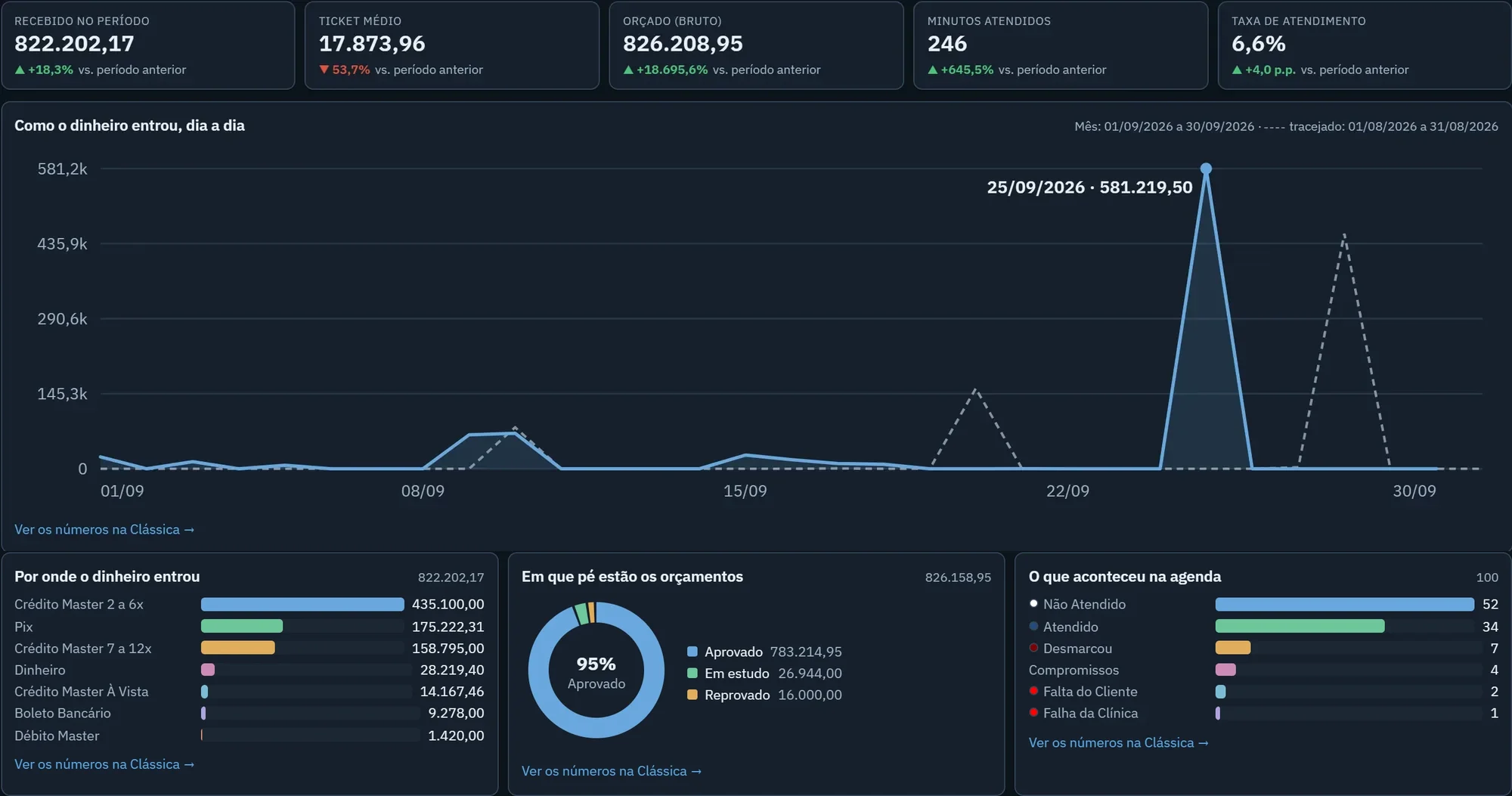
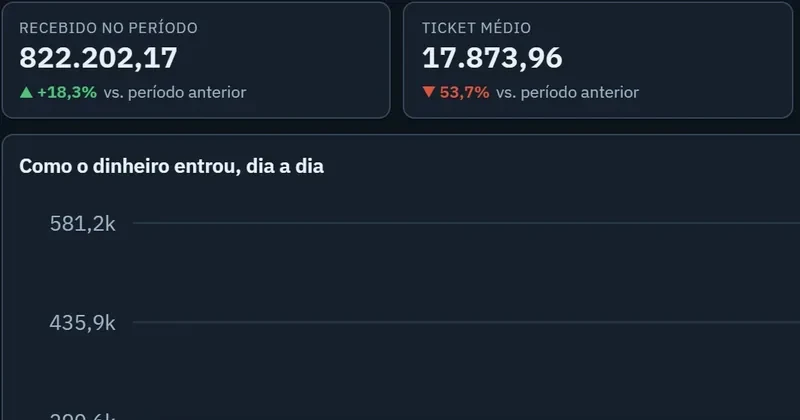
Open the dashboard and know where to act. Each panel shows one part of your clinic, compared with the previous period.
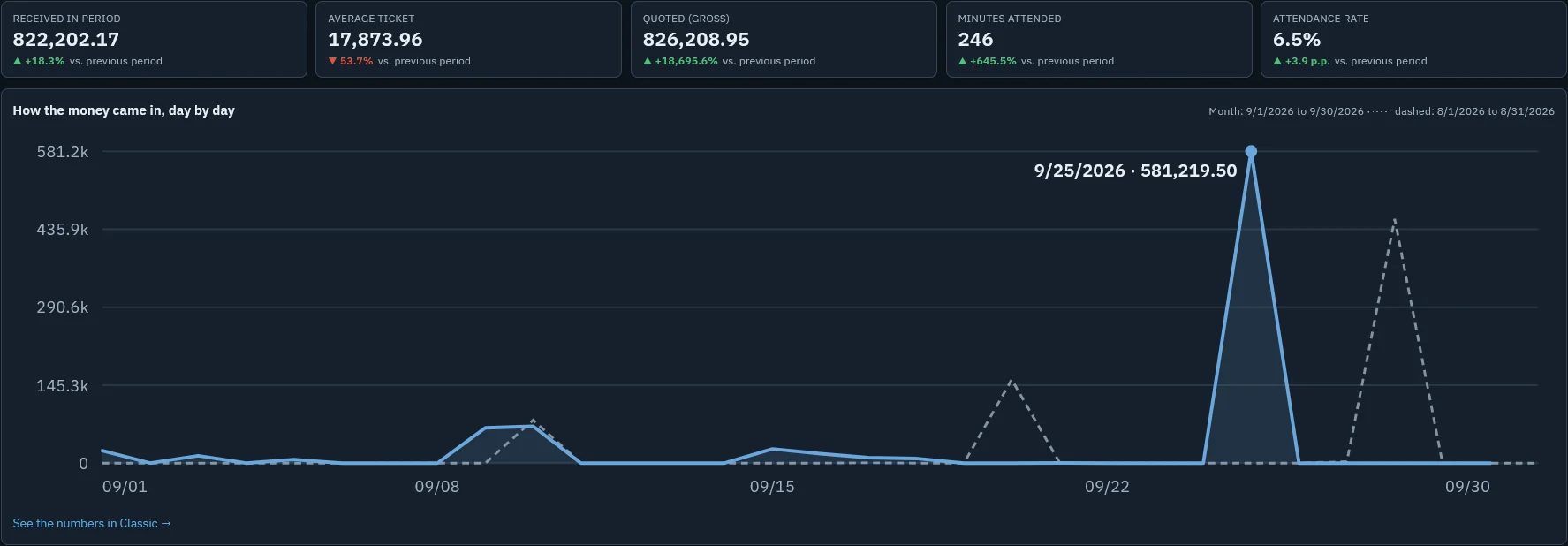

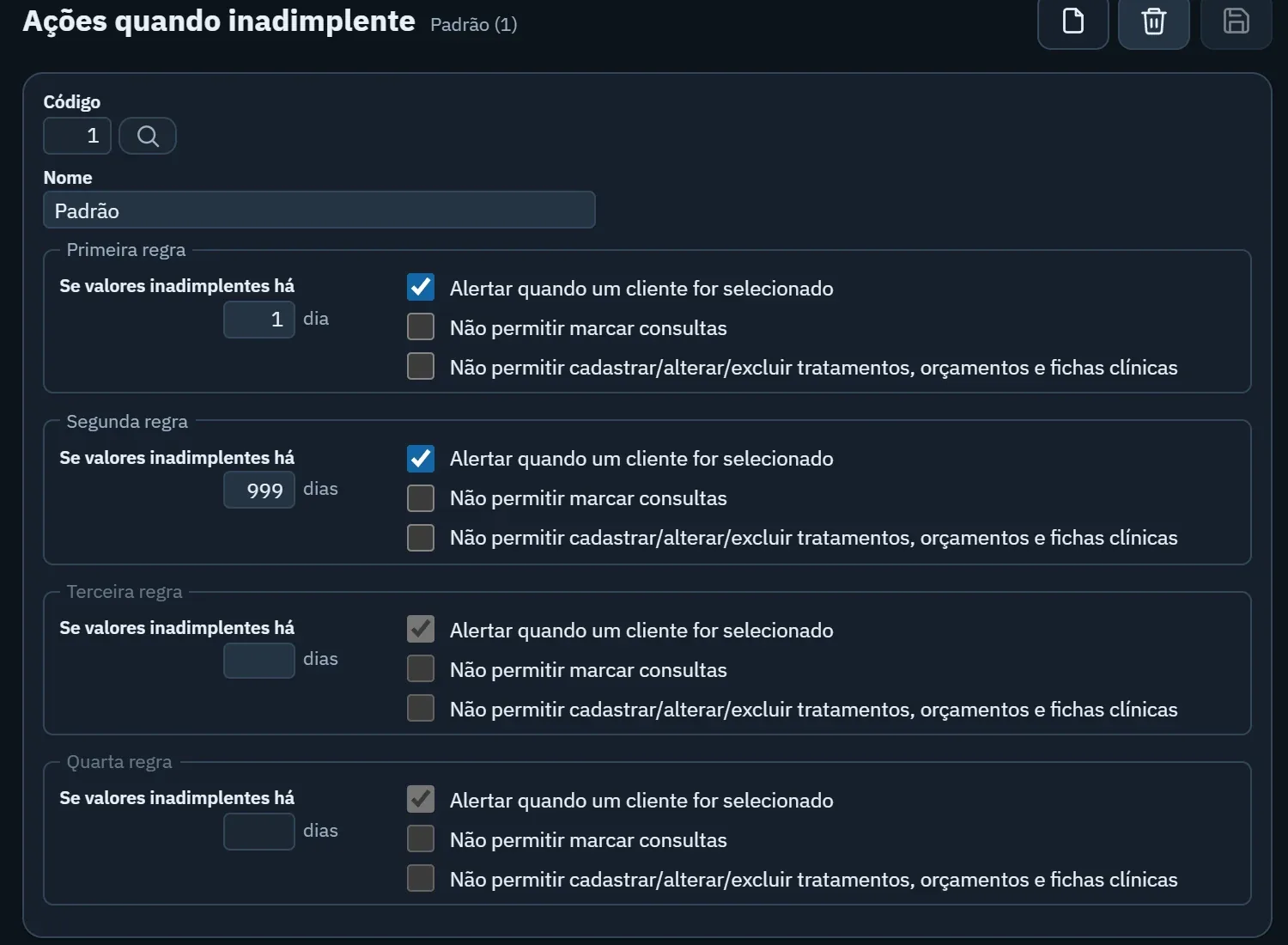
Every number helps you decide something
- Schedule occupancy
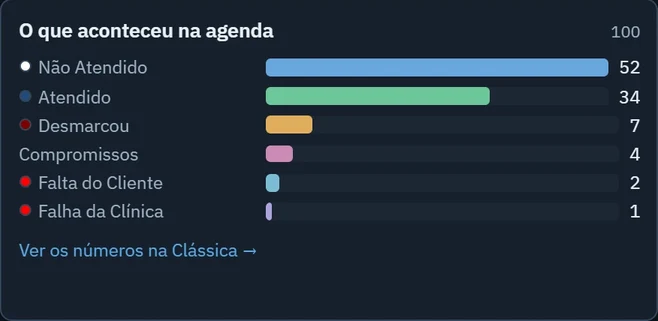
- Shows
- How much of the schedule was used and how many patients were seen.
- Helps decide
- Whether to open slots, change shifts or call those on the waiting list.
- No-shows and cancellations
- Shows
- Who didn't show, who cancelled and when the clinic was at fault.
- Helps decide
- Whether appointment confirmations should go out earlier or be reinforced.
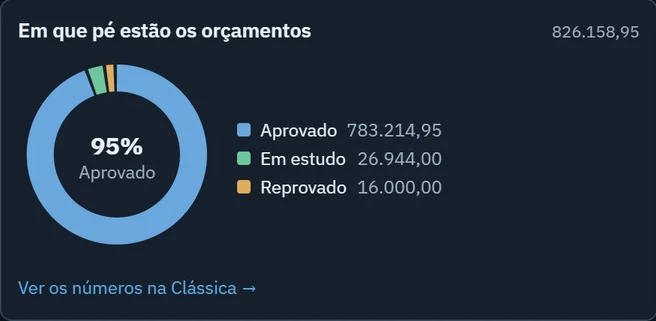
- Estimate acceptance
- Shows
- How much of what was quoted is accepted, pending or declined.
- Helps decide
- Who to follow up with and how to present the next estimates.
- Payments received
- Shows
- How much came in, on which days and by which payment method.
- Helps decide
- Which payment terms to offer and how to plan cash flow.
- Overdue payments
- Shows
- Who is behind on payments, and for how long.
- Helps decide
- When to collect and whether the front desk should be alerted on opening the record.
- Overdue recalls
- Shows
- Who had treatment and hasn't come back for a check-up.
- Helps decide
- Who should get a recall campaign this week.
No need to open the system: ask on WhatsApp
Pro365 AI Consultant answers about your clinic's numbers by voice or text, in the same WhatsApp you already use.
- Each person only sees what their ProDent permission allows
- Your clinic's data never trains the AI
- Answers in seconds, by voice or text
 Pro365 AI Consultantonline
Browse the dashboards on computer or phone
See how you switch between day, week and month, compare with the previous period and open the numbers behind each chart.
- 01Dashboard or classic
Charts to look at, or the numbers as a list to check.
- 02Day, week and month
With arrows to go back and forward in time.
- 03Automatic comparison
Each number says whether it went up or down.
- 04No spreadsheet
The numbers come from what your clinic already records.
Everyone sees what matters for their job
- The owner or manager
Payments received, estimate acceptance, overdue payments and how it compares with last month.
- The front desk
Today's schedule, no-shows, cancellations and overdue recalls to call.
- The dentist
Their own appointments, the estimates they presented and the patients they follow.
Pro365 GO is the new ProDent
This tool grew out of more than three decades of ProDent working alongside dental clinics. Now it's 100% web, comes with Pro365 AI and keeps the same HartSystem support team. If you use ProDent, the team helps bring your data over and trains your staff.
Our story- since 1993building software only for dentistry
- 100% webin the browser on computer, tablet and phone
- Pro365 AIanswers about your clinic, no reports to build
Frequently asked questions
Do the numbers update on their own?
Yes. They come from what your clinic already records daily in the schedule, estimates and finances. Nobody has to build a spreadsheet.
Can I see it by day, week and month?
Yes. The dashboard switches between day, week and month, and each number shows the comparison with the previous period.
Can I see it by dentist?
Yes. Schedule, estimates and appointments can be viewed by dentist, and each person sees what their permission allows.
Can I see several locations together?
Clinics with more than one location can follow each one's numbers. In the demo, the team shows how it works in your case.
Can I export the numbers?
The classic view shows the numbers behind each chart as a list, ready to check and take wherever your clinic needs.
Does Pro365 AI see all the clinic's data?
It only answers what the user's ProDent permission allows them to see. And your clinic's data is never used to train the AI.
Know how your clinic is doing without a spreadsheet.
A specialist shows you the dashboard and Pro365 AI with your clinic's numbers and routine.
Talk to a specialist