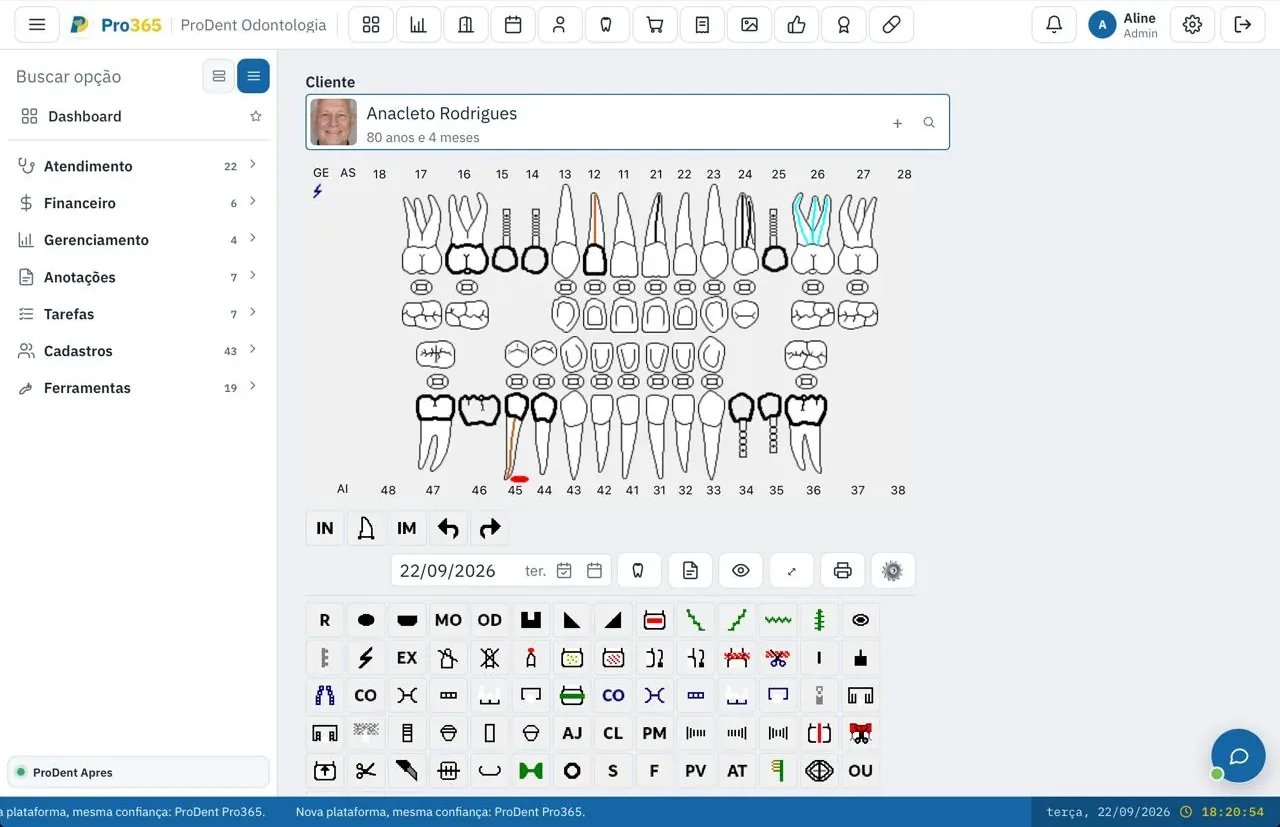
Digital tooth chart: the whole mouth, tooth by tooth, in one tap.
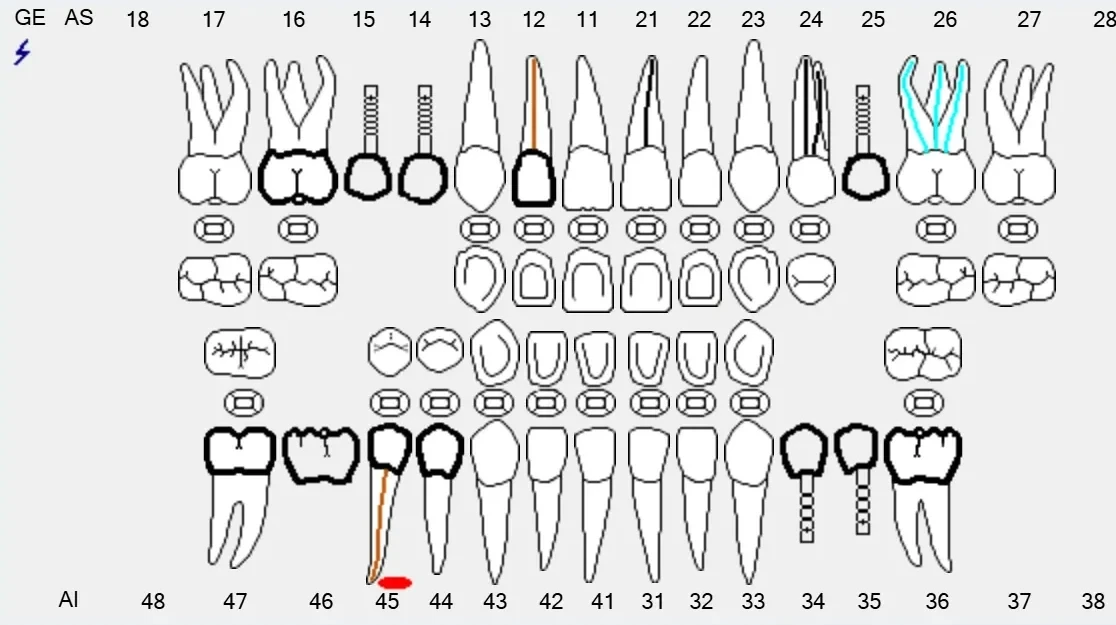
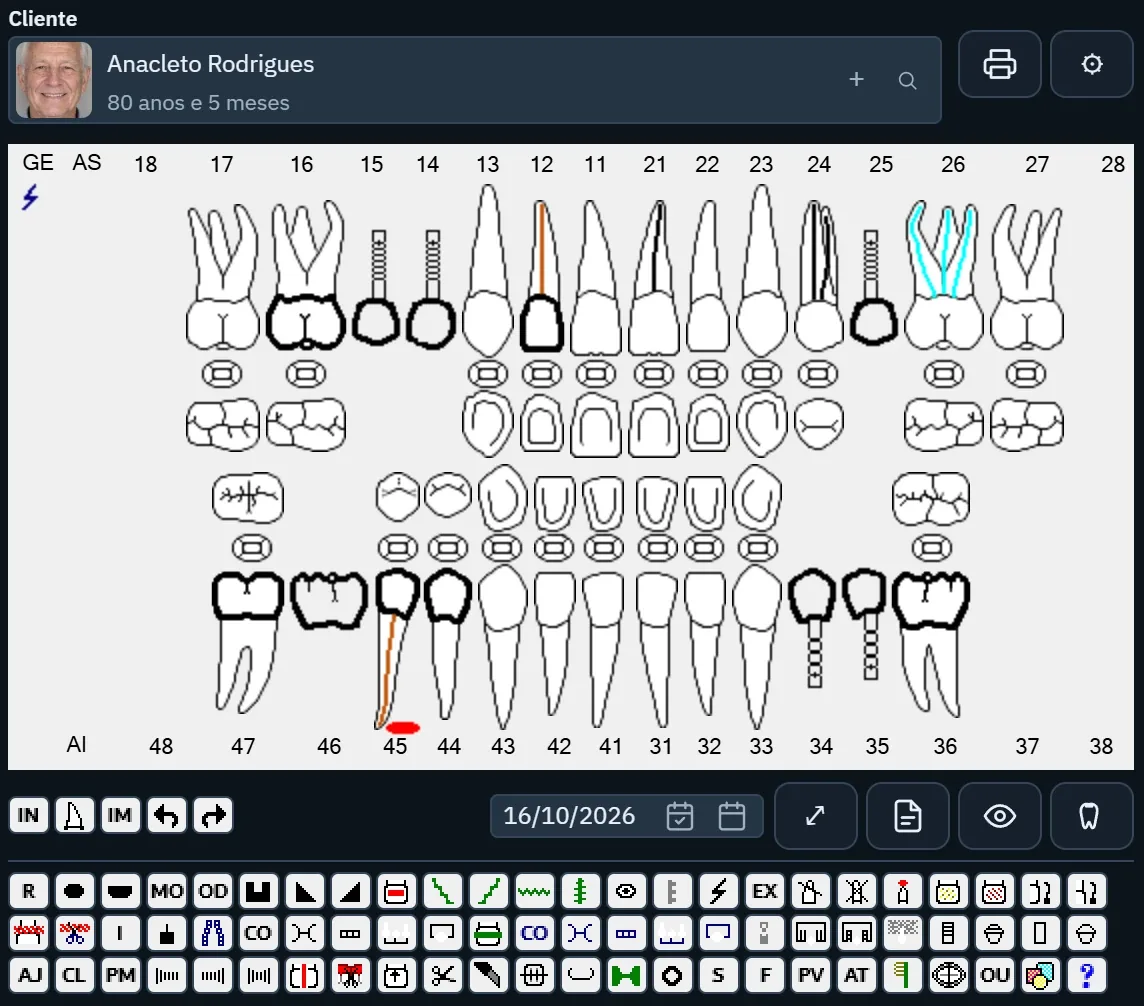
A digital odontogram is the map of a patient's teeth with the procedures on each one. In Pro365 GO, HartSystem's dental clinic management software, it lives in the clinical record and shows, right beside it, what is planned and what is done, with the treatment and the plan. It opens on computer and tablet, right by the chair.
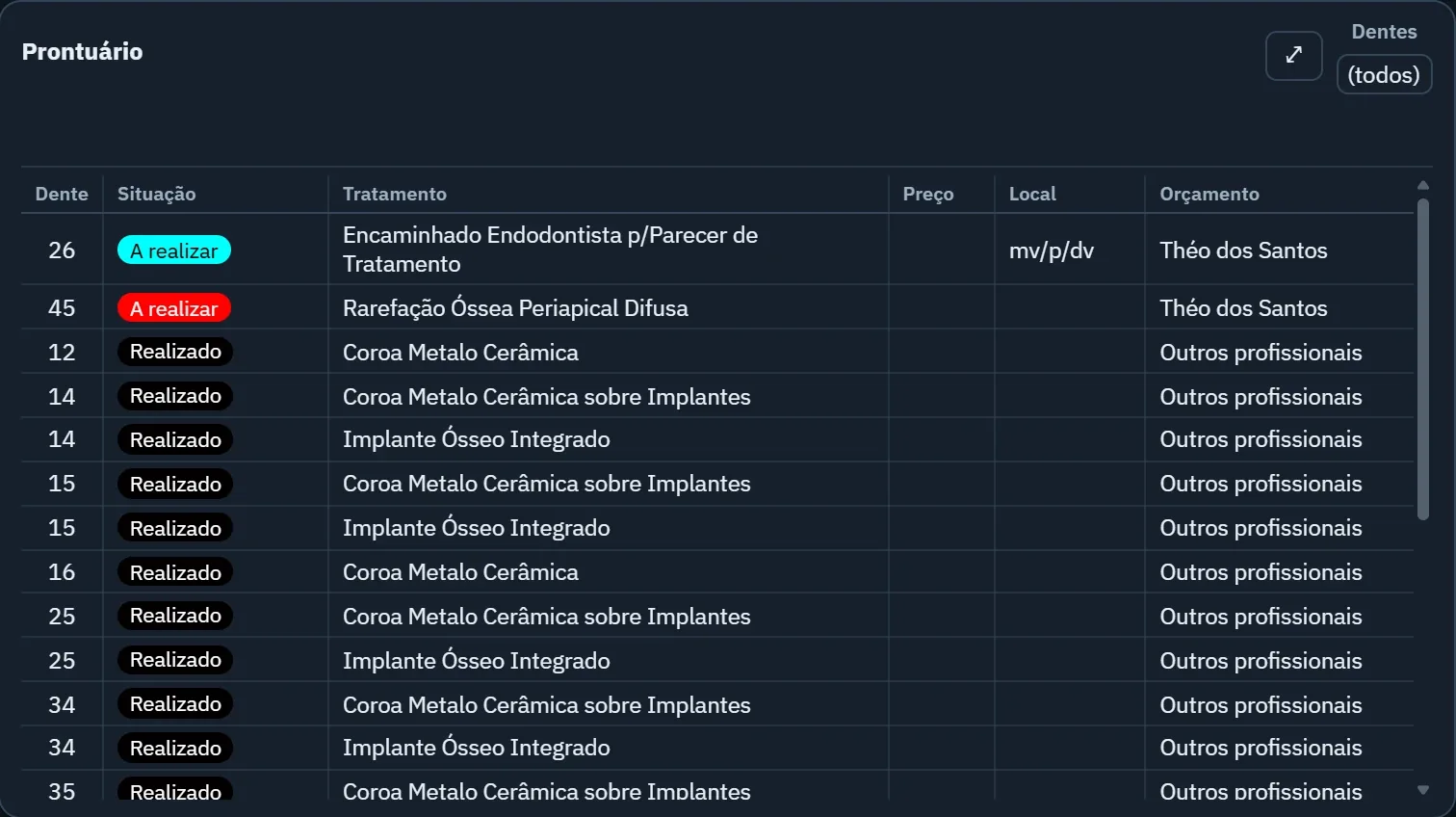
A digital odontogram is the graphic record of a patient's mouth: each tooth shows its procedures marked with symbols, and each procedure has a status, planned or done. In Pro365 GO, the odontogram sits in the clinical record next to the list of treatments per tooth with each one's plan, together with clinical notes, health history, images, documents and configurable forms such as endodontics, periodontal chart and indexes.
Try it
Tap a tooth and see its story
This is the real odontogram of a test patient. The marked teeth have recorded treatments: pick one to see what is planned and what is done.
Tooth26Tap a marked tooth
Nothing recorded on this tooth.
PlannedDone
At the chair
Mark it, track it and turn it into a plan
01
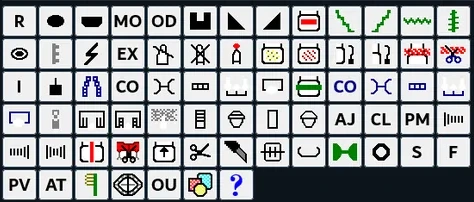
A symbol for each procedure
Procedures are drawn on the tooth, and the list beside it says what each one is.
02
Planned and done
Each treatment has a status, so you see at a glance what is left to do.
03
From tooth to plan
Odontogram and plan sit in the same patient record. Explain the treatment with the odontogram on screen.
This tool grew out of more than three decades of ProDent working alongside dental clinics. Now it's 100% web, comes with Pro365 AI and keeps the same HartSystem support team. If you use ProDent, the team helps bring your data over and trains your staff.
100% webin the browser on computer, tablet and phone
Clinical on the tablethealth form, odontogram and records chairside
Client stories
In our clients' words.
Having ProDent in my clinic for years let me reinvent the way I work and stay organized. I've watched ProDent evolve without ever standing still, always looking ahead and bringing in new technology. The whole team works efficiently and quickly. Those who have it know this; those who don't should get it soon. It's the essential tool for our day-to-day. Everything, and I mean everything, apart from the clinical work with the patient, I do in ProDent. ProDent is fantastic!!!
Márcio Oliveira LaraDentist · MG
I've been a user since 1998, and in all that time I haven't found another system that serves me so well... I recommend it to any dental professional.
Dr. Raul PistorelloDentist
I started using this tool and it made all the difference in managing my clinic. From then until today, I haven't found any dental clinic management software as efficient, practical and easy to use as [ProDent]. Every update adds features that are not only necessary but make my day-to-day easier. The people who built this software listen to dentists' suggestions and turn them into reality. Congratulations to HartSystem, and thank you for the partnership.
Dalton José Bittencourt NercoliniDentist · SC
The software helps by getting marketing, financial and communication data quickly. I'm fully satisfied with the product, the guidance and the maintenance, always serving us quickly and kindly.
Dr. João Carlos Müller FilhoDentist
When I decided to computerize my clinic in 1995, I chose a company that was still young but, in my view, had a very promising product. I couldn't have made a better choice. Over the years ProDent has proven to be an excellent management tool, and HartSystem has always given me the best support. All of this makes me a loyal and satisfied client. I recommend it.
Dr. Odilon Lúcio de Almeida RodriguesDentist
Ready to take the next step?Leave your details and the HartSystem team will get in touch.
It's the map of a patient's teeth with the procedures on each one. In Pro365 GO it sits in the clinical record, with each treatment's status: planned or done.
Can I use the odontogram on a tablet?
Yes. Pro365 GO is 100% web and opens in the browser on computer, tablet or phone, with nothing to install.
Can I see what was done on each tooth?
Yes. Next to the odontogram is the list of treatments per tooth, with the status (planned or done) and each one's plan.
Does the odontogram help get plans accepted?
It helps explain. With the odontogram on screen, the patient sees what will be done and why, and the plan sits in the same record.
Is there a periodontal chart and other forms?
Yes. The record has configurable forms such as endodontics, periodontal chart and plaque and gingival bleeding indexes.
All connected
Explore the other tools in Pro365 GO
Every tool uses the same information as the others, so nothing has to be typed twice.