
Stuck in the system? The Instructor shows you.
Pro365 AI Instructor is the part of Pro365 AI, in Pro365 GO, the dental software that is the new ProDent, that teaches your team to use the system on WhatsApp, any time. The front desk or the dentist asks by voice note or message and gets step-by-step help right away.
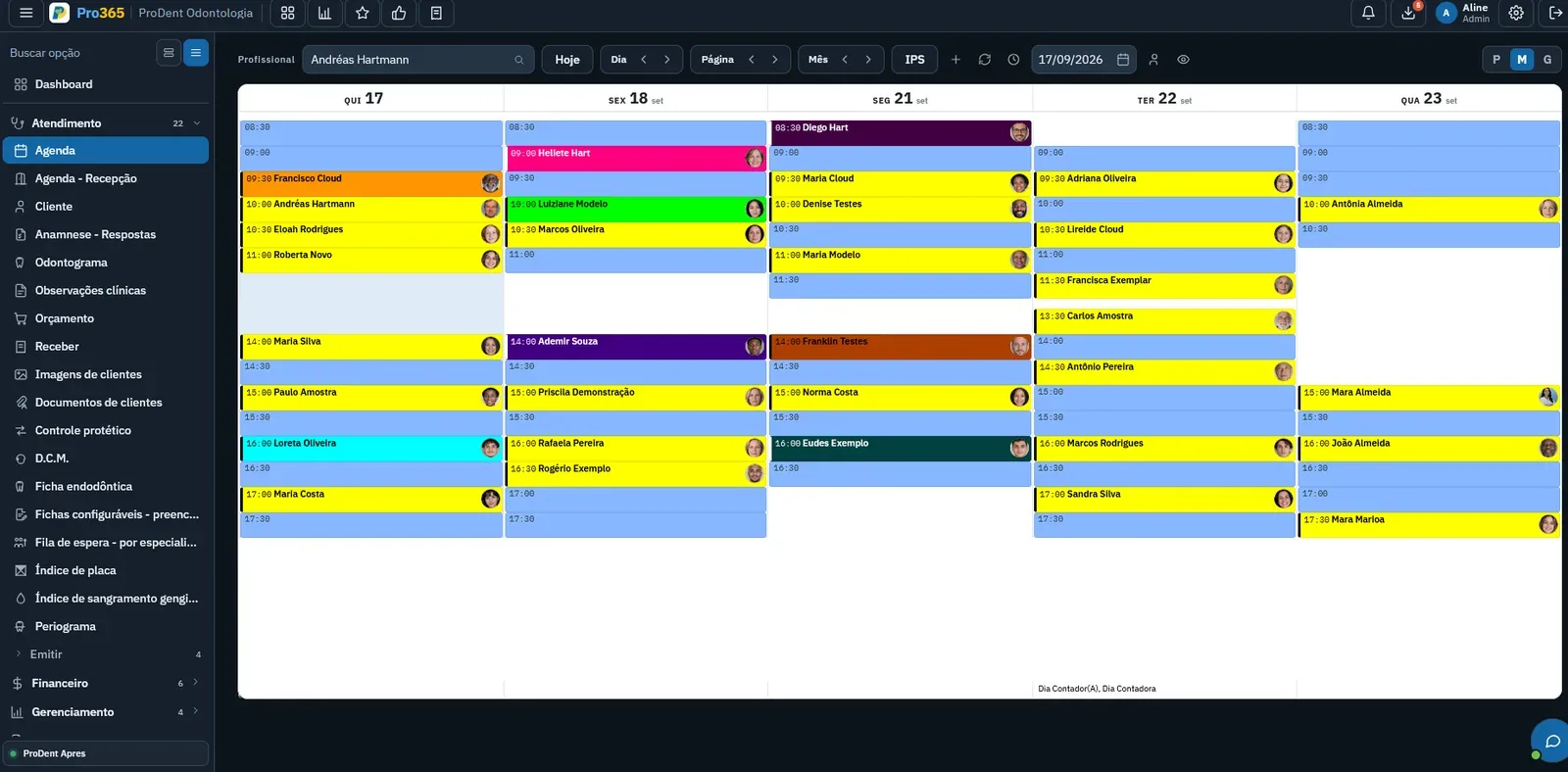
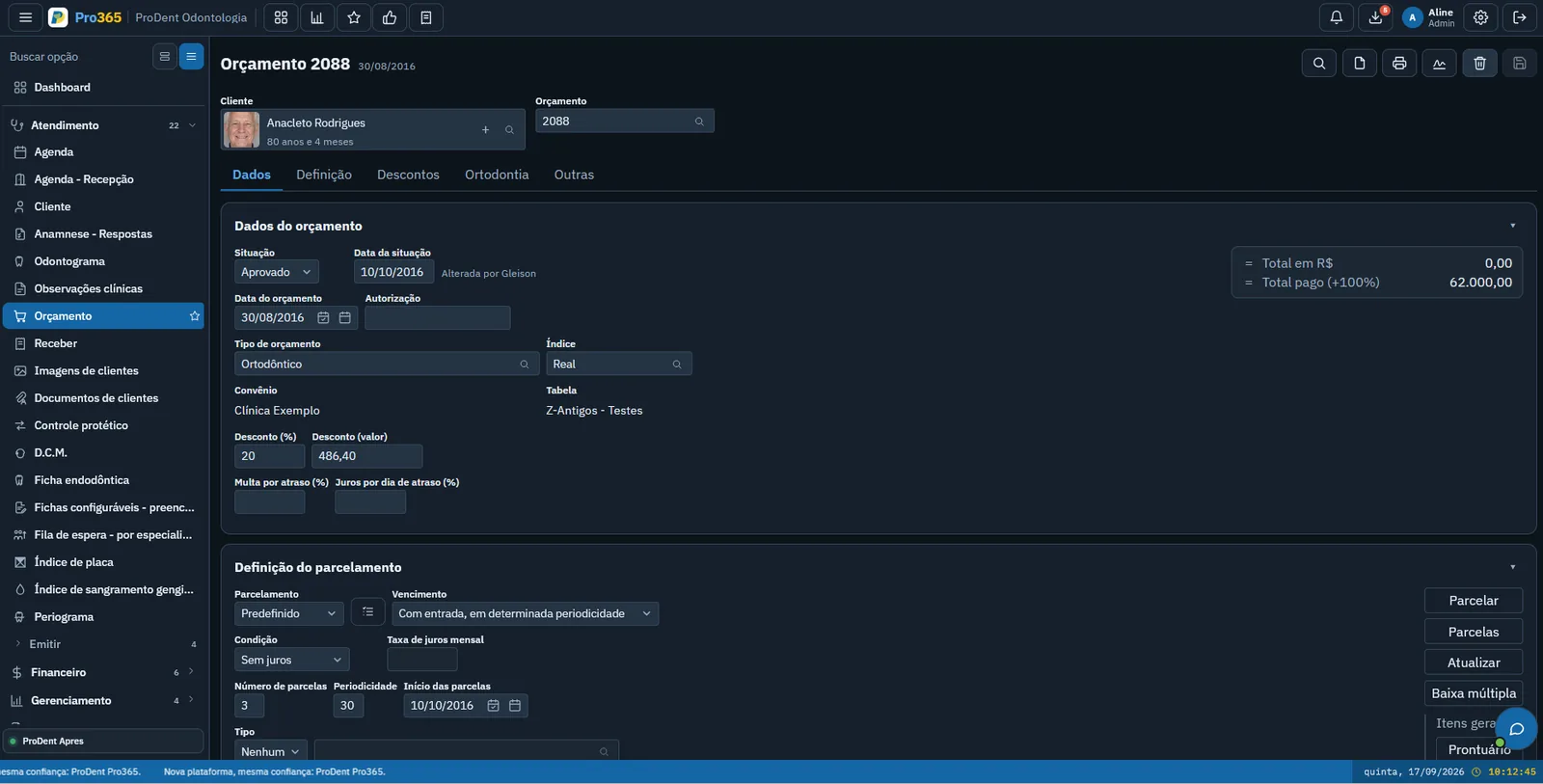
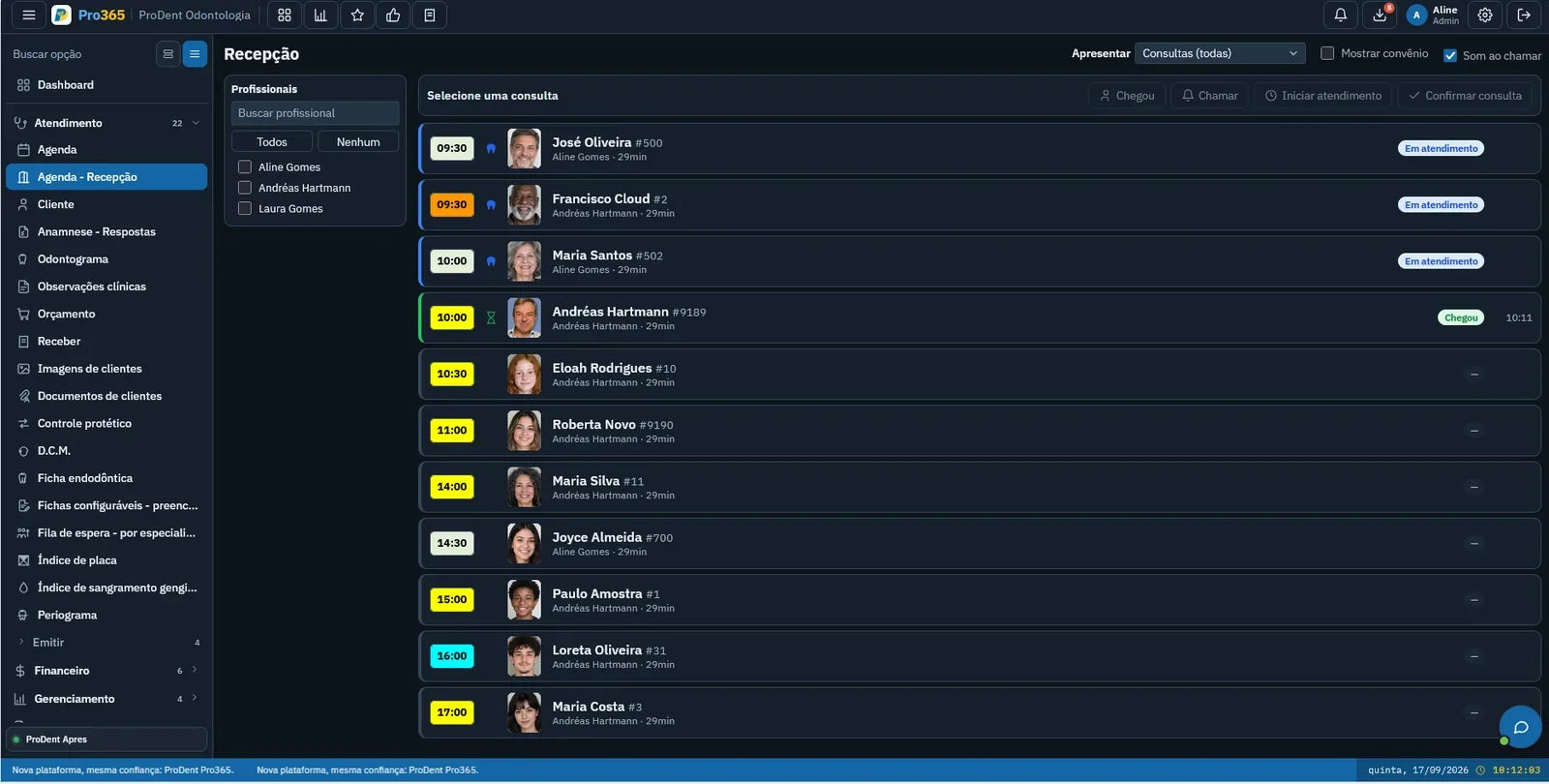
 Pro365 AI Instructoronline
How do I reschedule an appointment?
- In the Schedule, open the patient's slot
- Pick the new day and time
- Done: the whole team sees the new time
How do I send the treatment plan to the patient?
- Open the patient's treatment plan
- Check the procedures and amounts
- Send it to the patient
I started at the front desk today. Where do I begin?
- See today's schedule and who's coming
- Check the patient in
- Then, the patient records
The Instructor answers on the same WhatsApp
In the video, Pro365 AI answers about the clinic's data. The Instructor works the same way: ask how to do something in the system and it explains, screen by screen.
Everyone asks what they need
The Instructor answers each person's own question. Pick someone on the team and see the conversation.
Pro365 AI InstructoronlineHow do I reschedule an appointment?
In the Schedule, open the patient's slot and pick the new day and time. Done: the new time shows up for the whole team.
What if the patient wants another dentist?
When you pick the new time, change the dentist too. I'll show you where, screen by screen.
How do I log a procedure on the odontogram?
Open the patient's odontogram, pick the tooth and then the procedure. I'll guide you through each step.
How do I send the treatment plan to the patient?
I'll walk you through it: where to open the plan, how to check the amounts and how to send it to the patient.
I started at the front desk today. Where do I begin?
Let's start with today's schedule: how to see who's coming and check them in. Then I'll show you the patient records.
Can I ask again tomorrow if I forget?
Of course. Ask as often as you need, by voice or text. I'll explain again, calmly.
A question at 7 am or 10 pm: the answer comes right away
The Instructor works on WhatsApp, by voice or text. Nobody has to stop seeing patients to teach, and whoever has a question isn't left waiting.
- How do I open tomorrow's schedule?
- Where do I see the health form?
- How do I add a new patient?
- How do I send the plan?
New people learn by doing
New hires ask while they work, and every question becomes one less step. The dentist and the manager keep seeing patients.
- See today's schedule
- Check a patient in
- Add a new patient
- Reschedule an appointment
- Send a treatment plan
Pro365 GO is the new ProDent
This tool grew out of more than three decades of ProDent working alongside dental clinics. Now it's 100% web, comes with Pro365 AI and keeps the same HartSystem support team. If you use ProDent, the team helps bring your data over and trains your staff.
Our story- since 1993building software only for dentistry
- 100% webin the browser on computer, tablet and phone
- Pro365 AIanswers about your clinic, no reports to build
Clinic data doesn't train the AI
Your clinic information is used to answer your questions, not to train the artificial intelligence.
Only users with the permission enabled in their ProDent / Pro365 GO account can use Pro365 AI. First access is validated there.
The Consultant has access limits so patients' sensitive data isn't exposed.
Frequently asked questions
What data does the Consultant read?
Any clinic data, such as schedule, finance, plans and patients, comparing periods and connecting areas, with limits on sensitive data.
Do I need to pull reports for the AI to answer?
No. The Consultant finds and compares the data on its own and answers in plain language.
Does Pro365 AI understand voice notes?
Yes. Both the Consultant and the Instructor listen to the voice note you send on WhatsApp and reply, or reply to your written message.
Is clinic data used to train the AI?
No. Data is used to answer the clinic's questions, not to train the artificial intelligence.
Who can use Pro365 AI?
Users with the permission enabled in their ProDent / Pro365 GO account. First access is validated by the system.
Explore the other tools in Pro365 GO
Every tool uses the same information as the others, so nothing has to be typed twice.
Discover a new way to run your dental clinic.
See how Pro365 GO connects scheduling, clients, treatments, finances, KPIs and artificial intelligence.
Talk to a specialist