What does schedule management mean in practice?
The schedule is the clinic's inventory. A slot that goes by empty never comes back: the chair, the team and the facility were there and ready, and no one was seen. That's why the schedule can't just be a place where appointments get written down.
Managing the schedule means looking at it before problems happen. It means having, at any moment, the answer to three questions: which slots are still open, who hasn't confirmed yet and what happened last week. A well-run schedule isn't the fullest one; it's the most predictable one.
Pick one person to own the schedule and a set time each day to review it. When everyone edits it and no one looks at it, the gaps only show up at the last minute.
How do you fill the schedule without relying only on new patients?
New patients are welcome, but most slots can be filled by people who already know the clinic. Follow-ups, maintenance visits and treatment in progress are appointments that should already be booked. The routine that works is simple:
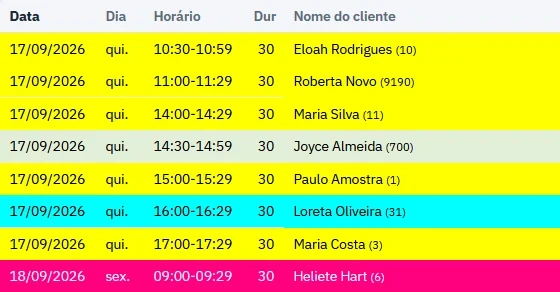
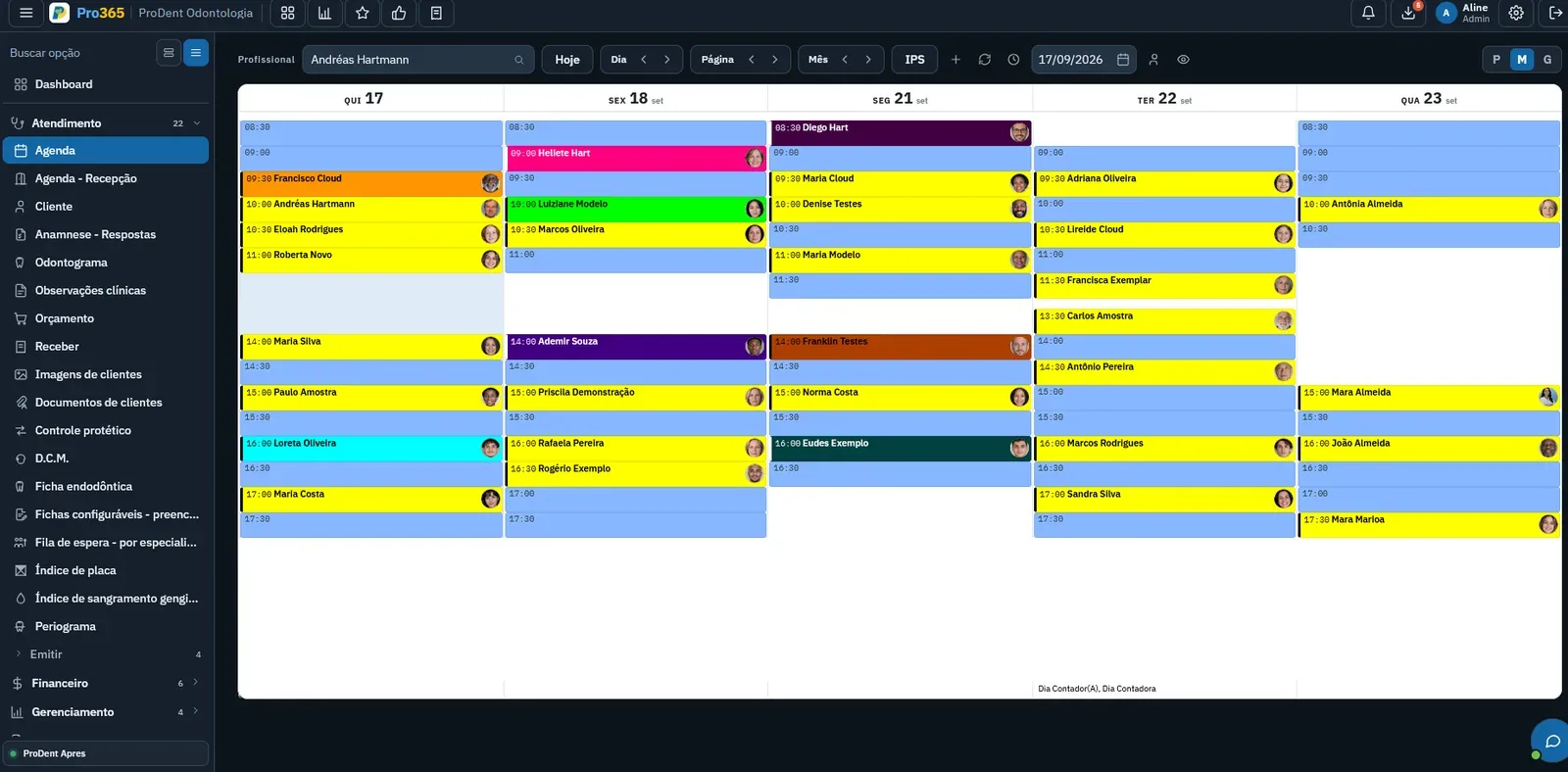
- Review the week before it startsin each provider's schedule. On Monday there's still time to fill open slots on Thursday and Friday.
- Book the next visit before the patient leavesthe clinic. "We'll call you" is where many treatments stall.
- Fill open slots with follow-ups and maintenance visitsbefore thinking about any campaign. Patients who are due back already have a reason to come in.
- Reach out to patients who accepted an estimate but never startedtreatment. They've already decided to come in; all that's missing is a time slot.
Bringing existing patients back is covered in the patient management guide. Here, what matters is that the schedule shows open slots clearly, so the front desk knows where to fit each person in.
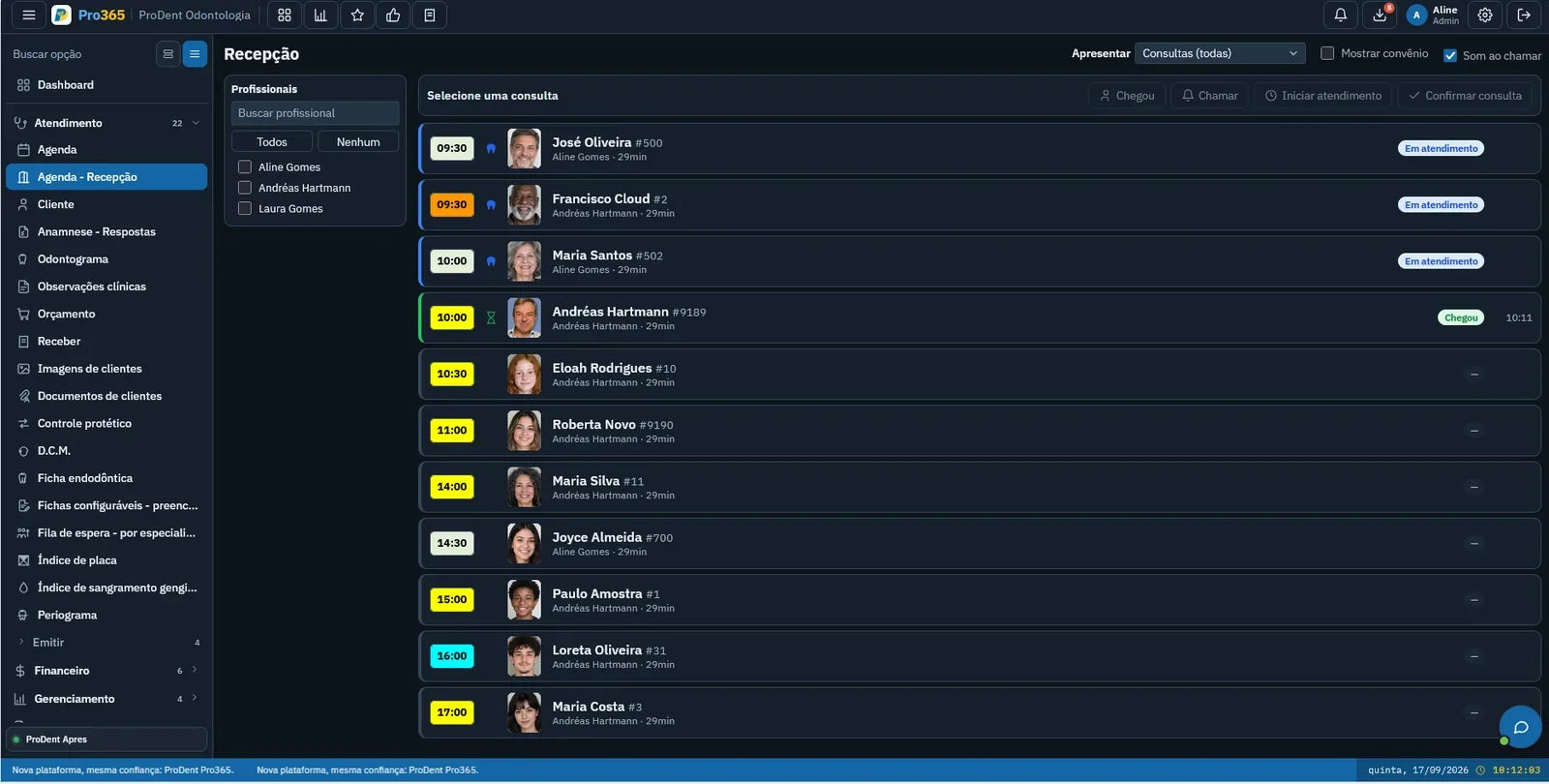
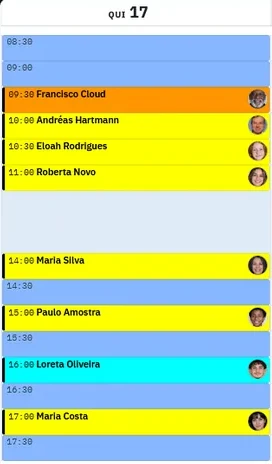
Want to see each provider's open slots? We'll show you how the Pro365 GO schedule, the new ProDent, puts each dentist's week in plain view, with open slots highlighted.
Book a demoHow do you handle no-shows and cancellations?
Patients miss appointments for ordinary reasons: they forgot, something came up and there was no easy way to let you know, they didn't understand why that step mattered, or they booked a time that doesn't fit their routine. Each reason has an answer.
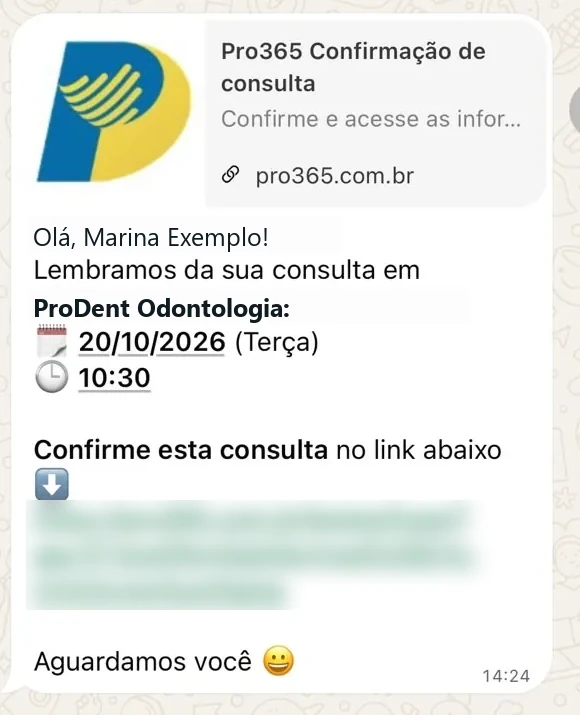
- Confirm ahead of time: a WhatsApp message one or two days before leaves time to reschedule and offer the slot to someone else.
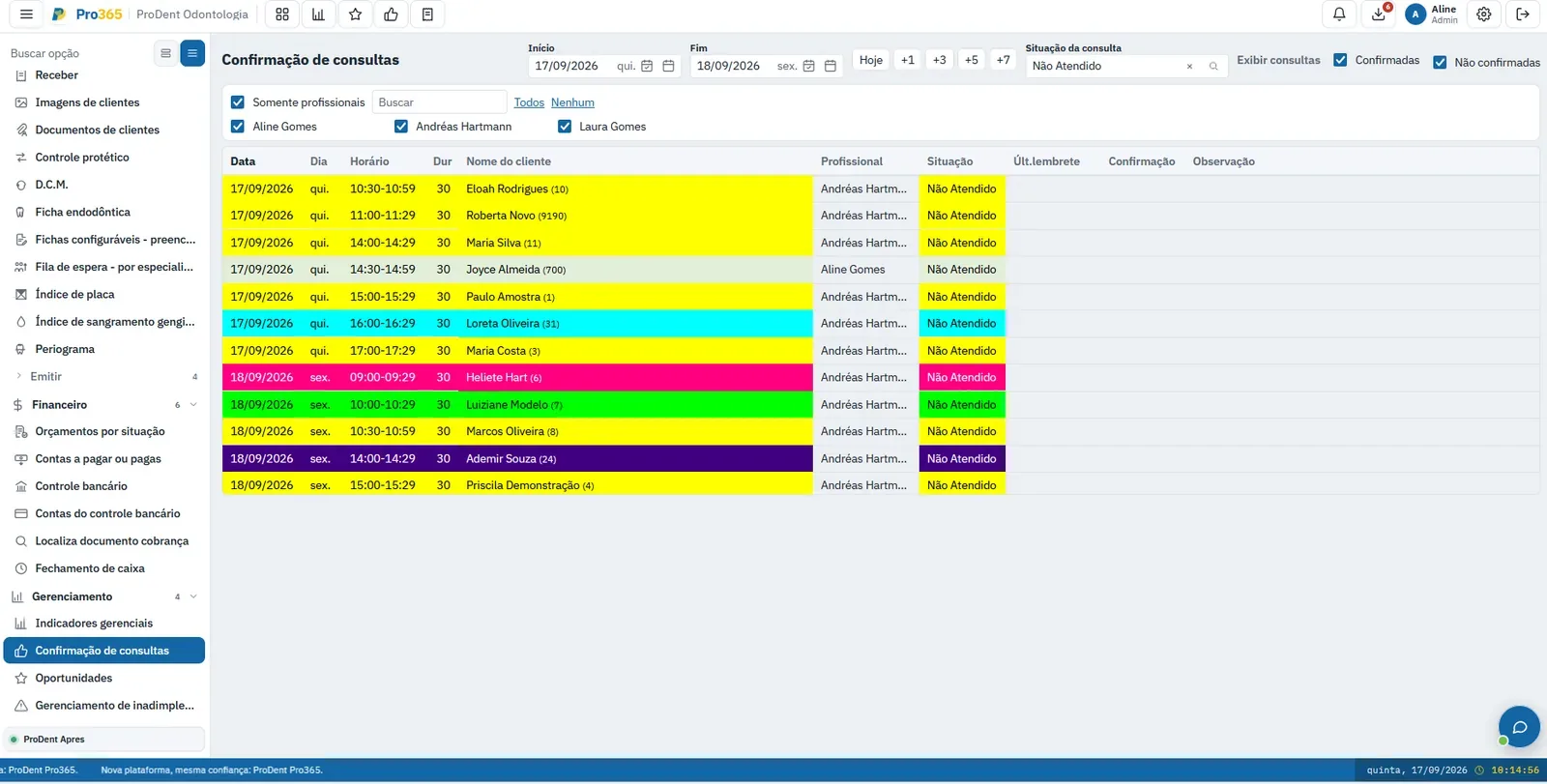
- Follow up with those who didn't reply: the front desk calls only the patients who haven't confirmed yet. That's where the effort pays off.
- Keep a waitlist: a list of patients who want an earlier appointment. When someone cancels, the slot already has someone to go to.
- Handle the no-show the same day: reach out to reschedule, record the no-show on the schedule and keep an eye on patients who miss again.
A cancellation isn't the same as a no-show. Patients who let you know are helping the clinic: thank them, reschedule right away and free up the slot for someone else. The full guide is at how to reduce no-shows in dental appointments.
A confirmation message only needs the patient's name, the date, the time and the address. Leave out the procedure and diagnosis for privacy.
How do you squeeze patients in without throwing off the whole day?
A squeeze-in helps the patient in pain and puts newly opened slots to use. Without rules, though, it turns into delays: an appointment crammed between two others pushes back the rest of the day, and patients who arrived on time end up waiting.
- Emergencies come first: a patient in pain takes priority over a squeeze-in for convenience.
- Set time aside for it: hold one slot each morning and afternoon for emergencies. If no one needs it, it goes to the waitlist or a follow-up.
- Only squeeze patients into truly open slots: a slot freed up by a cancellation, not the gap between two appointments.
- Agree on it with each dentist: which procedures can be squeezed in and which can't, so the front desk can decide without interrupting treatment.
Keep track of the week's squeeze-ins. If they always happen on the same day, that day's schedule may need more slots held in reserve.
How do you allocate time slots across providers and appointment types?
A full schedule can still be a poorly allocated one. An appointment that always runs over pushes back the day; one that always ends early is time lost. That's why the length of each appointment type needs to be reviewed from time to time.
- Compare scheduled time with actual time: once a month, see which appointments tend to run late and adjust their length.
- Group similar work together: long procedures work better in blocks; short follow-ups can go back to back.
- Look at demand by day and time: some slots fill up first and others have more no-shows. Offer the most sought-after ones to patients with the least flexibility.
- Look at each provider separately: the clinic can be busy while one dentist has an empty week.
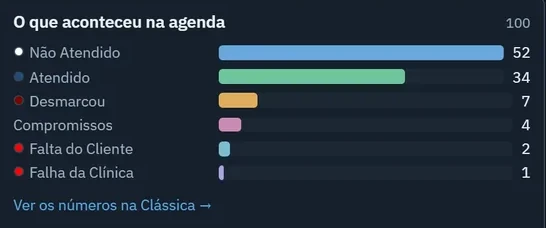
On Friday, close out the week with numbers: booked slots, no-shows and cancellations show whether the week was good or just hectic.
Scheduling, confirmations and front desk in one place. See how Pro365 GO carries each appointment from the schedule to your KPIs, with no spreadsheets.
Show me how it works