
How to organize processes and your team at a dental clinic
To organize processes and your team at a dental clinic, define who handles each step of the routine, from booking to follow-up, record everything in one system, give each person access only to what they need and track productivity by provider. In Pro365 GO, HartSystem's dental clinic management software, confirmations, payment reminders, overdue notices and follow-ups can be automatic, and front desk, schedule, clinical and finance follow the same flow.
By Andreas Hartmann, CEO of HartSystem · updated October 15, 2026
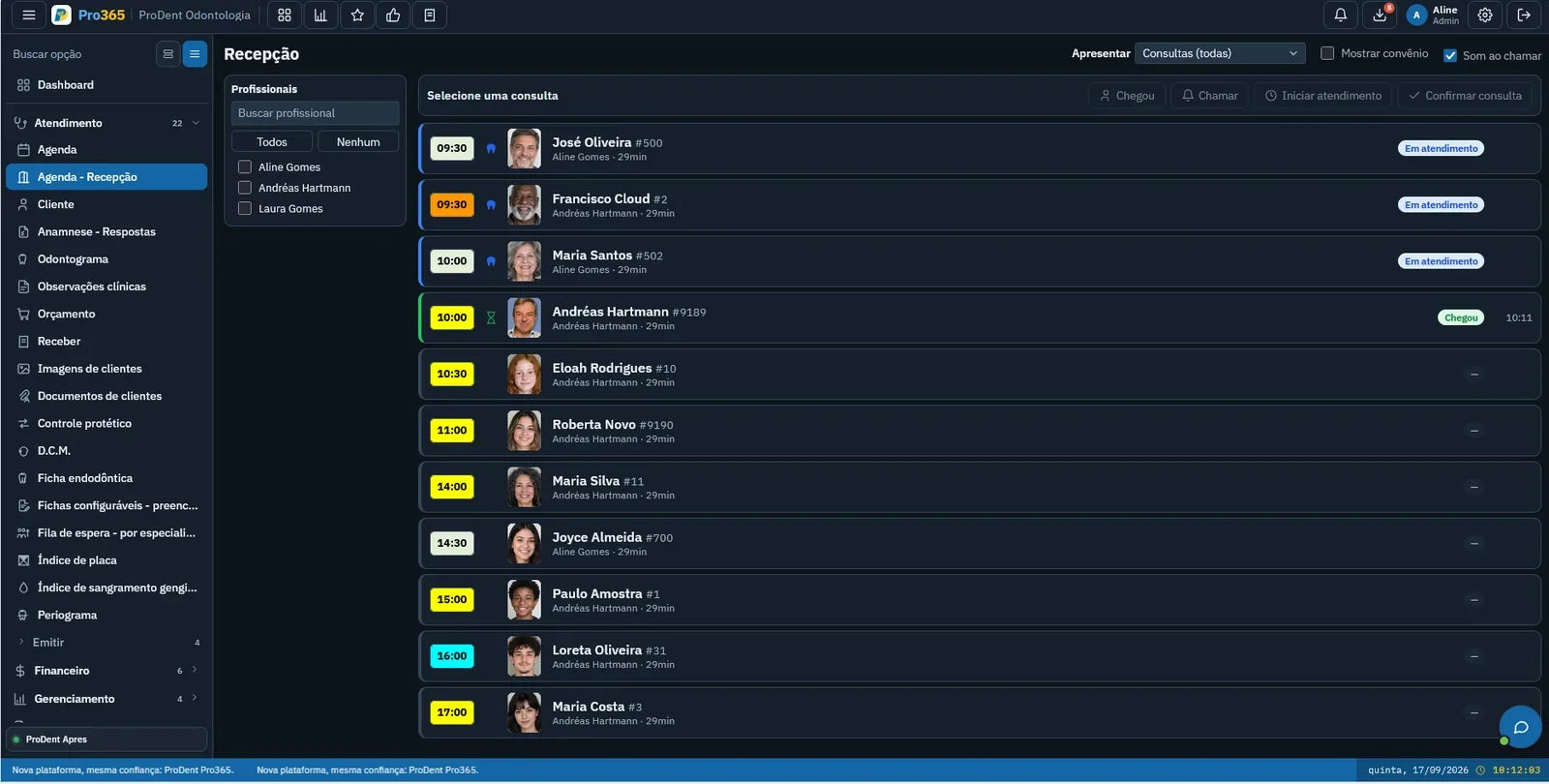
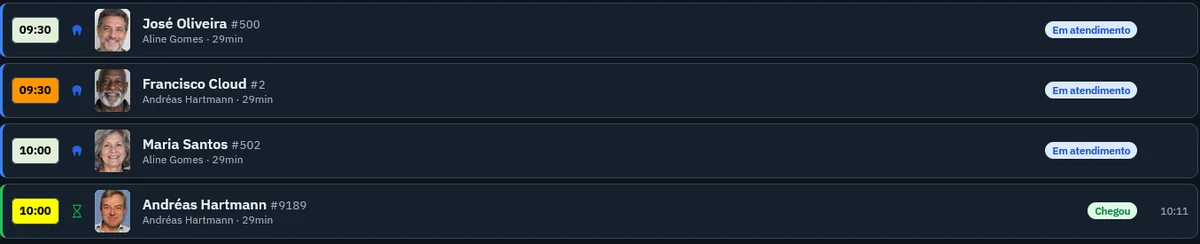
Your clinic's day in 7 steps
Click each step to see who does it, what is already automatic and the sign that something is slipping.
- Who does it
- Where in Pro365 GO
- Warning sign
What Pro365 GO does on its own
Repetitive tasks move from your team's memory to agents that send WhatsApp messages at the time you choose.
Appointment confirmation
Confirms each appointment in advance and logs the reply in the schedule.
Automatic · WhatsAppPayment reminder
Reminds clients before each installment is due.
Automatic · WhatsAppOverdue notice
Reaches out politely when a payment is overdue.
Automatic · WhatsAppFollow-ups and maintenance
Brings clients back for follow-ups on time, without anyone needing to remember.
Automatic · WhatsAppOne routine, four views
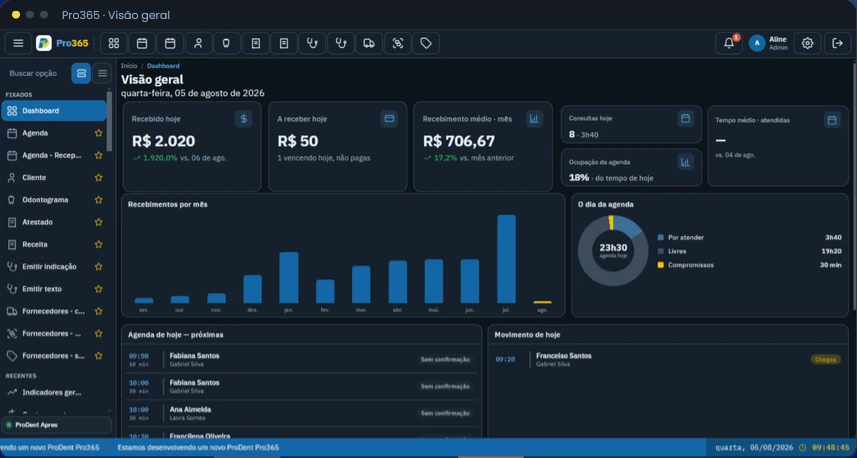
The manager sees the whole clinic
Today's revenue, schedule occupancy and activity right on the home screen. Plus Pro365 AI for anything not on the dashboard.
The dentist focuses on care
Odontogram, records, medical history and documents in one place, the way the chair needs it.
The front desk is your relationship manager
Sees who's arrived, calls clients in with a sound alert, confirms appointments and knows who's next.
Finance knows what's in and what's due
Plan terms linked to payment, bills, bank reconciliation and commissions by provider.
Everyone sees what they need
Set what each user can see and do. The front desk doesn't need full finance access, and dentists don't need to touch bills. Fewer mistakes and safer clinic data.
- Access by user and role
- History of who changed what
- Data handled under data protection laws

Your team learns by doing
New staff member or a question mid-shift? Pro365 AI Instructor explains how to do each task in the system, any time. And the HartSystem team supports onboarding and training.
Team management concepts
| Metric | What it shows | How to calculate |
|---|---|---|
| Standard operating procedure (SOP) | Step-by-step instructions for how a task should be done the same way by anyone on the team. | Who · when · how · where to record |
| Productivity per provider | How much each provider produced relative to their available schedule time. | Productivity = value produced ÷ scheduled hours |
| Provider commission | What each provider is paid, based on what was produced or collected, per the clinic's agreement. | Commission = base (produced or collected) × agreed % |
Organized processes when each tool does its part.
In Pro365 GO, the new ProDent, repetitive tasks stay with the system: confirming, requesting the health form, following up estimates, recall reminders. The team learns with Pro365 AI Instructor, everyone logs in with their own user and the dashboard shows each provider's output.
- Campaign agentsRecalls and stalled estimates are followed up by agents, no paper lists.
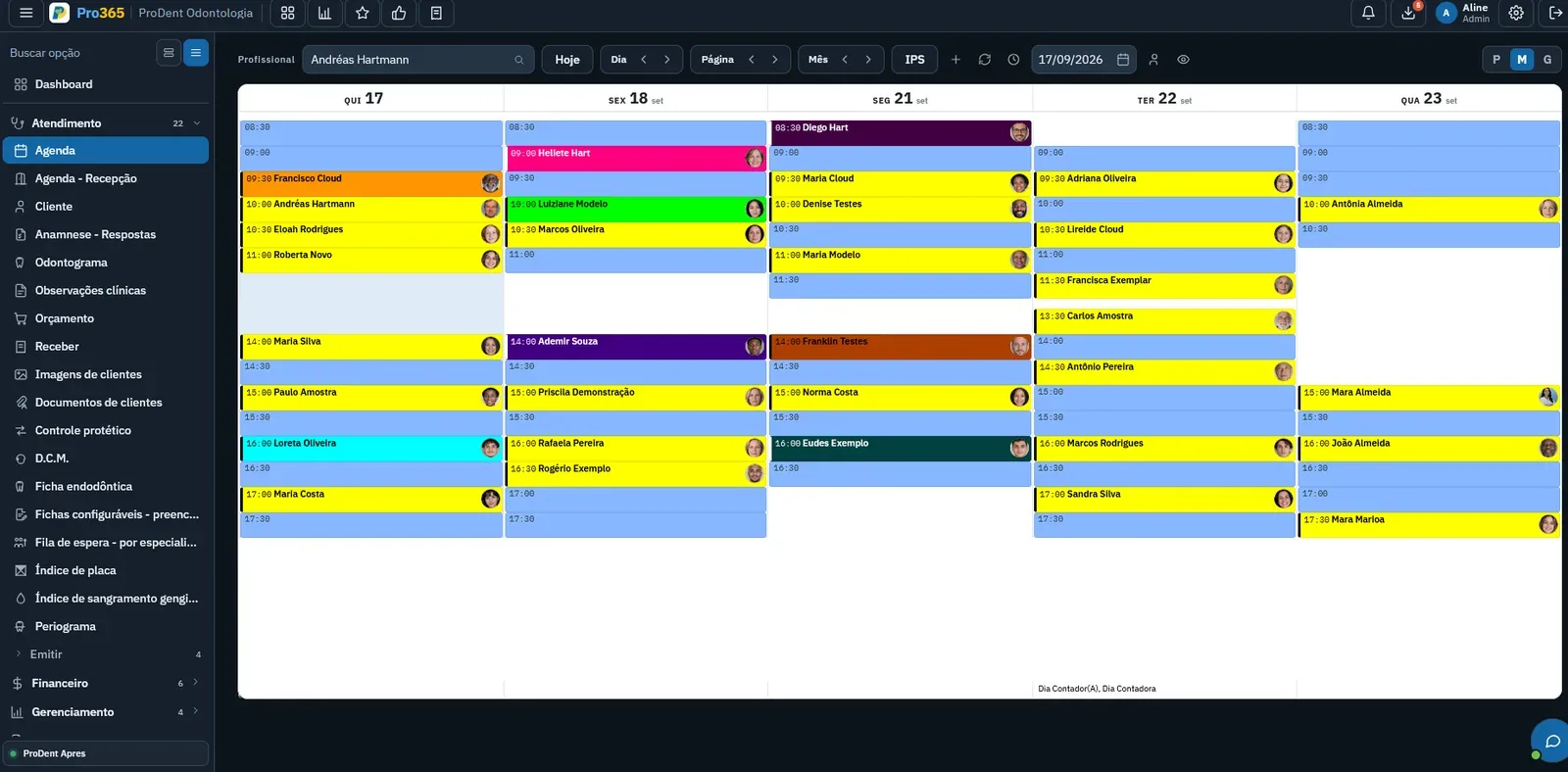
- ScheduleSchedule per provider and front desk on the same screen, so everyone sees the same day.

How do I reschedule an appointment?
In the Schedule, open the patient's slot and pick the new day and time. Done: the whole team sees the new time.
Pro365 GO is the new ProDent
This tool grew out of more than three decades of ProDent working alongside dental clinics. Now it's 100% web, comes with Pro365 AI and keeps the same HartSystem support team. If you use ProDent, the team helps bring your data over and trains your staff.
Our story- since 1993ProDent is born in Blumenau
- 100% webin the browser on computer, tablet and phone
- Pro365 AIanswers about your clinic, no reports to build
Frequently asked questions
How do I organize the front desk routine?
Use one shared schedule, confirm appointments in advance, log each arrival and keep who's in the chair and who's next in view.
How do I standardize processes at a dental clinic?
Write down the steps for key tasks, assign an owner to each and record everything in one system, so the routine doesn't depend on anyone's memory.
How do I track each dentist's productivity?
Compare what each provider produced with their available schedule time and track it monthly in KPIs, along with no-shows and accepted plans.
How do I train the team on the system?
The HartSystem team trains your staff during onboarding, and Pro365 AI Instructor answers system questions any time, including for new hires.
Discover a new way to run your dental clinic.
See how Pro365 GO connects scheduling, clients, treatments, finances, KPIs and artificial intelligence.
Talk to a specialist