
Why does a dental clinic need KPIs?
Every clinic has a feeling about how the month is going: "the schedule is full," "treatment plans are stalled," "cash is tight." The problem is that a feeling doesn't show you where to act. The schedule looks full, but the open slots only show up at the end of the day. Cash looks fine, until the week the big bills come due.
A KPI is a number that turns that feeling into an answer. It doesn't take complicated math. It only takes three things: it must be always the same number, reviewed always over the same period and compared with the previous period. A number on its own says little. Knowing whether it went up or down says a lot.
More importantly, every KPI exists to help you decide something. If a number doesn't change any decision at your clinic, it can come off the list.
Start small. Five or six numbers reviewed every week are worth more than a huge report nobody opens. The next chapters show where to begin.
What do the schedule numbers show?
The schedule is where the clinic gains or loses time, and chair time never comes back. Two KPIs tell you almost everything about it.
Schedule utilization
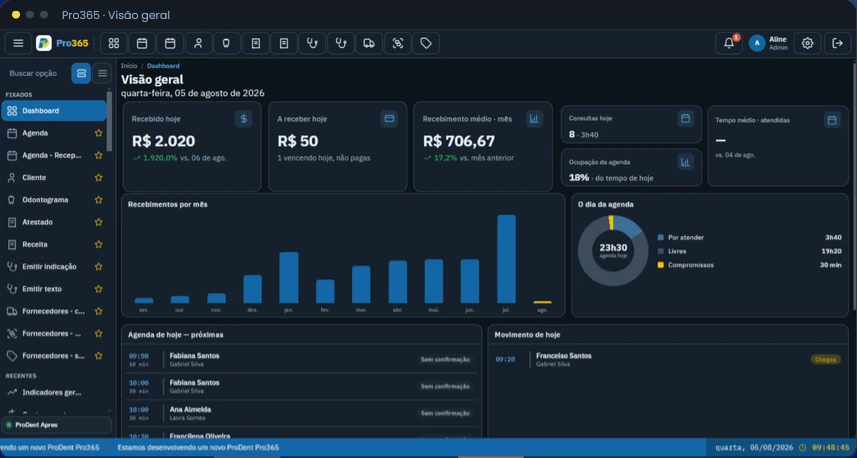
What it shows: how much of your providers' available time was actually spent seeing patients, and how many patients were seen in the period.
Helps you decide: whether to open more slots, change shifts or call people on the waitlist. If the schedule always fills up on the same days and shifts, it may be time to add capacity right there. If another shift has time to spare, that's where your campaigns and recall visits should go.
No-shows and cancellations
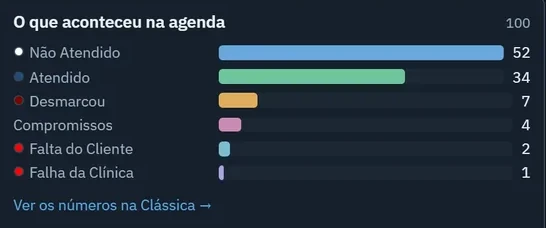
What it shows: who didn't show up, who canceled and when the clinic itself was at fault, such as running late or booking the wrong time.
Helps you decide: whether appointment confirmations need to go out earlier or be reinforced, and whether something needs fixing internally. Separating a patient no-show from a clinic mistake is essential, because each one calls for a different action.
Look at no-shows by day of the week and by provider. When they cluster in one time slot, the problem is usually the time slot, not the patient. To go further, read the scheduling management guide.
Want to see your schedule numbers ready to go? We'll show you how Pro365 GO, the new ProDent, separates completed visits, no-shows and cancellations without anyone building a spreadsheet.
Schedule a demoWhat do the treatment plan numbers show?
A presented treatment plan isn't money. It only becomes revenue when the patient says yes. So the question isn't "how much did we present," but "how much of what we presented turned into treatment."
Case acceptance rate
What it shows: how much of what was presented in the period has been accepted, how much is still pending and how much was declined. It's worth looking at both count and value, because one large stalled plan weighs more than several small ones.
Helps you decide: whom to follow up with and how to present the next treatment plans. Comparing providers is also revealing: whoever gets more acceptances usually explains the case in a way worth sharing with the team.
Pending treatment plans and how long they've been waiting
What it shows: plans that have been presented but haven't had a decision yet. It's potential money, but it's sitting still.
Helps you decide: whom the front desk should call this week. The longer a plan is forgotten, the lower the chance the patient comes back to it.
Don't compare your case acceptance rate with other clinics: specialty and type of treatment change everything. The best benchmark is your own clinic, month over month. The treatment plans guide shows how to present and follow up.
What do the money numbers show?
On the financial side, two KPIs are enough for the weekly conversation. The cash details belong in the daily close.
Collections
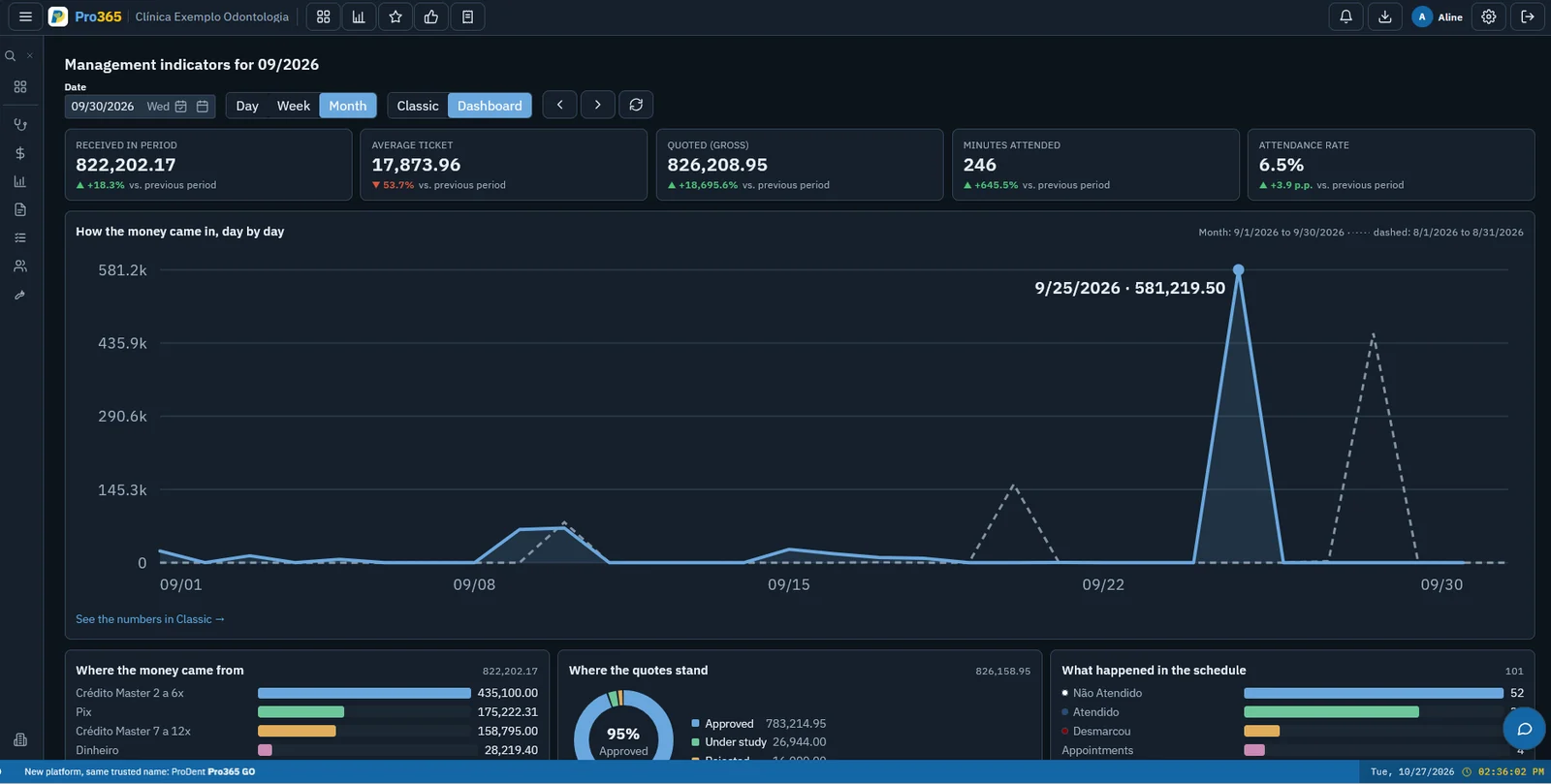
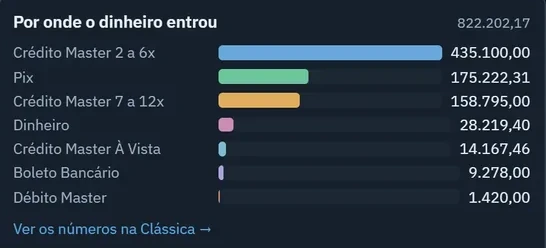
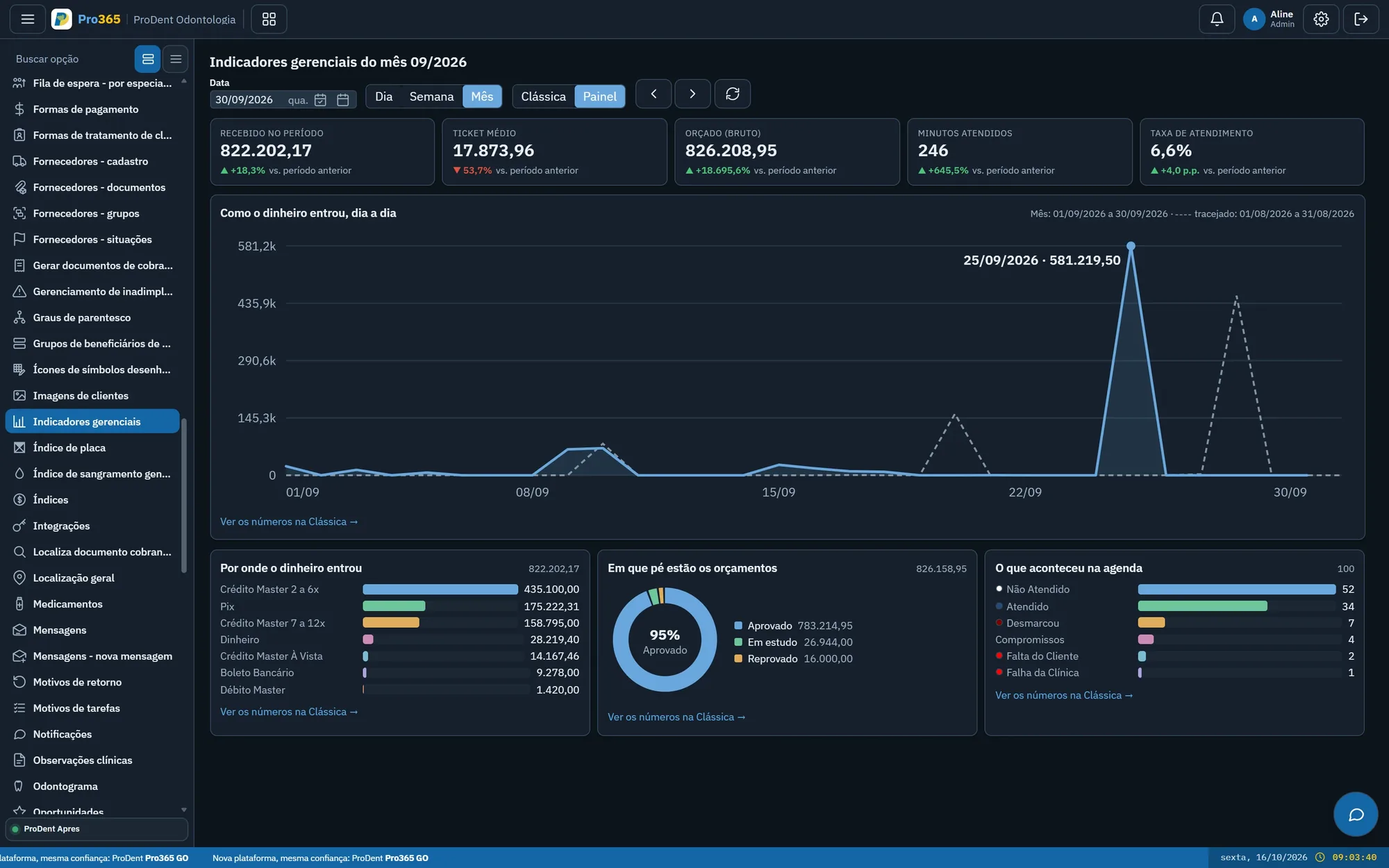
What it shows: how much came in, on which days and by which payment method, compared with the previous period.
Helps you decide: which payment options to offer and how to plan cash flow. If almost everything comes in through one payment method, it's worth understanding why. If the money is concentrated in a few days of the month, the big bills need to be planned around those days.
Overdue accounts
What it shows: who is behind on payments and for how long.
Helps you decide: when to follow up on payment and whether the front desk should get an alert when opening the patient's record. A list that grows from one week to the next is a sign that collection efforts are starting too late.
Collections and overdue accounts go hand in hand: review both in the same meeting. The financial management guide shows the cash and collections routine behind these numbers.
What do the patient numbers show?
A healthy clinic doesn't live on new patients alone. It lives on people who come back for their checkup and their next treatment, and who refer their family.
Patients overdue for recall
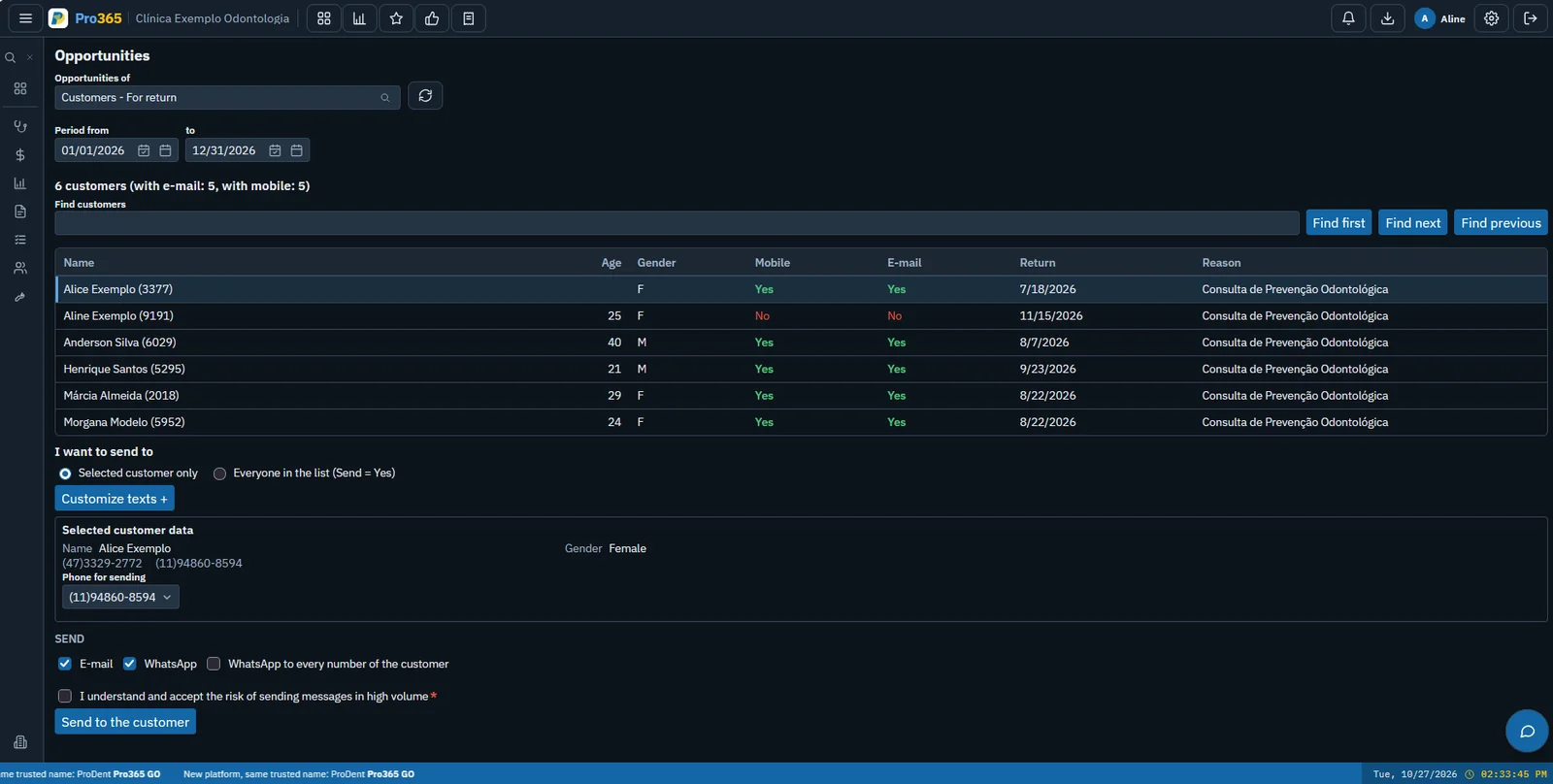
What it shows: who completed treatment and hasn't come back for a checkup yet.
Helps you decide: whom to send a recall campaign to this week. If the list grows month after month, the problem isn't a lack of patients, it's the lack of an invitation to come back.
New patients
What it shows: how many people had their first visit in the period.
Helps you decide: whether your marketing is bringing people in and whether the schedule has room for them. Viewed alongside patients overdue for recall, it shows whether the clinic is growing or just replacing the people who leave with the people who arrive.
Set a time frame for considering a patient "overdue for recall," for example six months without a visit, and always use the same one. More ideas in the patient management guide.
How do you turn numbers into decisions?
A KPI nobody looks at is useless. What makes the difference is a short routine that's always the same:
- Pick a few KPIsthe six in this guide are a good start. Add others only when you actually need them.
- Review them on the same day every weeka short weekly conversation with the numbers open is worth more than one big monthly report.
- Compare with the previous periodask what went up, what went down and why.
- Turn every deviation into an actionwith who does it, what they do and by when. The following week, the numbers show whether it worked.
Each person looks at what matters for their job. The owner or office manager tracks collections, case acceptance, overdue accounts and the comparison with the previous month. The front desk handles the day's schedule, no-shows and patients overdue for recall. The dentist looks at their own visits and the treatment plans they presented.
In Pro365 GO, the numbers come from what the clinic already records in the schedule, treatment plans and financials. And with Pro365 AI you can ask on WhatsApp, by text or voice message, things like "how many no-shows did we have this week?" and get the answer without opening the system. See also how to make data-driven decisions at your clinic.
Ask for your numbers on WhatsApp. See the KPI dashboard and Pro365 AI answering with data from a demo clinic.
Show me how it works