
Skip to content
Pro365 GO
Book a demo
Home
Pro365 GO
Pro365 AI
Solutions
Dental Clinic Management
About
Book a demo
Guide 01 of 7 · Dental clinic management

Financial management guide for your dental clinic

By Andreas Hartmann, CEO of HartSystem · updated October 15, 2026

Financial management in a dental clinic means knowing, every day, how much came in, how much went out and how much is still coming in. In practice, it comes down to three habits: closing out cash daily, following up on late payments before the balance grows, and separating fixed and variable costs to find out whether the clinic is profitable. This guide shows how to do each one, plus what to check every week.

  • 9-minute read
  • 5 chapters
  • 8-item checklist
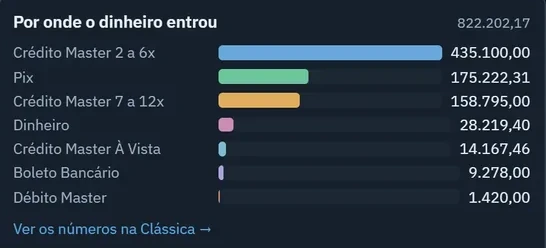
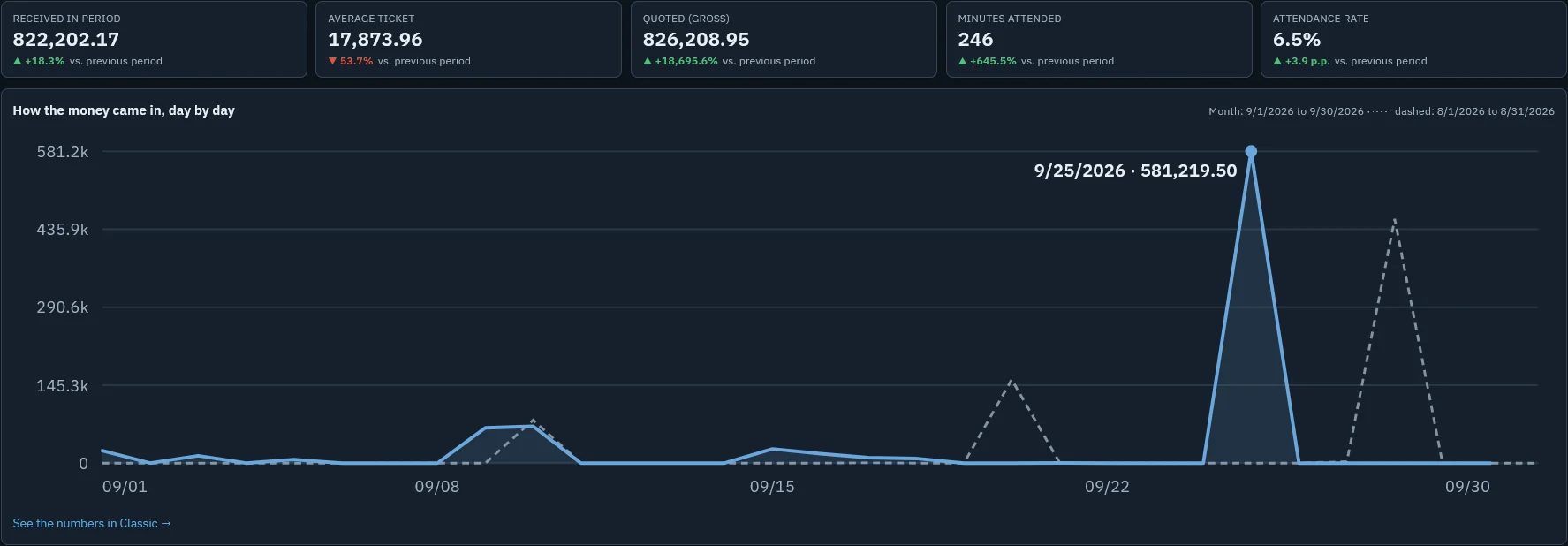
Pro365 GO dashboard showing the amount received in the period and the money coming in day by day
Chapter 1

What does financial management really mean in a clinic?

Plenty of clinics with a full schedule still feel squeezed at the end of the month. The problem is almost never a lack of patients; it's a lack of visibility. Money comes in through many channels (cash, card, bank transfer, installments on long treatments) and goes out through just as many, and nobody brings it all together in one place.

Financial management is exactly that: bringing it together. It means having, at any moment, the answer to three questions: how much came in, how much went out and how much is still coming in. With that in hand, tough decisions (hiring, buying equipment, offering a discount) are no longer made in the dark.

In practice

Start by separating the clinic's accounts from your personal ones. As long as clinic money is paying your home electric bill, none of the numbers will make sense.

Chapter 2

How do you manage cash day to day?

Cash is a snapshot of the day. If it doesn't balance every day, within a week nobody can explain the difference. The routine that works is short:

  1. Record every payment as it comes inwith the payment method and the patient. A treatment installment is a payment too.
  2. Record every expense with a categorysupplies, lab, rent, payroll, taxes. Categories are what later show you where the money goes.
  3. Close out at the end of the daychecking what the system says against what's in the cash drawer, on the card terminal and in the bank.
  4. Check entries against the bank statementonce a week. That's how you catch the card fee nobody recorded.

The front desk can handle the daily close, but the owner or clinic manager should review the week's results. That's the time to ask "why," not just "how much."

Want to see your daily close done for you? We'll show you how Pro365 GO, the new ProDent, brings payments, installments and expenses together in one place.

Schedule a demo
Chapter 3

How do you reduce late payments without embarrassing the patient?

Delinquency rarely comes from bad faith. It comes from unclear agreements and late follow-up: the longer an installment goes unnoticed, the harder it is to collect. That's why the work starts before the due date.

  • Put everything in the treatment plan: payment method, number of installments and dates are written down and approved by the patient.
  • Send a reminder before it's due: a friendly text or WhatsApp message two or three days ahead prevents most late payments.
  • Follow up on the first day it's late: the tone is a reminder, not a collection notice. Ask whether something came up.
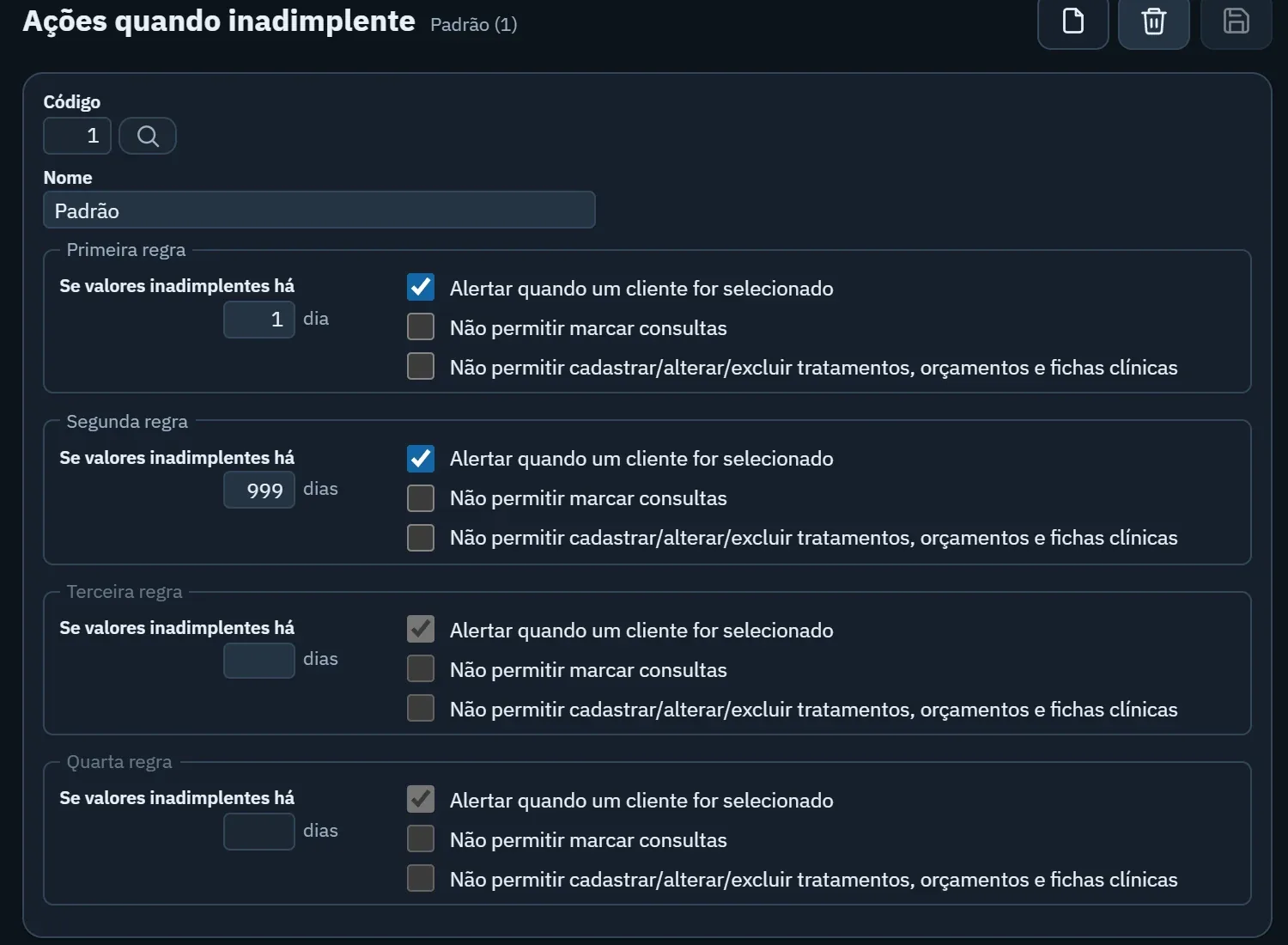
  • Set rules for long-overdue cases: after how many days the front desk is alerted when opening the patient's record, and from when new treatments wait until the account is brought current.
In practice

Set aside 15 minutes a day for the overdue list. A short list handled every day never turns into a mountain.

Chapter 4

How do you know if the clinic is profitable?

Strong revenue is not the same as profit. To find out whether any money is left over, split your expenses into two groups:

  • Fixed costs: what you pay even with an empty schedule, such as rent, salaries, software and your accountant.
  • Variable costs: what only exists when you see patients, such as supplies, lab fees, commissions and card fees.

With that split, two questions become easy to answer. First: how much does the clinic need to bill each month just to cover fixed costs (your break-even point)? Second: which treatments leave the most after subtracting what they consume? Often the most requested procedure is not the one that contributes the most.

Include your own salary as a cost, too. If the owner works chairside and doesn't take a salary, the profit on paper is an illusion.

Chapter 5

How do you plan the months ahead?

A dental clinic has one advantage: much of its future revenue is already agreed on. Installments on treatments in progress and accepted treatment plans tell you how much should come in over the next few weeks. Add the bills you already know are coming and you have your cash flow forecast.

Review that forecast at least once a month and ask: which week gets tight? Can you move a purchase up, postpone an investment or step up collections? Vacation season and the end of the year usually bring fewer appointments, so plan a reserve for them.

Cash flow forecasting without spreadsheets. See how installments and bills turn into an automatic forecast in Pro365 GO.

Show me how it works
What to check every week

Five numbers are enough to tell whether it was a good week. Each one answers a question, and the system does the math for you.

  • Received vs. expected

    Shows whether what came in this week matches what was scheduled to come in.

    Warning sign: received below expected two weeks in a row.
  • Patients with overdue installments

    How many people are behind on payments, and for how long.

    Warning sign: the list grows from one week to the next.
  • Expenses by category

    Where the money went: supplies, lab, payroll, overhead.

    Warning sign: a category grows while the schedule doesn't.
  • Accepted treatment plans with no down payment

    Agreed treatments that haven't received their first payment yet.

    Warning sign: an acceptance that sits for more than a week.
  • Balance for the next 4 weeks

    Your cash flow forecast: what will come in minus what will go out.

    Warning sign: any week goes into the red.

Your financial management checklist

Check off what your clinic already does. Your answers are saved in this browser so you can come back later.

0/8

How Pro365 GO, the new ProDent, helps

Real screens from the software. Pick a feature or let the tabs rotate on their own.

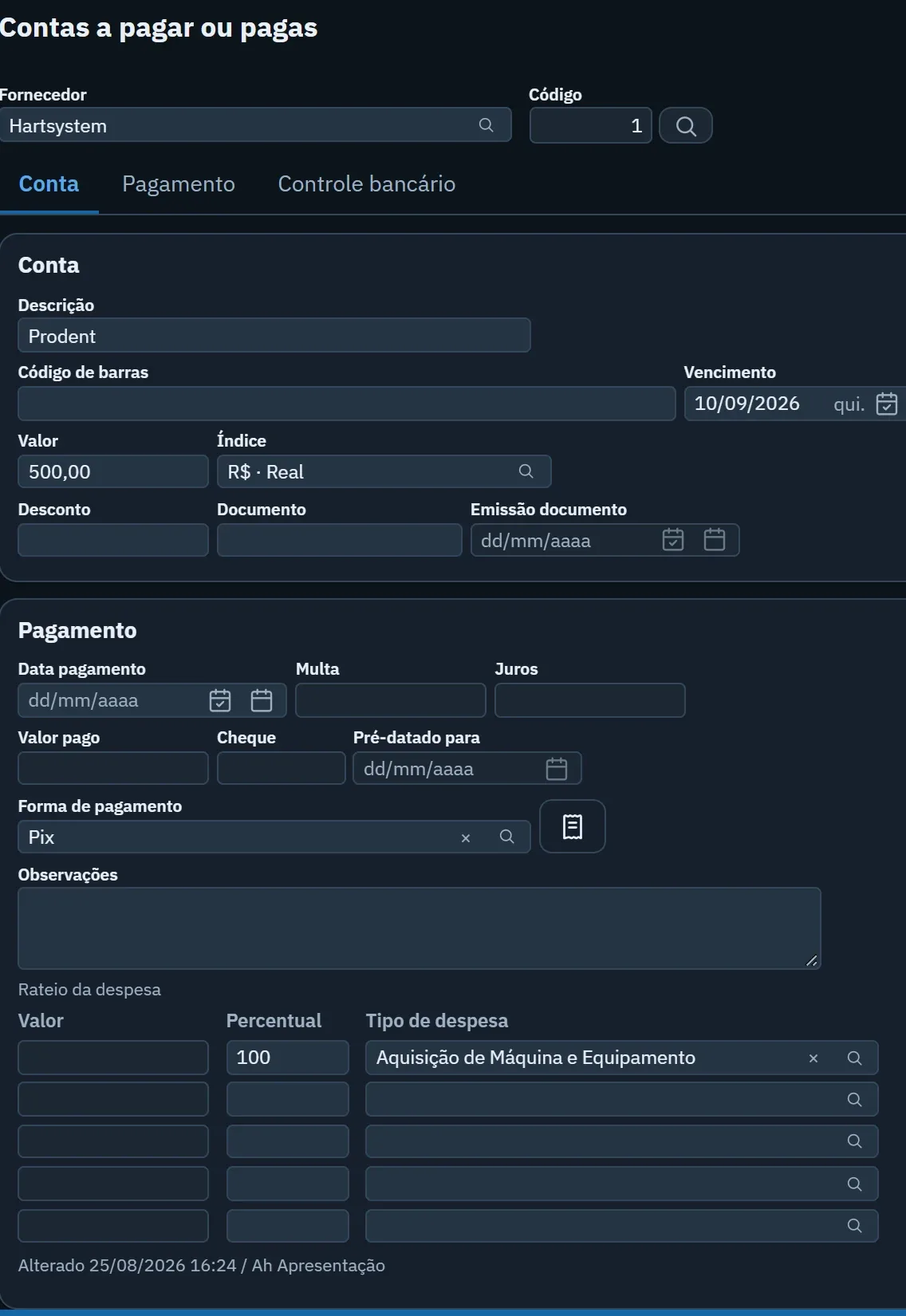
Pro365 GO accounts payable screen with vendor, due date and expense type

All connected: how Pro365 GO links your finances to the rest of the clinic

In Pro365 GO, the new ProDent, HartSystem's dental software, each part uses what has already been recorded in the others. That's how the habits in this guide become routine with no extra work.

The step-by-step for putting this into practice is in Organizing your clinic's finances. Or schedule a demo and see all of this applied to your clinic's routine.

ProDent since 1993

Pro365 GO is the new ProDent

This tool grew out of more than three decades of ProDent working alongside dental clinics. Now it's 100% web, comes with Pro365 AI and keeps the same HartSystem support team. If you use ProDent, the team helps bring your data over and trains your staff.

Our story
  • since 1993building software only for dentistry
  • 100% webin the browser on computer, tablet and phone
  • Pro365 AIanswers about your clinic, no reports to build
How often should I review the clinic's finances?

Cash, every day at closing. The five numbers in this guide, once a week. The cash flow forecast and the monthly results, once a month, ideally with your accountant.

Do I need software, or will a spreadsheet do?

A spreadsheet works at first, but it relies on someone entering everything twice and doesn't alert anyone to late payments. Dental clinic management software brings scheduling, treatment plans and finances together, so every accepted installment immediately becomes an expected payment.

How do I collect from a late-paying patient without losing the patient?

Follow up early, in a reminder tone. On the first day it's late, a short message asking whether something came up solves most cases. Offer to renegotiate before the balance grows.

Who should handle finances: the front desk or the owner?

The front desk can record payments and close out cash. The weekly review and the decisions belong to the owner or clinic manager. Per-user permissions in the software help separate who enters data from who sees the results.

Does this guide replace my accountant?

No. Your accountant handles taxes, payroll and legal obligations. This guide covers day-to-day management, which gives your accountant organized information and gives you the clarity to make decisions.

Discover a new way to run your dental clinic.

See how Pro365 GO connects scheduling, clients, treatments, finances, KPIs and artificial intelligence.

Talk to a specialist

Get to know Pro365 GO

Leave your contact and a specialist will reach out.

Your data is protected under data protection law (LGPD/GDPR). No spam.
Book a demo
Questions? Ask us on WhatsApp