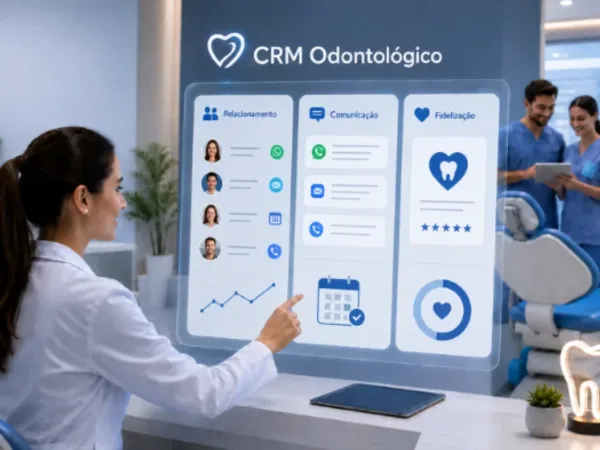
Dental patient reactivation campaigns turn the patients already in your database into new appointments. Instead of waiting for people to call, the clinic reaches out at the right moment: after a no-show, while a treatment plan is pending, on a birthday or after a first visit. Below are four simple campaigns, sample messages and a routine to run them every week.
Many clinics have a database full of useful information but never use it strategically. Patients who missed an appointment, people who asked for a treatment plan or even patients who already finished treatment can simply drop off the schedule because no one followed up.
The good news is that any clinic can apply a few simple campaigns to turn these situations into new visits and strengthen patient relationships.
Why clinics miss scheduling opportunities
Most dental clinics focus their effort on attracting new patients. Yet many opportunities are already sitting in the database, among patients who have been to the clinic before. They tend to be ignored for two main reasons.
No follow-up
Without organization or a structured follow-up routine, important situations slip through the cracks:
- patients who missed an appointment
- interrupted treatment
- treatment plans still under consideration
- patients who haven't been back in a long time
These contacts could quickly turn into new appointments.
Contact only when the patient reaches out
Another common problem is reactive communication. The clinic waits for the patient to get in touch again instead of keeping an active relationship.
With dental software that includes digital communication tools and messaging apps, staying in touch with patients is much easier than it used to be.
What a reactivation opportunity looks like
A reactivation opportunity is a specific situation in which the clinic can contact a patient to offer support, follow-up or a new appointment. These contacts work because they happen at the right moment.
Some examples:
- patients who missed an appointment
- patients with a pending treatment plan
- patients with a birthday this month
- maintenance for past treatment
- recall campaigns
- patients who came in for a first visit
When these situations are monitored, the clinic turns data into relationships, and relationships into new appointments.
4 reactivation campaigns that can fill your schedule
Patients who missed an appointment and didn't reschedule
When a patient misses an appointment and doesn't book again, the chance of losing that visit is high. A simple message can fix it:
"Hi, [Name]! We missed you at your appointment. Would you like to reschedule now? We have openings this week."
This kind of message shows care and makes rescheduling easy.
Birthdays this month
This is one of the most common campaigns in dental marketing:
"Happy birthday, [Name]! Why not start your new year with a healthy smile? We have something special for you this month."
Besides strengthening the relationship, the message can prompt a new visit.
Treatment plans under consideration
Many patients ask for a treatment plan but end up putting treatment off. A friendly message can bring back their interest:
"Hi, [Name]! Are you still thinking about that treatment? If you'd like, we can talk again and answer any questions."
First-visit follow-up
Patients who came in for a first visit can also get a follow-up:
"Hi, [Name]! We'd love to know how you're doing after your first visit. If you'd like to continue your treatment, we have openings this week."
This approach shows care and increases the chances that the patient continues treatment.
How to run reactivation campaigns every week
1. Organize patient data
Keep clear records of visit history, missed appointments and treatment.
2. Identify reasons to reach out
List the situations that can lead to new appointments.
3. Write standard messages
Prepare a short message for each situation.
4. Set a follow-up routine
Block time each week to review these opportunities.
5. Track results
Check how many messages turned into new appointments.
This process turns patient relationships into an ongoing growth strategy.
How dental software automates reactivation
These campaigns can be done by hand, but dental software makes the process much easier. Some systems automatically identify key situations, such as:
- patients who missed an appointment and didn't reschedule
- birthdays this month
- patients with a pending treatment plan
- treatment history
- scheduled recalls
ProDent also has tools to create campaigns and send messages straight to patients on WhatsApp. With smart filters, the clinic can select specific groups of patients and send personalized messages in a few clicks.
That turns the clinic's database into a real patient relationship and reactivation strategy.
Your next appointments are already in your database
Many clinics believe the only way to grow is to attract new patients. But a large share of the opportunities is already in the clinic's own database.
Patients who missed an appointment, people who asked for a treatment plan and patients who need maintenance can all become new appointments when the clinic keeps an active relationship. By spotting these opportunities and running simple campaigns, you can book more visits, strengthen relationships and improve revenue.
With communication, automation and scheduling tools, complete dental software helps you organize campaigns and follow up with every patient. Pro365 GO, the new ProDent that runs 100% on the web, brings these filters and WhatsApp campaigns together in one place. Book a demo to see how it can support your clinic's growth.