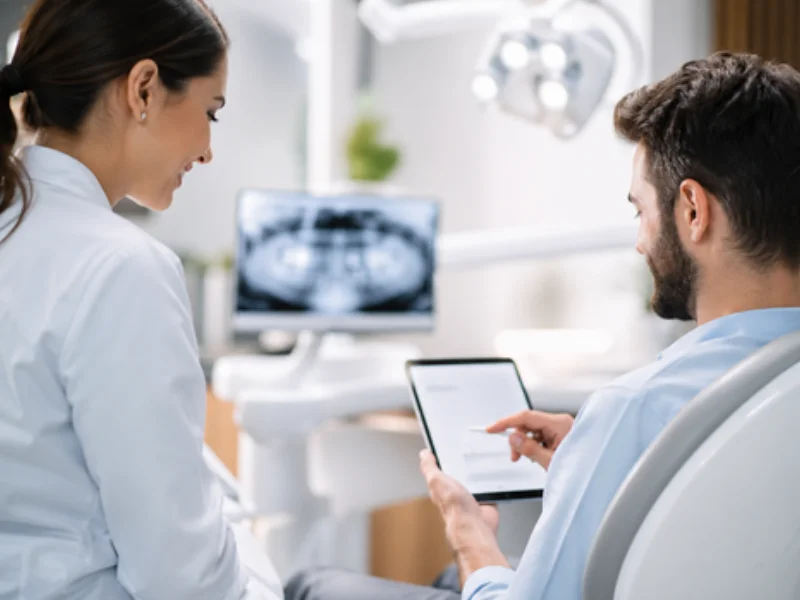
Digital medical history forms let patients answer their health questionnaire before they arrive, so the dental clinic gets the information in advance, cuts rework and starts each visit better prepared. It's less about swapping paper for a screen and more about building a pre-visit workflow that actually works.
In a dental clinic, a few minutes lost at the front desk can set off a chain reaction: a late first appointment, incomplete information in the patient record, a team rushing to confirm details and a worse experience for the patient the moment they walk in.
That's why a digital medical history is no longer just a modern touch. It's a process decision. And when that process is connected to the clinic's software, the operational gain is even clearer.
When the lack of a digital medical history slows your clinic down
Many clinics don't see the medical history form as a bottleneck because it's already part of the routine. But a few signs show that the process is costing time and organization:
The front desk repeats questions that should already be on file
When patients arrive and still have to fill out everything from scratch, the team loses time on a step that could have been done in advance.
Information arrives incomplete or hard to read
Forms filled out in a hurry, missing details and confusing answers slow down care and raise the risk of recording errors.
Appointments get off to a slow start
If the dentist or clinical team has to review, complete or correct information during the visit, the schedule feels it.
The patient record loses consistency
Without a consistent way to collect information, every visit starts differently, which makes it harder to keep the patient's history organized.
On their own these points seem small, but together they affect front desk productivity, the pace in the operatory and how professional the clinic looks to patients.
What changes when a digital medical history becomes part of pre-visit intake
The main change isn't technological. It's operational.
With an online medical history form, patients can fill in their information before they get to the clinic. The team receives it ahead of time, reviews what's needed and starts the visit with more context.
In practice, a digital medical history helps the clinic:
Cut wait times at the front desk
Part of the registration and information gathering happens before the patient arrives, so check-in runs more smoothly.
Standardize how information is collected
With a defined workflow, information arrives more organized and is easier to look up.
Improve the patient experience
Filling out the form ahead of time is more convenient and removes that rushed feeling right before the appointment.
Connect the front desk and the clinical team
With the information already in the system, the team works in sync and improvises less.
Strengthen the digital patient record
Information recorded well from the start keeps the patient's history more complete and more useful for the clinical routine.
How to build a good digital medical history workflow
Rolling out digital medical history forms shouldn't just mean "turning on a tool." The goal is a workflow that is simple, clear and repeatable.
1. Decide when the form goes out
The best results usually come when the medical history form is part of the appointment confirmation. That way the request makes sense to the patient and fits naturally into the clinic's process.
2. Make someone responsible for follow-up
Sending isn't enough. The team needs to know who checks whether the form was completed and what to do when a patient doesn't finish it before the visit.
3. Review the answers before the visit
When the clinic reviews the information in advance, it can spot gaps, avoid rework and prepare a better start to the appointment.
4. Connect the form to the patient record
A digital medical history delivers more value when it doesn't sit on its own. Ideally, the answers become part of the patient record and clinical follow-up.
5. Aim for predictability, not just speed
The goal isn't only to "be faster." It's to create a routine where the front desk, the schedule and clinical care run in a more organized way.
Common mistakes when adopting digital medical history forms
Even clinics that adopt the feature can miss out on results when the process isn't well designed.
Treating the medical history form as an isolated task
If it isn't connected to appointment confirmation, the front desk and the patient record, it becomes just one more disconnected step.
Not training the team on follow-up
Without a clear owner, forms get sent but no one tracks replies, pending forms or exceptions.
Making it hard for patients
The simpler and more direct the form is, the more patients tend to complete it.
Using the tool without reviewing the workflow
Technology helps, but the real gain comes when the clinic adjusts its routine around it.
How Fast-in supports this process every day
Fast-in is the digital medical history form in ProDent that patients fill out before their visit. It goes out with the appointment confirmation, and the answers land in the system, so the clinic doesn't need parallel processes to organize pre-visit intake.
In a well-structured operation, Fast-in helps the clinic:
- get the medical history filled out ahead of time
- reduce paper and rework at the front desk
- have the form already organized in the system
- connect pre-visit intake, confirmation and the patient record more smoothly
For clinics that want more organization without making the routine heavier, this kind of integration tends to be more useful than piecemeal solutions.
A digital medical history is part of how efficient your clinic is
When pre-visit intake is done well, the appointment starts better. The front desk saves time, the clinical team gets clearer information and patients see a more organized experience from the first contact.
That's why investing in digital medical history forms isn't just about digitizing paperwork. It's about building a more consistent operation, with less noise and more predictability.
With Pro365 GO, the new ProDent that runs 100% on the web, Fast-in, appointment confirmation, scheduling and patient records work together. Book a demo to see Fast-in in action.