AI for dentists already helps with management and routine work, such as answering questions about the schedule and collections, training staff and drafting messages, as long as diagnosis and clinical decisions stay with the dentist and patient information isn't pasted into tools nobody controls. Below: what AI does well in a dental practice, what it shouldn't do, how to choose a tool, and a rollout plan with a checklist.
If you're after the big picture, read about dental AI market trends. This post is about practical, safe use, day to day.
What can AI do for dentists today?
In most practices, the payoff is in management, not in the operatory. Five uses work today:
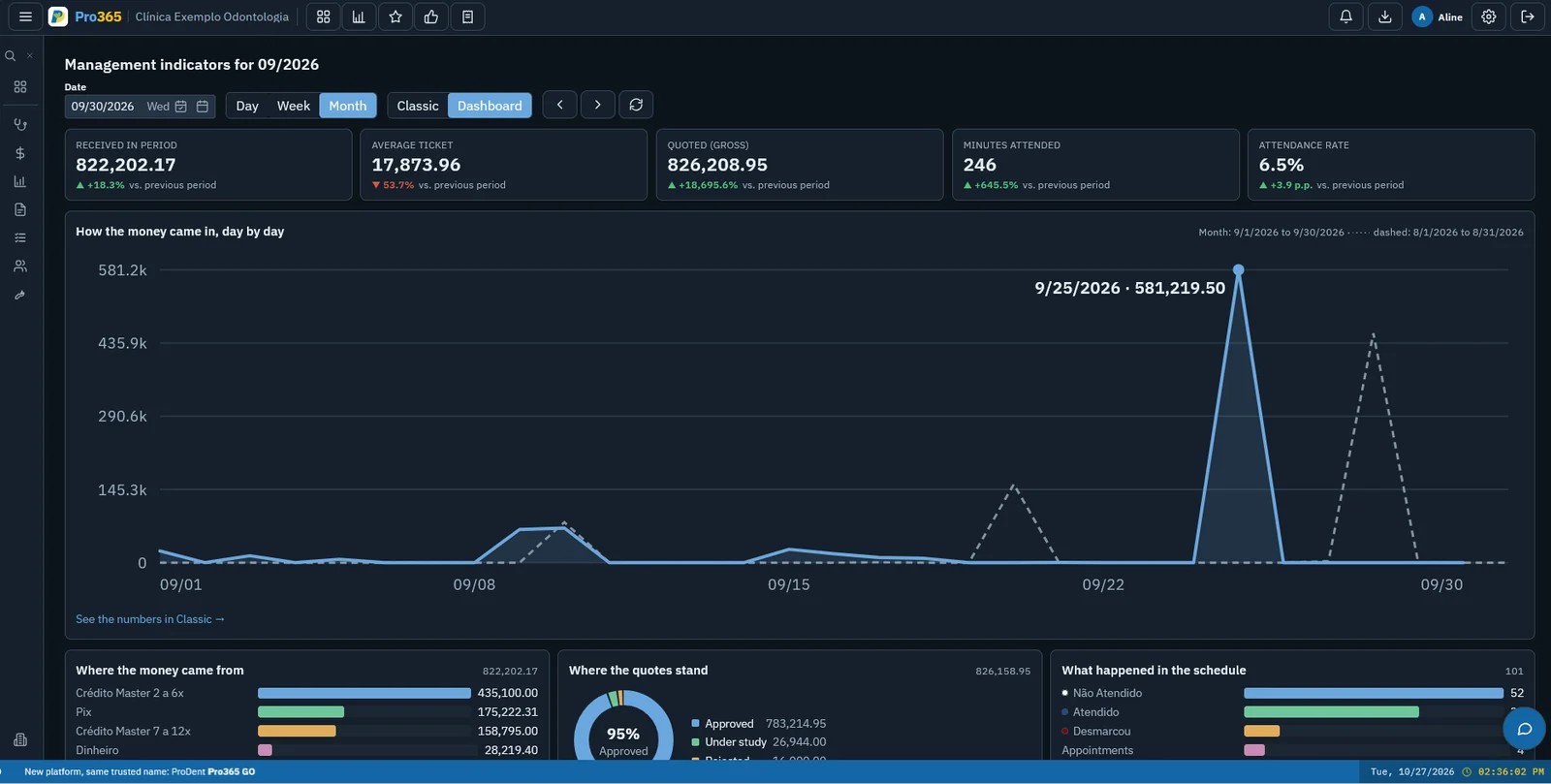
- Management questions. Instead of running reports, the owner or office manager asks "how much did we collect this month compared with last month?" or "which treatment estimates have been pending for more than 30 days?". For that, the AI has to be connected to your practice software.
- Staff training. A new front desk hire asks how to reschedule an appointment or add a new patient and gets the step-by-step without interrupting anyone. It complements, not replaces, a dental software training plan.
- Patient messaging assistant. Answering common questions by text message, email or WhatsApp (address, office hours, payment options), requesting appointments and sending reminders. It's the most requested use and the one that needs the most care.
- Writing. Drafts of social posts, emails, phone scripts and polite payment reminders, which someone at the practice reviews before sending.
- Scheduling support. Finding open slots, building the recall list, comparing no-shows by provider.
| Use | Example request | Uses patient data? |
|---|---|---|
| Management questions | "How much did we collect by credit card this month?" | Yes, your practice numbers, inside the software |
| Staff training | "How do I send the treatment estimate to the patient?" | No |
| Writing | "Write a friendly recall reminder" | No |
| Patient messaging | "What are your Saturday hours?" | Sometimes name and time; never health history |
| Scheduling | "How many open slots do we have this week?" | Yes, inside the software |
Management questions draw on the same numbers you'd see on a KPI dashboard. The difference is that the answer comes back in plain language, the moment the question comes up.
What shouldn't AI do without the dentist?
The rule of thumb is simple: AI can suggest, summarize and remind; the clinician decides. Don't let a tool decide on its own about:
- diagnosis, treatment plans and prognosis;
- prescriptions and medication advice;
- reading radiographs and images without the dentist's review;
- work excuse notes, letters and any document the dentist signs;
- clinical questions from patients by message, such as pain, bleeding or swelling: those go to a person on the team.
The World Health Organization puts protecting autonomy first among the six principles in its guidance on the ethics and governance of AI for health: humans should remain in control of health-care systems and medical decisions. Clinical AI is also its own category. The ADA's standards on artificial and augmented intelligence include a white paper on AI uses in dentistry (No. 1106) and a technical report on AI image analysis systems (No. 1109), separate from the office tools covered here.
What's the risk of pasting patient data into a free chatbot?
It's the most common risk and the easiest to avoid. Someone copies a patient's chart notes or a list of pending estimates, pastes it into a free AI chatbot and asks for a summary. That text leaves the practice's control: nobody can say where it's stored or, depending on the terms of use, whether it may be used to improve the service.
Why it matters for a US dental practice under HIPAA:
- The Privacy Rule's minimum necessary standard requires reasonable efforts to limit protected health information to the minimum necessary for the intended purpose (45 CFR 164.502(b)).
- A practice may let a vendor (a business associate) create, receive, maintain or transmit PHI on its behalf only with satisfactory assurances that the vendor will safeguard the information, documented in a written contract or agreement (45 CFR 164.502(e)). A free chatbot used on someone's own initiative has no such agreement.
- The ADA Code of Ethics asks dentists to safeguard the confidentiality of patient records (section 1.B).
If someone really needs a general-purpose tool, strip out everything that identifies the patient first: name, date of birth, phone number, address, insurance member ID, photos and radiographs. "Patient A, 45, crown estimate pending for 40 days" is enough to get help writing a follow-up message.
What is the best AI for dentists? What to check before you choose
The best AI for dentists is the one that fits your routine without opening the door to your data. Take these questions to the vendor and ask for the answers in writing:
| Criterion | What to ask | The answer you want |
|---|---|---|
| Connection to your software | Does the AI read data from the practice software? | Yes, without anyone copying and pasting |
| Access | Who can use it? | Only people with the permission enabled, each with their own login |
| Model training | Is our practice data used to train the AI? | No, it's only used to answer our questions |
| Sensitive data | What does it show about each patient? | Only what the question needs, with a limit on health data |
| Activity log | Can we see who asked what? | Yes |
| Channel | Where does the team use it? | In a channel they already use, by text or voice |
| Contract | Will you sign a business associate agreement? | Yes, before any PHI is involved |
| Handoff to a person | With patients, does the AI pass the conversation on? | Yes, for clinical questions, complaints and billing |
Access matters most: if someone can't see financial data in your software, they shouldn't be able to ask the AI about it either. To set up those roles, follow the guide to dental practice access control.
AI receptionist and AI agents for patient messages: what to check
When the AI talks to patients, not just to staff, the bar goes up:
- Consent. Only message patients who agreed to it. On WhatsApp, the WhatsApp Business Messaging Policy requires opt-in before a business starts the conversation.
- Transparency. The assistant introduces itself as a virtual assistant, not as someone at the front desk.
- Narrow script. Hours, directions, appointment requests and confirmations; no clinical advice.
- Handoff to a person. Clinical questions, complaints and billing go to someone on the team the same day.
- No health details in chat. The AI doesn't ask for symptoms, medications or test results in the conversation.
Before you automate, get the channel in order: see what to look for in dental software with WhatsApp integration.
How to roll out AI in your practice safely in 4 weeks
- Week 1: map tasks and set the rule. List the tasks that eat the most staff time and announce the main rule: no information that identifies a patient goes into a tool the practice hasn't approved.
- Week 2: pilot without health information. One or two people use AI for writing and for questions about the software. Note what worked and what needed fixing.
- Week 3: connect to the software and grant access per user. Start management questions with the people who already see those numbers, with the same permissions.
- Week 4: review and expand. Check the activity log, adjust the policy and decide who else needs access. After that, review every three months.
Common mistakes
- Starting with automated patient messaging, the highest-risk use, instead of starting with the team.
- Sharing one login for "the practice AI," which wipes out the record of who asked what.
- Trusting a number without checking it before a decision about money or staffing.
- Not telling the team what's allowed and what isn't, and finding out about the problem later.
Internal AI use policy: checklist
One page is enough. It should state:
- which AI tools are approved and for what;
- that pasting patient-identifying information into unapproved tools is not allowed;
- that diagnosis, treatment planning and prescribing always stay with the dentist;
- that any AI-generated text is reviewed before it reaches a patient;
- that access is individual, with permissions by role;
- who handles questions and incidents involving patient data (your HIPAA privacy and security contacts);
- the patient messaging rules: consent, AI clearly identified and handoff to a person;
- that access and the policy itself are reviewed every three months;
- that each team member has read it, with a date.
What applies to AI applies to the rest of your system: see what to check in data security.

Pro365 AI: the artificial intelligence in Pro365 GO
Pro365 GO, the new ProDent, 100% web, includes Pro365 AI, built for the practice team. The Pro365 AI Consultant answers management questions using your practice data, such as schedule, finances, treatment estimates and patients, comparing periods without anyone running a report. The Pro365 AI Instructor teaches the team how to use the software, any time. Both work on WhatsApp, by voice message or text.
Only people with the permission enabled on their ProDent / Pro365 GO user account can use it, your practice data doesn't train the AI, and the AI Consultant has an access limit so it doesn't expose patients' sensitive data. Explore Pro365 AI and book a demo to see the answers with your own practice routine.
Written by the HartSystem team, which has developed ProDent dental software since 1993 and works with practices in Brazil, Portugal, the United States, Mozambique and Paraguay.