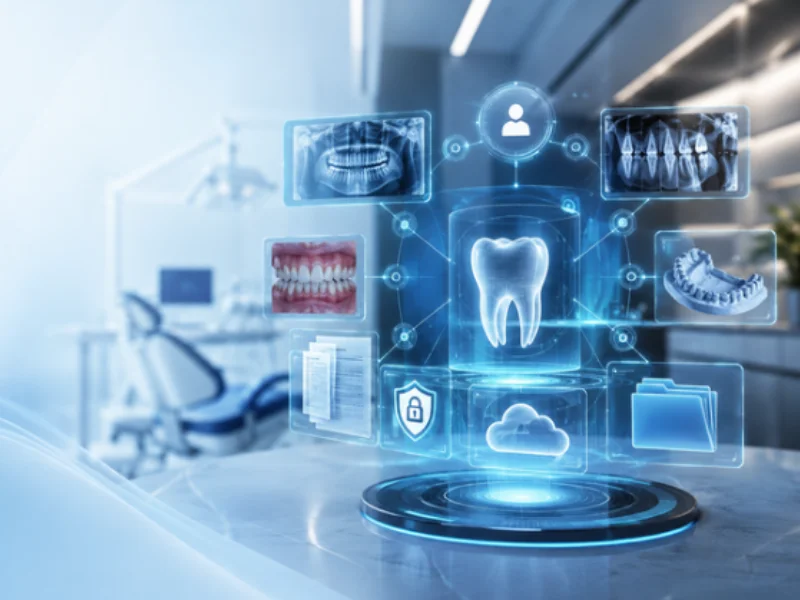
Digital dental records bring a patient's clinical history, odontogram, images and documents into one place. That gives the clinic more clarity, less rework and a safer workflow for dentists, the front desk and management alike.
If your team has to look for X-rays in one place, consent forms in another and clinical notes in separate windows, the problem isn't just organization. It's continuity of care, information security and day-to-day productivity.
What is a digital dental record?
A digital dental record is the system that stores a patient's clinical and administrative information electronically. That includes demographics, medical history, the odontogram, progress notes, images, prescriptions, certificates, agreements, consent forms and other records related to their care.
In practice, it stops being just a digital file. It becomes the center of the clinical routine, because it connects information, history and decision-making.
Why should your clinic think about this now?
Many clinics have already digitized parts of their operation but still have a fragmented patient history. The schedule is in the software, but documents are scattered. Images are saved in loose folders. Clinical records depend on the team's memory or on notes kept in different places.
That situation tends to cause problems such as:
- lost context between appointments
- difficulty following clinical progress
- higher risk of documentation gaps
- rework at the front desk and on the clinical team
- less confidence when communicating with patients
That's why interest in digital dental records grows alongside the need for a clinic that is more organized, traceable and ready to grow without losing control.
What information belongs in a digital dental record?
A truly useful digital record goes beyond basic notes. It should bring the patient's history together in a way that's logical and easy to access.
The main elements are:
- medical history and health information
- odontogram
- progress notes and clinical observations
- prescriptions and certificates
- consent forms, agreements and authorizations
- X-rays, clinical photos and other exams
- a history of documents issued
- entries with date, time and a link to the patient
The more complete and centralized that view is, the easier it is for the clinic to continue care safely.
How do images and documents fit in?
This is one of the most important points. In many clinics, going digital starts with scheduling or billing, but the biggest operational gain shows up when the clinical history stops being scattered.
When images and documents are linked to the patient's record, the team can:
- pull up X-rays and photos faster
- follow a case's progress with more context
- find consent forms and agreements without searching by hand
- reduce lost files and duplicate information
- keep a more consistent history of the patient's care
Instead of piecing things together, the dentist sees the case more clearly.
Do digital dental records only help with organization?
No. They also improve the clinical and administrative routine.
On the clinical side, they help with case follow-up, documenting progress and communication between providers. On the operational side, they cut the time spent looking for files, prevent process failures and make care more consistent.
And when the software connects records, documents and other everyday tools, the clinic can turn information into process, and process into productivity.
How can you tell your clinic is missing this?
Some signs are very clear:
- the team wastes time looking for patient documents
- clinical images live outside the main chart
- each provider records information in a different way
- the front desk relies on side files to find consent forms
- the dentist can't quickly see the full context of a case
- issued documents aren't kept in the patient's history
If this happens often, the clinic doesn't just have an organization problem. It has a structural gap in how it manages clinical information.
What's the difference between scanning files and real digital records?
Scanning files means saving documents on a computer. Having real digital records means organizing that information in a clinical logic, tied to the patient and available at the right moment.
The difference is in how it's used.
When a clinic only stores PDFs and images, it still depends on searching by hand. With digital dental records, it creates context: the history is connected to the visit, the documents and the clinical progress.
What to look for in software with digital dental records
Before you decide, check whether the system lets you:
- record clinical history simply and continuously
- attach images and documents to the record
- keep prescriptions, certificates and other patient files in one place
- connect the record to the rest of the clinic's routine
- give authorized team members easy access to the information
- stay organized without relying on side controls
More than having the feature on a list, what matters is that it works in the clinic's real routine.
How ProDent meets this need
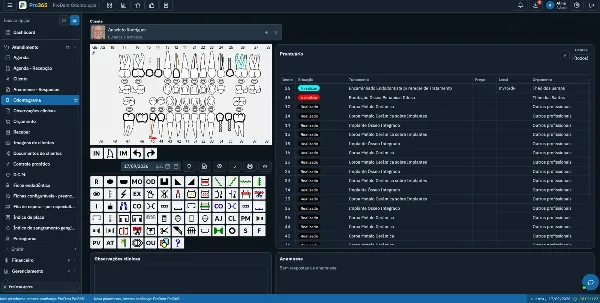
ProDent brings electronic dental records, the odontogram, images, clinical documentation and built-in e-signatures into the same workflow. That matters because it ties the clinical history to the team's daily work, instead of treating the record as an isolated file.
Day to day, that means it's easier to record, find, review and continue care with less scattered information.
Are digital dental records worth the investment?
For clinics that want to grow with more control, yes. Not just to modernize, but because digital records support an operation that is more organized, more traceable and less dependent on improvisation.
When history, images and documents are centralized, the clinic gains time, consistency and security at every stage of care.
Better records start with one connected workflow
Digital dental records aren't just a swap from paper to screen. They change how the clinic records, accesses and uses patient information.
If your goal is more organization, better continuity of care and less rework, it makes sense to adopt a setup where history, images and documents share the same workflow. The more connected that process is, the easier it is to turn routine into real management.
With Pro365 GO, the new ProDent that runs 100% on the web, the patient's history, odontogram, images and documents open on one screen, from any device. Book a demo to see how it works in your clinic.