Dental records are the complete written history of everything your practice knows about and does for a patient: identification, medical history, charting, diagnosis, treatment plan, progress notes, images and signed documents. They support continuity of care, they are your main evidence of what was done, and how long you must keep them is set by state law.
What are dental records?
A dental record is more than the new-patient form. It's every question asked, every exam, every plan, every procedure, every prescription and every signature, in chronological order. In everyday US practice it's often called the patient chart; in software, the electronic dental record.
A well-kept record answers three questions in seconds: what the patient's mouth looked like at the first exam, what has been done (when and by whom), and what still needs to be done.
Why are dental records important?
Good records do three jobs at once:
- Clinical: whoever sees the patient next, the same dentist, an associate or a specialist, knows what was done, what's pending and what needs caution, such as an allergy or a blood thinner.
- Legal and risk: if a patient disputes treatment, the chart is your main evidence of what was proposed, accepted and performed. What isn't written down is hard to prove later.
- Ethical: the ADA Code of Ethics obliges dentists to safeguard the confidentiality of patient records and to maintain them in a way that protects the patient's welfare (section 1.B).
There's a business benefit too: a complete record shows which treatments were presented but never scheduled, which helps the front desk follow up with the patient.
What should be included in dental records?
The table lists the sections of a complete dental record and what to document in each one.
| Section | What to document |
|---|---|
| Patient identification | Name, date of birth, contact details and legal guardian for minors |
| Medical and dental history | Chief complaint, conditions, medications, allergies, habits and the date it was completed |
| Clinical exam and charting | Condition of each tooth at the first exam: restorations, missing teeth, prostheses, lesions |
| Diagnosis and treatment plan | What was proposed, the reasonable alternatives and what the patient chose |
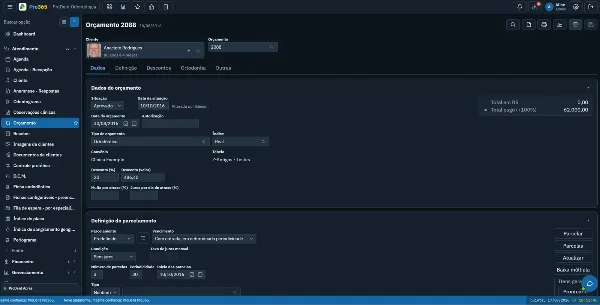
| Treatment estimate | Procedures, fees, payment terms or payment plan, and the patient's acceptance |
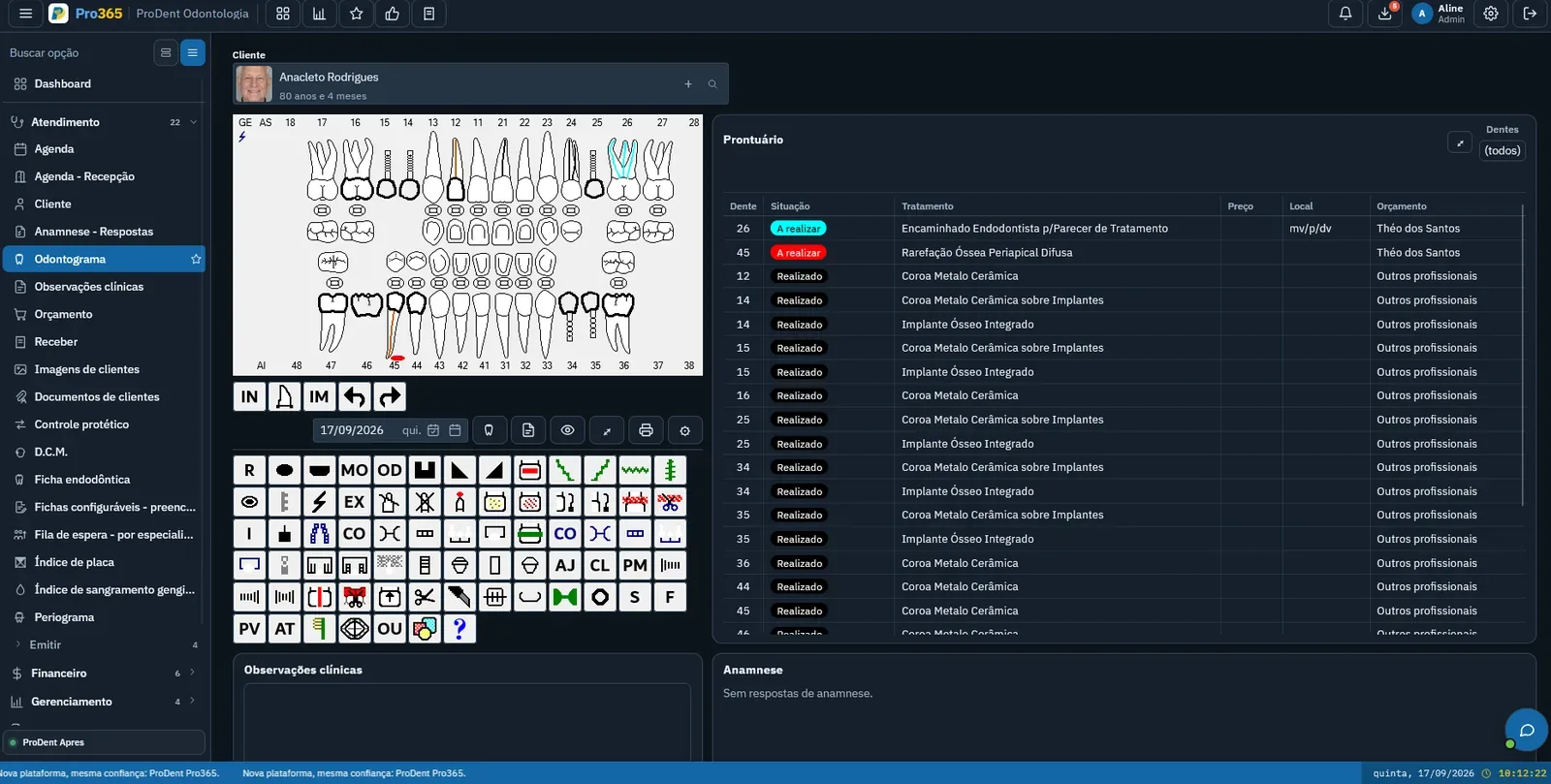
| Progress notes | What was done at each visit, tooth by tooth, with date and provider |
| Radiographs and images | X-rays, intraoral photos, scans and reports linked to the patient |
| Informed consent | Signed consent form for each treatment that requires one |
| Prescriptions and notes | A copy of every prescription, work or school excuse note and referral issued |
Medical history
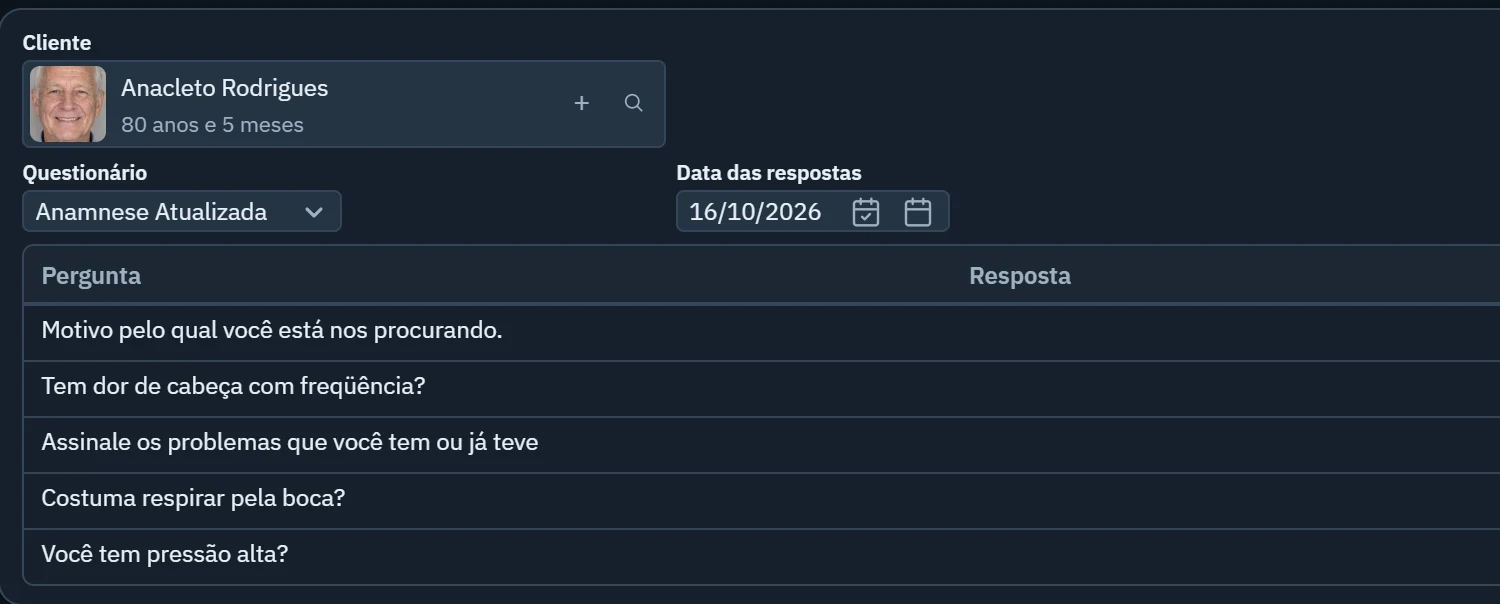
Update the medical history at every new treatment plan, not just at the first visit. A new medication or a recent surgery changes how you treat. Record the date the patient completed it and keep alerts (allergies, diabetes, high blood pressure) visible to whoever opens the chart. The post on digital medical history for dental practices shows how to collect it before the visit.
Charting
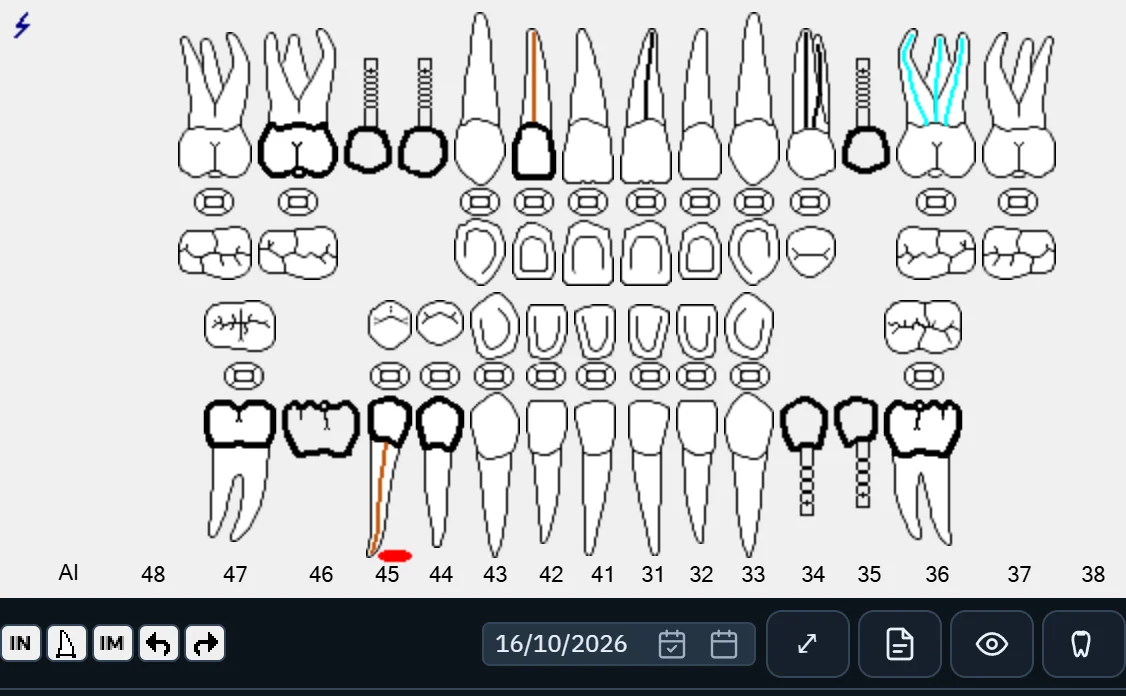
The odontogram is the map of the mouth: how each tooth looked at the exam, what was planned and what has been completed. Keeping the initial condition separate from completed work preserves the patient's history. Use one numbering system consistently across the practice; most US practices use the Universal Numbering System. See how to chart in the post on digital dental charting.
Treatment plan, estimate and informed consent
The ADA Code asks dentists to inform patients of the proposed treatment and any reasonable alternatives, in a way that allows them to take part in decisions (section 1.A). Document that conversation: the plan, the alternatives, the treatment estimate the patient accepted and the signed consent form. If the patient declines recommended treatment, note that too.
Progress notes, images and documents
Progress notes are where most charts fall short: "filling on #19" isn't enough. Record material, surfaces, any complications and what's next. X-rays and photos should be linked to the patient, not sitting in a loose folder on one operatory computer. And keep a copy of every prescription and excuse note you issue.
Who can access dental records, and can patients get a copy?
The practice keeps the record, but the patient has strong rights to the information in it. According to HHS, the HIPAA Privacy Rule gives patients, with few exceptions, the right to inspect, review and receive a copy of their medical and billing records held by covered providers (HHS: Your Medical Records).
In practice:
- Patients can ask for copies. A provider can't deny a copy because the patient hasn't paid for services. It may charge reasonable costs for copying and mailing, but not for searching for or retrieving the records.
- Patients can request corrections. If the practice disagrees, the patient may submit a statement of disagreement that must be added to the record.
- The next dentist can ask too. The ADA Code advisory opinion 1.B.1 says dentists should furnish records, copies or summaries, including X-rays, at the request of the patient or the patient's new dentist, in accordance with applicable law, free of charge or for a nominal cost, whether or not the patient's account is paid in full.
- Inside the team, access on a need-to-know basis. The front desk doesn't need clinical notes; billing doesn't need the full medical history. The post on dental practice access control shows how to set user roles.
How long should you keep dental records?
There's no single federal number. HHS answers this directly: the HIPAA Privacy Rule does not include medical record retention requirements, and state laws generally govern how long records are kept (HHS FAQ on record retention).
So the right period depends on where you practice. A practical approach:
- Check your state's rules with your state board of dentistry or your attorney, including any special rules for minors.
- Count from the last visit, not the first.
- Write a retention policy so the team knows what to keep, for how long, and who approves destruction.
What HIPAA does require is that you protect the records with appropriate administrative, technical and physical safeguards for as long as you keep them, including through disposal (45 CFR 164.530(c)). Paper charts never go in the regular trash.
Paper or electronic dental records?
Electronic records are allowed; what matters is security. Look for:
- an individual login for every team member, never shared passwords;
- permissions by role, so each person sees only what their job requires;
- an audit trail of who opened or changed what, and when;
- backups that don't depend on a single computer in the office.
The post on digital dental records shows how to bring history, images and files into one place.
Common dental record mistakes
- Vague progress notes, with no tooth, surface, material or complication.
- Charting later, from memory, at the end of the day.
- Erasing or overwriting instead of adding a dated correction.
- An outdated medical history, never reviewed.
- Generic consent forms that don't name the procedure.
- Images outside the chart, on a USB drive or one provider's laptop.
- Shared logins, which make it impossible to know who recorded what.
Dental records checklist
Use this list to audit a few charts every month:
- Complete identification and guardian for minors
- Medical history dated and reviewed for the current plan
- Initial charting kept separate from completed work
- Diagnosis and treatment plan with alternatives and the patient's choice
- Accepted treatment estimate
- Signed consent form for the treatment
- Progress note for every visit with date and provider
- Radiographs and images linked to the patient
- Copies of prescriptions and notes issued
- Role-based access and a record of who changed what
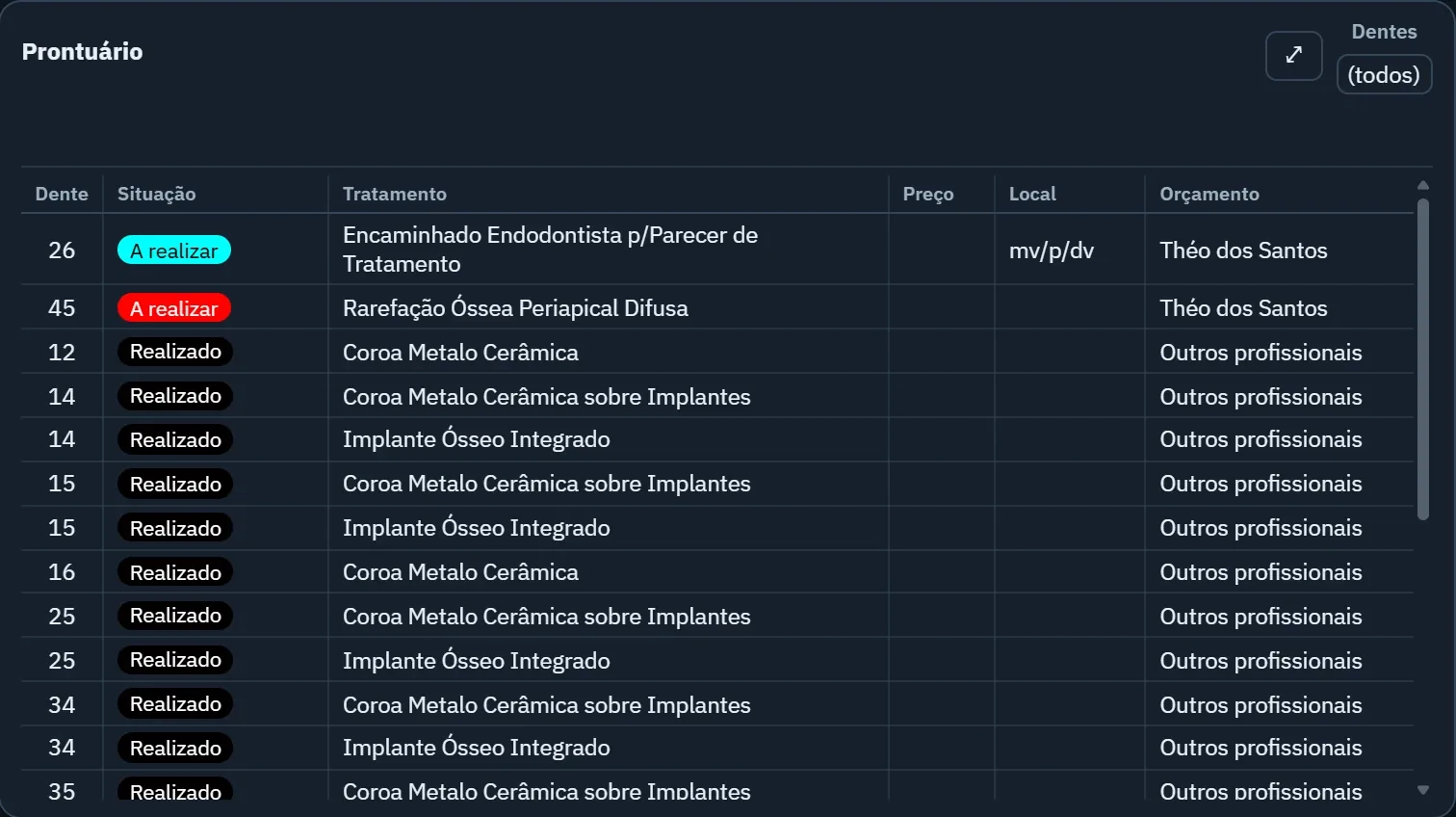
Electronic dental records in Pro365 GO
In Pro365 GO, the new ProDent, 100% web, the patient record brings together the health history, odontogram, treatments by tooth (planned and completed, with the originating estimate), clinical notes, images and patient documents, on a computer, tablet or phone. The health history can arrive completed before the visit through Fast-in, which is sent with the WhatsApp appointment confirmation, and consent forms and treatment plans are signed by the patient and the dentist through a link on the phone. Every team member logs in with their own user, sees only what their permissions allow, and the audit log records who did what and when.
See the dental EHR software and book a demo to try it with your own cases.
Written by the HartSystem team, which has developed ProDent dental software since 1993 and works with practices in Brazil, Portugal, the United States, Mozambique and Paraguay.