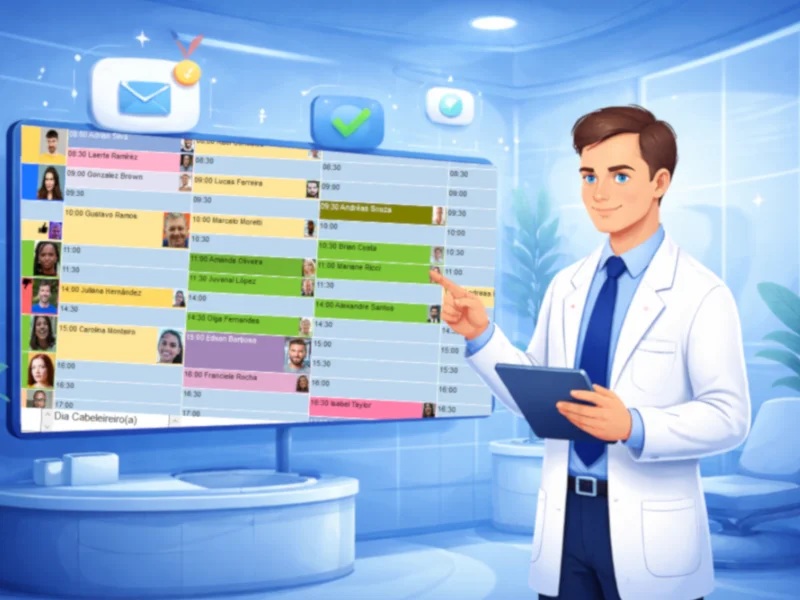
Automated scheduling raises dental clinic productivity because it cuts the manual work and the gaps that eat into each day. With standard appointment times, automatic confirmations and a simple daily and weekly review, the schedule fills up more, no-shows drop and the team spends its time on patients instead of on the calendar.
This article shows how to structure the schedule, remove manual errors and apply simple automation to your daily routine.
The problem with a manual schedule
Even with a busy clinic, many managers still struggle with:
- empty time slots
- patients who don't show up
- scheduling conflicts
- rework for the team
Most of the time, the problem isn't demand. It's how the schedule is managed. Without organization and clear processes, the schedule becomes a bottleneck.
That's why automated scheduling is no longer optional for clinics that want to grow efficiently.
What automated scheduling means in practice
Automating the schedule isn't just about using software. It means building a smart workflow that reduces human error and improves the patient experience. In practice, it involves:
- automatic appointment confirmations
- reminders sent to patients
- organizing appointments by procedure type
- smart add-ons
- fewer manual tasks
In other words, less operational effort and more control.
The scheduling failures that cost productivity
Before you automate, it's worth understanding the most common mistakes.
No standard process
Each team member books differently, which creates inconsistency.
No appointment confirmation
Patients forget, and the clinic loses revenue.
A disorganized schedule
Mixing long and short procedures with no plan lowers productivity.
No control over add-ons
Open time slots aren't put to good use.
How to set up automated scheduling, step by step
Now for the practical part.
1. Structure the schedule by procedure type
Set aside blocks of time for:
- quick appointments
- longer procedures
- emergencies
This avoids conflicts and improves flow.
2. Standardize appointment times
Set an average time for each procedure. For example:
- cleaning: 40 minutes
- filling: 60 minutes
This makes the schedule predictable.
3. Turn on automatic confirmations
Send automatic messages before each appointment. This is one of the most effective ways to reduce no-shows.
4. Create a daily follow-up routine
The team should:
- review the next day's schedule
- confirm patients
- fill any gaps
5. Review the schedule every week
Look at:
- empty time slots
- peak times
- the no-show rate
This allows for continuous adjustments.
The direct productivity gains
When you automate the schedule, the clinic gets:
A fuller schedule
Fewer empty time slots.
Fewer no-shows
Thanks to reminders and confirmations.
Less rework
A team that can focus on patient care.
A better patient experience
More organized processes.
The role of technology
Technology supports the automation. Dental clinic management software can help with:
- sending automatic reminders
- organizing the schedule intelligently
- patient history
- controlling add-ons
It also lets you connect the schedule with billing and patient care.
Small process changes, measurable productivity
Automating the schedule is one of the smartest decisions for clinics that want to grow in an organized way. Small improvements in the process already lead to:
- more revenue
- less operational stress
- a better experience for patients
The schedule stops being a problem and becomes a strategic tool.
Pro365 GO, the new ProDent that runs 100% on the web, brings automatic confirmations, a structured schedule and billing together so your team gets more done each day. Book a demo to see it in action.